EasyManua.ls Logo

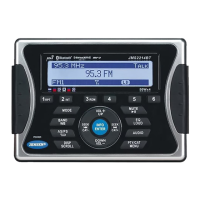
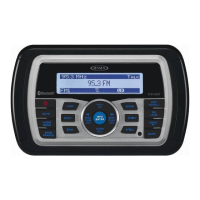
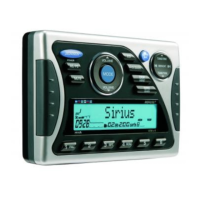
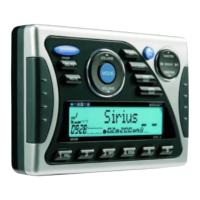
Jensen WMS190 - User Manual

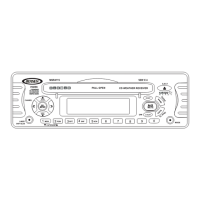
Jensen WMS190
32 pages
Print Icon
To Next Page IconTo Next Page
Loading...
WMS190
Installation and Operation Manual
MARINE AUDIO SYSTEM
WMS190 40W x 4
Manual de la Instalación y Operación / Guide d'installation et d'opération

Questions and Answers

  • B
    Bethany HenryJul 30, 2025
    How to troubleshoot Jensen WMS190 when there is no power?
    • P
      Peter JohnsonJul 30, 2025
      If your Jensen Marine Audio system has no power, there might be a couple of things to check. First, make sure the vessel's power is on and the ignition key is switched to “ACC” if the power supply is properly connected to the vessel’s accessory terminal. Also, check the fuse; if it's blown, replace it.
  • J
    Jesse HarrisAug 10, 2025
    What to do if my Jensen Marine Audio has no sound?
    • S
      Scott FrazierAug 10, 2025
      If you're not getting any sound from your Jensen Marine Audio, here's what to do: First, make sure the volume isn't too low or muted; adjust it to a level you can hear. Next, check the fader settings by pressing the AUDIO button to access the menu and adjust the FADER setting. Finally, ensure all wiring connections are properly connected.
  • C
    Christopher PrattAug 18, 2025
    Why my Jensen WMS190 cannot tune to radio station?
    • S
      Sandra SalazarAug 18, 2025
      If your Jensen Marine Audio can't tune to a radio station or the auto-seek isn't working, start by checking the antenna cable and ensure it's firmly inserted. If that doesn't work, the signals might be too weak, so try selecting a station manually.

Summary

Installation and Operation Manual

Safety Information

Protect from Water

Do not submerge the product in water to prevent electrical shorts, fire, or damage.

General Warning

Reduce risk of fire/shock by not submerging equipment and using only recommended accessories.

Installation

Before You Begin

Disconnect the battery negative terminal before starting installation for safety.

DIN Front Mount Installation

Prepare the dashboard opening, slide the radio in, secure it, and attach the support strap.

Wiring

Wiring Diagram and Pinouts

Detailed diagram showing connections for antenna, power, speakers, and auxiliary inputs with pinout descriptions.

Basic Operation

Power On;Off and Volume Control

Instructions for turning the unit on/off and adjusting the audio volume using the control panel.

Mute and Mode Selection

How to mute audio output and cycle through available operation modes like Tuner and SIRIUS.

Reset and System Menu

Procedure for resetting the unit and accessing system settings like contrast and volume.

Audio Menu and Low Battery Operation

Adjust bass, treble, balance, fader, and configure low battery warnings for optimal performance.

Tuner Operation

Sirius Radio Operation

Troubleshooting

Troubleshooting Guide

Diagnose and resolve common issues like no power, no sound, or unit unresponsiveness.

Jensen WMS190 Specifications

General IconGeneral
BluetoothYes
Water ResistanceIPX6
TunerAM/FM
WeatherproofYes
Impedance4 Ohms
Power Output200W
RMS Power Output50 Watts
Speaker Size6.5 inches
Tweeter1 inch
Woofer6.5 inches

Related product manuals