EasyManua.ls Logo

Jensen JMS2212 - User Manual

Jensen JMS2212
50 pages
Print Icon
To Next Page IconTo Next Page
Loading...
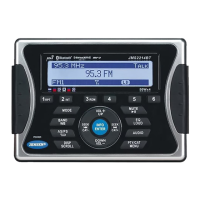
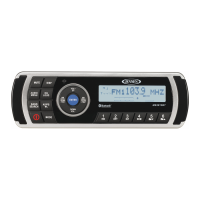
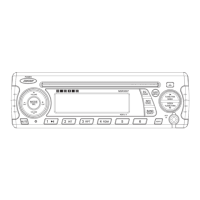
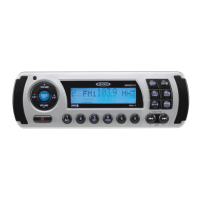
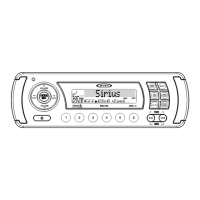
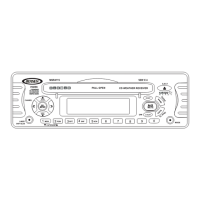
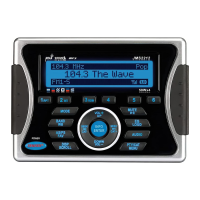
JMS2212
Installation and Operation Manual
MARINE AUDIO SYSTEM
JMS2212
50Wx4
iPhone, iPod, iPod classic, iPod nano, iPod shuffle, and iPod touch are trademarks of Apple Inc., registered in the U.S. and other countries.
Manual de la Instalación y Operación / Guide d'installation et d'opération
iPhone, iPod, iPod classic, iPod nano, iPod shuffle, et iPod touch sont les marques déposées d'Apple Inc., enregistrées aux Etats-Unis et en d'autres pays.
El iPhone, iPod, iPod classic, iPod Nano, iPod Shuffle, y el tacto de iPod son marcas registradas de Apple Inc., registradas en los E.E.U.U. y otros países.

Questions and Answers

  • R
    Ronald KingJul 31, 2025
    Why is there no sound coming from my Jensen JMS2212?
    • S
      Sarah AndersonJul 31, 2025
      If you are experiencing no sound from your Jensen Marine Audio, there might be a couple of reasons. First, check if the volume is set too low and adjust it to a comfortable level. Second, ensure that all wiring connections are properly connected.
  • K
    Kelly Parker MDAug 8, 2025
    Why can't my Jensen JMS2212 tune to radio stations or auto-seek?
    • I
      iperryAug 8, 2025
      If your Jensen Marine Audio cannot tune to radio stations or the auto-seek function is not working, check the following: Ensure the antenna cable is firmly inserted. If the signals are too weak, try selecting a station manually.
  • L
    Larry BradleyAug 15, 2025
    What to do if my Jensen JMS2212 has no power?
    • N
      nathan10Aug 15, 2025
      If your Jensen Marine Audio unit has no power, there are a couple of things you can check. First, make sure the vessel’s accessory switch is turned on; if properly connected, switch the ignition key to “ACC”. Second, inspect the fuse and replace it if it's blown.
  • W
    Wanda SchroederAug 23, 2025
    How to fix Jensen JMS2212 operation keys that do not work?
    • E
      Emily PierceAug 23, 2025
      If the operation keys on your Jensen Marine Audio are not working, it may be due to the built-in microcomputer malfunctioning because of noise. Try pressing the RESET button.

Summary

Safety Information

Installation Warnings

Critical safety warnings for installation, including avoiding unit alteration and proper wiring.

Installation

Before You Begin

Essential first step: disconnect the battery negative terminal before installation.

Important Installation Notes

Key considerations for a safe and correct installation, including testing and placement.

Wired Commander Mounting

Detailed steps for mounting the wired commander unit on a flat surface.

Tuner;Amplifier Mounting

Guides for mounting the main unit, ensuring ventilation and proper cable routing.

Wiring

Wiring Diagram and Pinout

Illustrates the connection points and pin assignments for all modules and cables.

Basic Operation

Mode Selection

How to cycle through and select different audio sources like Tuner, iPod, Aux.

Reset Procedure

Explains when and how to perform a system reset for troubleshooting.

System Menu Navigation

Accessing and configuring various system settings via the menu.

Tuner Operation

Auto Store; Preset Scan

Automatically populates presets or scans through stored stations.

Digital File Playback

Inserting a USB Device

Connect a USB storage device to enable digital playback.

SIRIUS Radio Operation

Direct Tuning Mode

Enter specific channel numbers to tune directly to a SIRIUS station.

Storing Preset Channels

Save favorite SIRIUS channels to preset buttons for quick access.

Switching to SIRIUS Radio

Procedure to change the audio source to SIRIUS satellite radio.

Favorites (Song;Artist Seek)

Search and save preferred songs or artists for notification.

Channel Lock

Set a parental control code to restrict access to specific channels.

iPod Operation

Accessing iPod Mode

How to enter iPod mode manually or how it automatically activates.

Turning iPod On;Off

Describes iPod power behavior related to the vehicle's ignition.

Troubleshooting

Jensen JMS2212 Specifications

General IconGeneral
BluetoothYes
USB PortYes
Water ResistantYes
TunerAM/FM
WeatherproofYes
Impedance4 Ohms
UV ProtectionYes
Power Output200 Watts
Voltage12V

Related product manuals