EasyManua.ls Logo

Jensen MS30 - User Manual

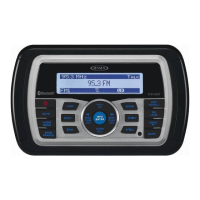
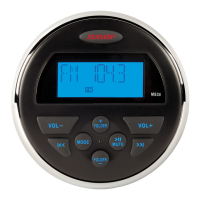
Jensen MS30
14 pages
Print Icon
To Next Page IconTo Next Page
Loading...
VOL-
VOL+
MODE
l<<
>ll
>>l
FOLDER
FOLDER
MS30
+
MUTE
l
MS30
Owner’s Manual

Questions and Answers

  • T
    Teresa BridgesJul 26, 2025
    What to do if my Jensen MS30 has no power?
    • A
      Anthony OliverJul 26, 2025
      First, if the power supply is connected to the vehicle accessory circuits but the engine is not on, switch the ignition key to “ACC”. Also, check the fuse; a blown fuse may be the reason. If it is blown, replace it with a 10 AMP ATO fuse.
  • V
    Victoria AndersonAug 5, 2025
    Why is there no sound coming from my Jensen MS30 Marine Audio?
    • D
      Dwayne MorrisAug 6, 2025
      There could be several reasons for the lack of sound. First, check the volume level and increase it if necessary. Ensure that the device is powered on. Also, verify that the unit is not in Pause mode by pressing the play/pause button.
  • D
    Derrick MarshallAug 15, 2025
    How to fix no AM/FM reception on Jensen MS30 Marine Audio?
    • A
      Andres WhiteAug 15, 2025
      If you are experiencing no AM/FM reception, the antenna cable might not be properly connected. Ensure that you insert the antenna cable firmly.

Summary

Safety Information

Power Supply and Warnings

Specifies power requirements and lists critical warnings for safe operation.

Installation

Mounting Procedure

Step-by-step guide for choosing a location and mounting the radio on a dashboard.

Wiring and Initial Test

Instructions for connecting wires and testing unit operation before final installation.

Wiring Diagram

Red Wire Connection Note

Advises connecting the red wire to switched power (IGN or ACC).

Operation

Basic Controls

Explains essential functions like Power, Volume, Mute, and Mode selection.

Troubleshooting

Common Issues and Solutions

Provides solutions for common problems like no power, no reception, or no sound.

Specifications

Jensen MS30 Specifications

General IconGeneral
BluetoothYes
Water ResistantYes
Radio TunerAM/FM
USB PortYes
Tuner BandsAM/FM
WaterproofNo
WeatherbandNo
Frequency Response20Hz - 20kHz
Speaker Impedance4-8 Ohms
Voltage Requirement12V DC
DisplayLCD
Aux InputYes
Preamp Outputs2-channel

Related product manuals