EasyManua.ls Logo

Jensen MSR3007 - User Manual

Jensen MSR3007
38 pages
Print Icon
To Next Page IconTo Next Page
Loading...
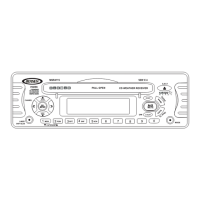
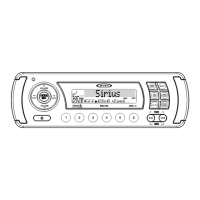
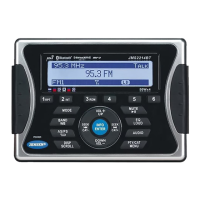
MSR3007
Installation and Operation Manual
MARINE AUDIO SYSTEM
IX BASS
SCROLL
INFO
BAND
SEARCH
AUDIO
MENU
TUNE/TRK
SEEK
SEEK
TUNE/TRK
654
RDMRPT
32
INT
1
MUTE
MODE
SEL
VOLUME
VOLUME
CAT
CAT
POWER
AUX
IN
AS/PS
M
S
R
3
0
0
7
EQ
40W x 4
+
Manual de la Instalación y Operación / Guide d'installation et d'opération

Other manuals for Jensen MSR3007

Questions and Answers

  • M
    Melissa FergusonJul 29, 2025
    What to do if my Jensen MSR3007 has no sound?
    • B
      Billy CochranJul 29, 2025
      If there's no sound coming from your Jensen Marine Audio, start by checking the volume level and adjust it to a level you can hear. Also, verify that all wiring connections are properly connected.
  • C
    christinesanchezAug 3, 2025
    How to fix Jensen MSR3007 when it cannot tune to radio station and auto-seek does not work?
    • J
      Juan WhiteAug 3, 2025
      If your Jensen Marine Audio isn't tuning to radio stations or the auto-seek isn't working, make sure the antenna cable is firmly inserted. If the signals are too weak, try selecting a station manually.
  • C
    chelsea16Aug 8, 2025
    What to do if the operation keys do not work on Jensen MSR3007?
    • T
      Thomas CraigAug 9, 2025
      If the operation keys on your Jensen Marine Audio aren't working, try reinstalling the control panel. If that doesn't work, press the RESET button, as the built-in microcomputer may not be operating correctly due to noise.
  • J
    Jason ArnoldAug 13, 2025
    Why Jensen Marine Audio has no power?
    • A
      Angel GordonAug 13, 2025
      Your Jensen Marine Audio might not be getting power for a couple of reasons. First, make sure the vessel’s accessory switch is turned on, setting the ignition key to “ACC” if the power supply is properly connected. Also, check the fuse; if it's blown, you'll need to replace it.
  • M
    michelle93Aug 18, 2025
    Why does my Jensen Marine Audio sound skip?
    • K
      kzunigaAug 18, 2025
      Sound skipping on your Jensen Marine Audio could be due to a couple of things. Ensure that the installation angle is less than 30 degrees. Also, the disc might be dirty or defective, so try cleaning it or using a new one.
  • J
    Jeffrey WilsonAug 25, 2025
    What to do if the disc cannot be loaded or ejected from Jensen MSR3007 Marine Audio?
    • K
      kwilsonAug 25, 2025
      If you're having trouble loading or ejecting a disc from your Jensen Marine Audio, consider these possibilities: * If there's already a disc inside, remove it before inserting a new one. * Make sure you're inserting the disc with the label facing upward. * The disc might be dirty or defective, so try cleaning it or using a new one. * Condensation may be the issue, in which case, leave the player off for about an hour before trying again.

Summary

Safety Information

Disc Maintenance

Advice on cleaning and handling discs to prevent playback issues and damage.

Installation

Before You Begin

Essential steps and important notes to follow before starting the installation process.

DIN Front Mount

Instructions for mounting the unit into a standard DIN dashboard opening.

Basic Operation

Basic Controls

How to power on/off, adjust volume, mute, change modes, and reset the unit.

Audio Menu Settings

Adjusting Bass, Treble, Balance, Fader, and Volume Level through the audio menu.

System Menu Settings

Navigating and adjusting system-wide settings like contrast and battery monitoring.

Tuner Operation

CD Player Operation

Sirius Radio Operation

Sirius Channel Management

Storing, programming, and accessing SIRIUS channels directly or via presets.

iPod Operation

iPod Connection and Mode

Connecting an iPod, accessing iPod mode, and power management.

iPod Playback Control

Managing playback, pausing, repeating, random play, and track selection.

Troubleshooting

Jensen MSR3007 Specifications

General IconGeneral
TunerAM/FM
BluetoothYes
Water ResistantYes
USB PortYes
Channels4
WeatherproofYes
Waterproof RatingIPX6
DisplayLCD
Preamp Outputs2
Auxiliary InputYes
Remote ControlYes

Related product manuals