49
VM9214
• Some mobile phones (like Sony Ericsson) may have a "Power Saving
Mode" option. PLEASE DO NOT use the power saving mode with the
VM9214.
• Before accepting or making a call, make sure your mobile phone's
“Bluetooth function” is turned on.
• To ensure the best conversation quality/performance, stay within one
meter of the BTM10 when talking.
• To “disconnect” the mobile phone from the head unit, turn the Bluetooth
connectivity off on the mobile phone or touch the button.
• Phone Book direct searching through the head unit is only available
if the mobile phone supports Phone Book Download. If the feature is
not supported, the head unit will display “Phone book not provided by this
phone” when an attempt is made to download a phone book.
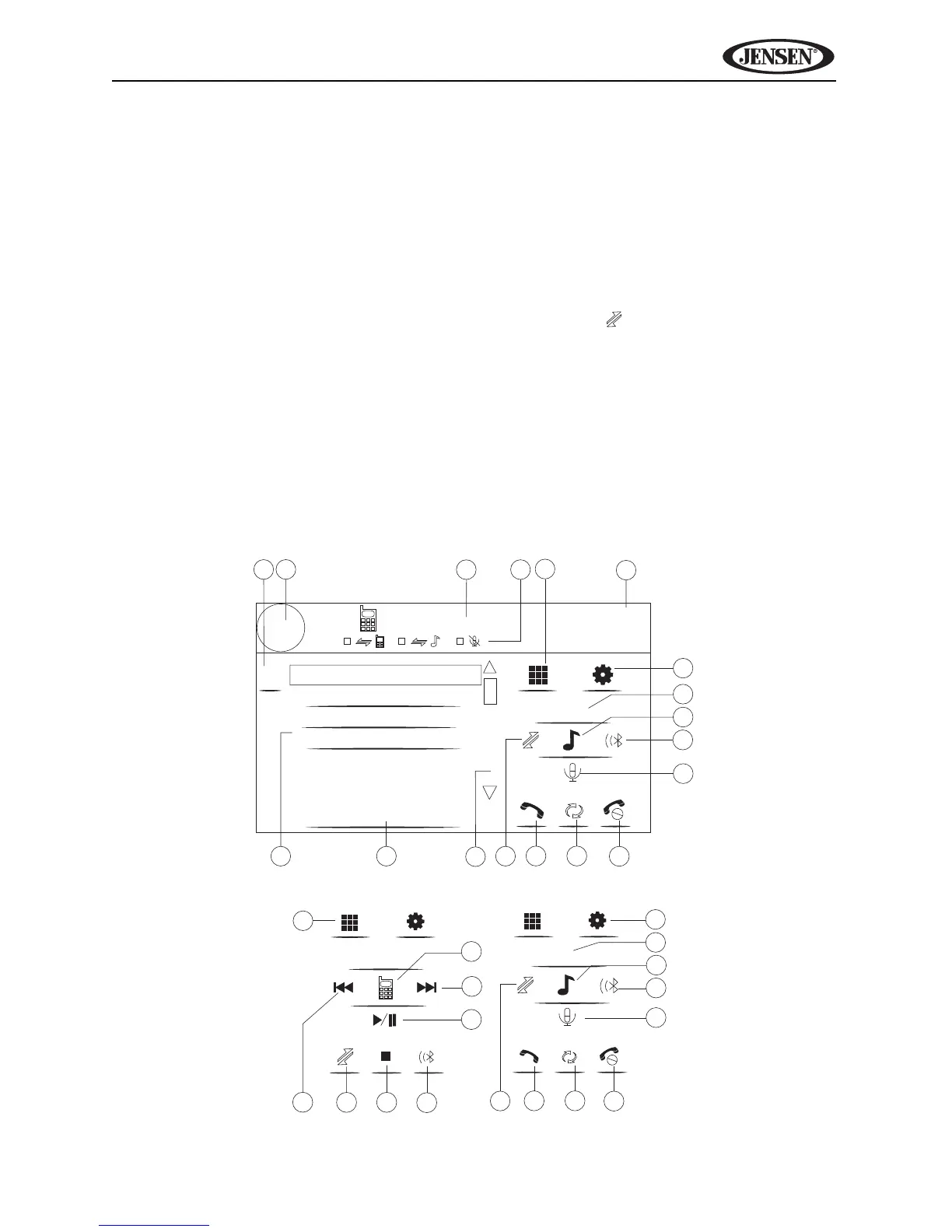
Bluetooth User Interface
The on-screen indicators and touch key areas for Bluetooth operation are
outlined below.
1
4
9
14
2
8
15
Disconnected
1 Missed Calls
2 Received Calls
3 Dialed Calls
4 Phone Book
3
16
13
17
Menu List
19
01:02 PM
E
Q
BT
MENU
7
10
11
5
6
12
PHONE INTERFACE MUSIC INTERFACE
9
8
13
17
MENU
MENU
7
10
11
5
6
12
9
23
7
20
21
22
18















 To Next Page