VM9224BT
•
To
"disconnect" the mobile phone from the head unit, turn the Bluetooth
connectivity off on the mobile phone or touch the
~
button.
• Phone
Book
direct
searching
through
the head
unit
is
only
available
if
the
mobile
phone
supports
Phone
Book
Download. If the feature is
not supported, the head unit will display "Phone book not provided by this
phone" when an attempt is made to download a phone book.
Bluetooth
User
Interface
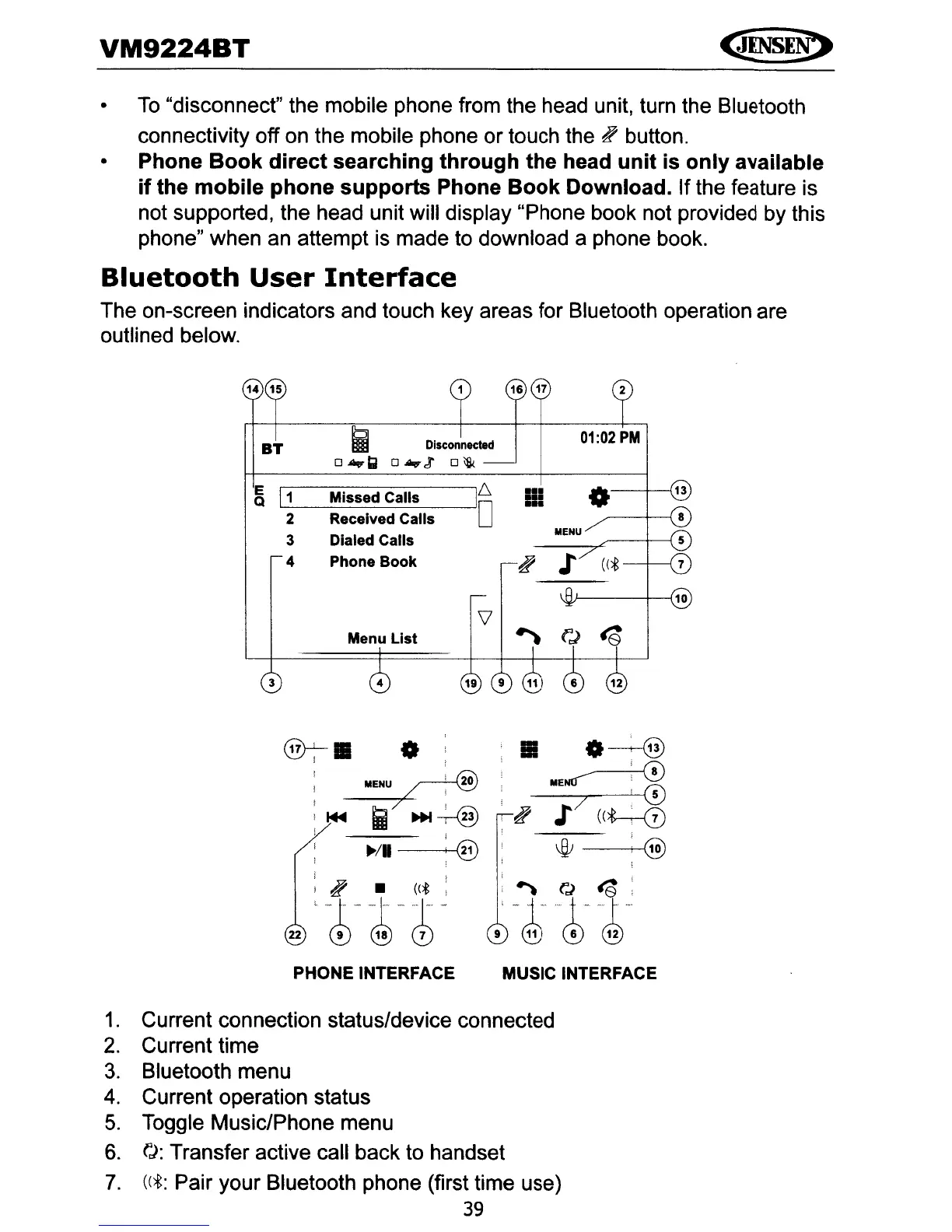
The on-screen indicators and touch key areas for Bluetooth operation are
outlined below.
16
17
~
Disconnected
01:02
PM
BT
o
...
Q
o
....
et
o\lk
E
1
6
13
11
Missed Calls
.-
•
Q
.-
.-
2 Received Calls
0
3 Dialed Calls
MENU
4 Phone
Book
~
;
((*
10
V
to
Menu
List
~
fJ
3 4
®7-1B
0
I
I
~ENU
'.
20
I 1
I ,
I~
i
~~
i I
~/II
l @
~
•
«t,
22
'J~-~-
Ii!
O---+--@
~
ME~'
';!
--...,,-------"---<0
,~
;7
((h-0
~
'@
.
~
(',)
~:
9'
-J;~"4'
PHONE INTERFACE MUSIC INTERFACE
1.
Current connection status/device connected
2.
Current time
3.
Bluetooth menu
4.
Current operation status
5.
Toggle Music/Phone menu
6.
rJ:
Transfer active call back to handset
7.
((*:
Pair your Bluetooth phone (first time use)
39



 To Next Page