J
~~r~~N········
........
...
~l~~~J..
~~®
VX3010
Time Settings
1.
Touch
[Time].
2.
Touch
an
option
repeatedly
to
select:
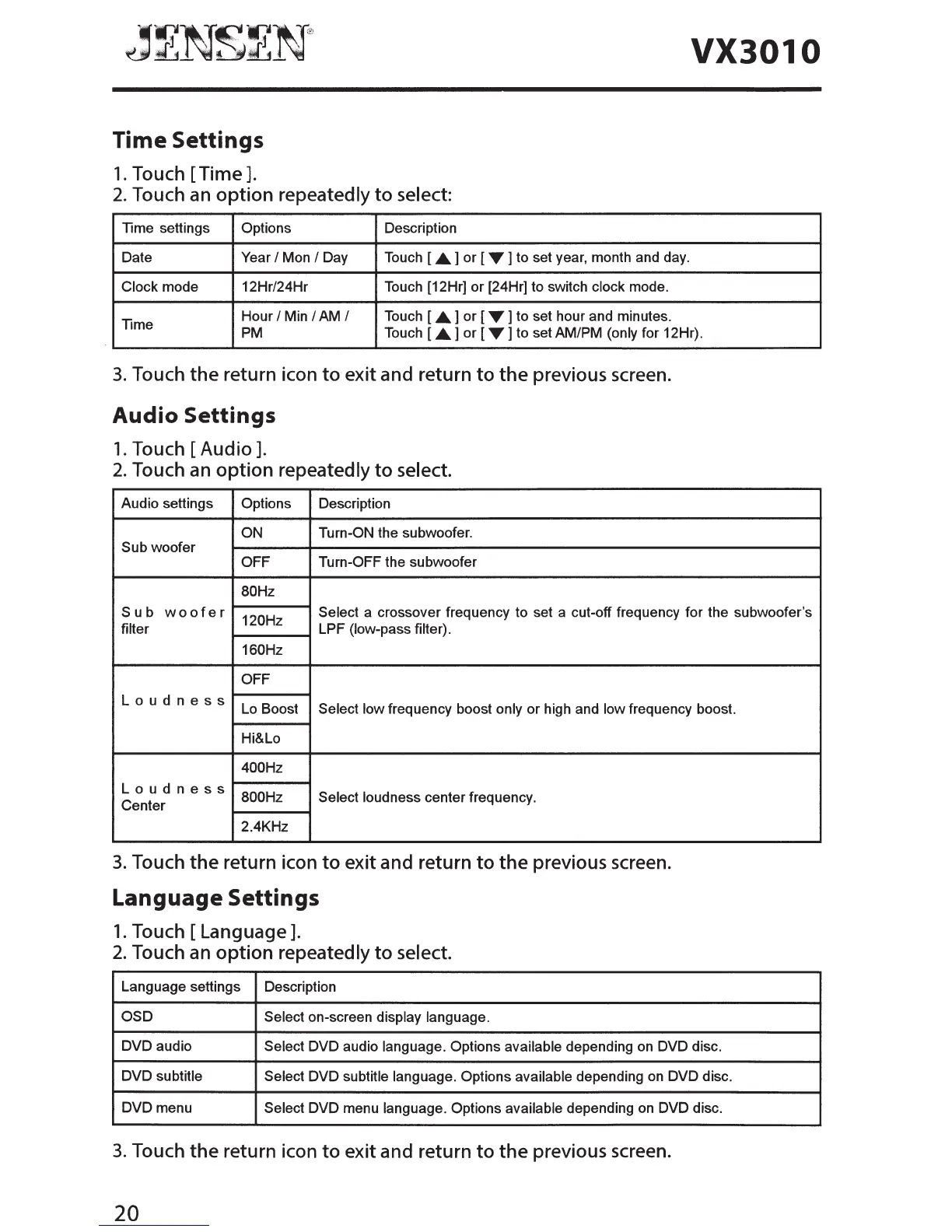
Time settings
Options
Description
Date Year
I Mon I Day Touch [
.A.
] or [
"Y
] to set year, month and day.
Clock mode 12Hr/24Hr Touch [12Hr] or [24Hr] to switch clock mode.
Hour
I Min I AM I Touch [.A.] or [ "Y] to set hour and minutes.
Time
PM
Touch [.A.] or [ "Y] to set AM/PM (only for 12Hr).
3.
Touch
the
return icon
to
exit and return
to
the
previous screen.
Audio Settings
1.
Touch
[Audio].
2.
Touch
an
option
repeatedly
to
select.
Audio settings
Options Description
ON
Turn-ON the subwoofer.
Sub woofer
OFF
Turn-OFF the subwoofer
80Hz
Sub
woofer
120Hz
Select a crossover frequency to set a cut-off frequency for the subwoofer's
filter
LPF (low-pass filter).
160Hz
OFF
Loudness
Lo
Boost Select low frequency boost only or high and low frequency boost.
Hi&Lo
400Hz
Loudness
800Hz Select loudness center frequency.
Center
2.4KHz
3.
Touch
the
return icon
to
exit and return
to
the
previous screen.
Language Settings
1.
Touch
[Language].
2.
Touch an
option
repeatedly
to
select.
Language settings
Description
OSD
Select on-screen display language.
DVD audio
Select DVD audio language. Options available depending
on
DVD disc.
DVD subtitle
Select DVD subtitle language. Options available depending
on
DVD disc.
DVD menu
Select DVD menu language. Options available depending
on
DVD disc.
3.
Touch
the
return icon
to
exit and return
to
the
previous screen.
20



 To Next Page