Change Aspect Ratio
Press
the
[WIDE]
key on the remote control
to
adjust the aspect ratio.
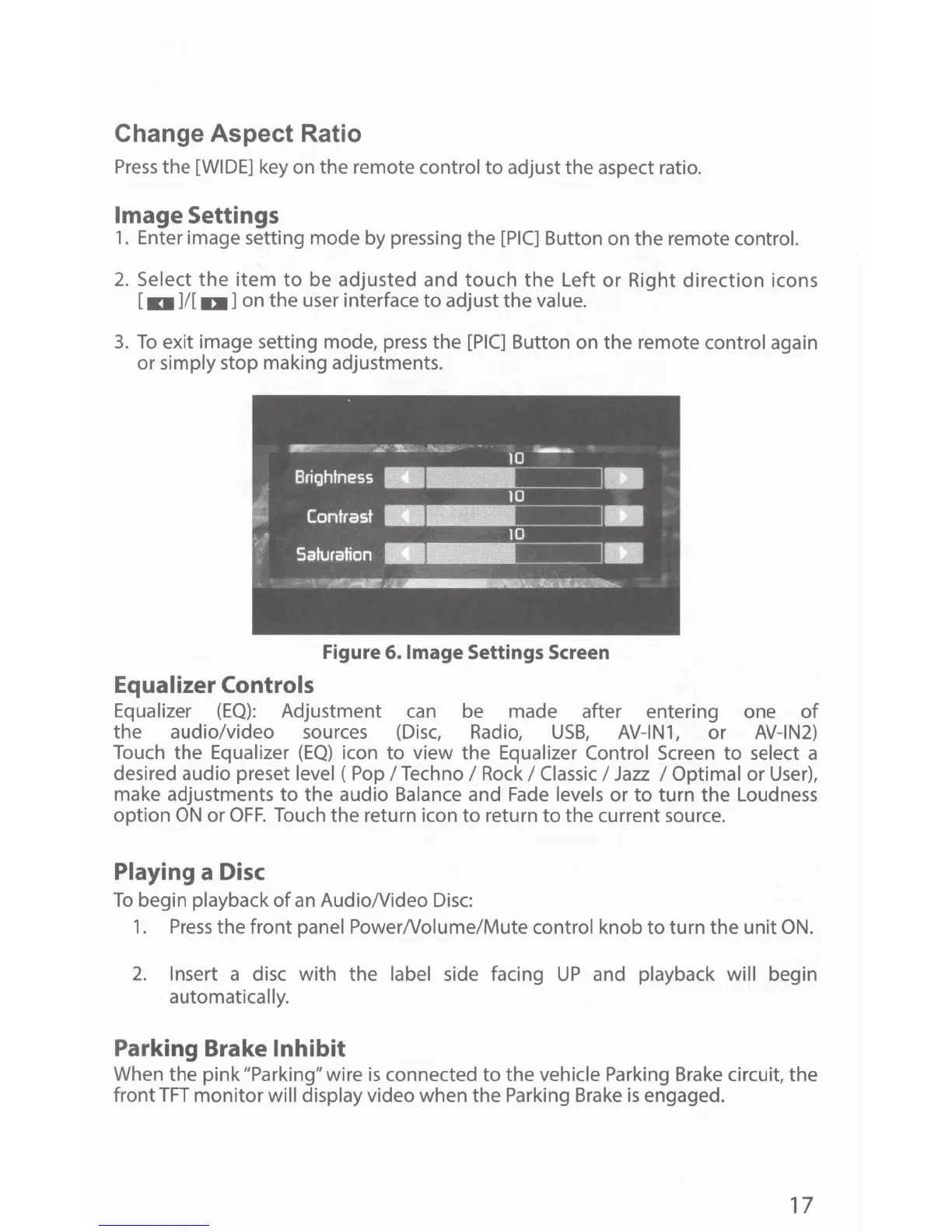
Image Settings
1. Enter image setting mode by pressing the
[PIC]
Button on the remote control.
2.
Select
the
item
to
be adjusted and touch
the
Left
or
Right
direction
icons
[
11101
]/[ IDI] on the user interface to adjust the value.
3.
To
exit image setting mode,
press
the
[PIC]
Button on the remote control again
or simply stop making adjustments.
Figure 6.
Image
Settings Screen
Equalizer Controls
Equalizer
(EQ):
Adjustment
can
be made after entering one
of
the audio/video sources
(Disc,
Radio,
USB,
AV-IN1,
or
AV-IN2)
Touch the Equalizer
(EQ)
icon to view the Equalizer Control
Screen
to select a
desired audio preset level (
Pop
I Techno I
Rock
I
Classic
I
Jazz
I Optimal or
User),
make adjustments
to
the audio Balance and
Fade
levels or to turn the Loudness
option
ON
or
OFF.
Touch the return icon
to
return
to
the current source.
Playing a Disc
To
begin playback
of
an
AudioNideo
Disc:
1.
Press
the front panel PowerNolume/Mute control knob
to
turn the
unit
ON.
2.
Insert a disc with the label side facing
UP
and playback will begin
automatically.
Parking Brake Inhibit
When the pink "Parking" wire
is
connected to the vehicle Parking
Brake
circuit, the
front
TFT
monitor will display video when the Parking
Brake
is
engaged.
17



 To Next Page