EasyManua.ls Logo

Jensen VX3010 - Radio Tuner Operation; Selecting Radio Source and Band; Radio Tuning Methods; Preset Station Management

Jensen VX3010
54 pages
Print Icon
To Next Page IconTo Next Page
To Previous Page IconTo Previous Page
Loading...
VX3010
RADIO
TUNER MODE
Select
radio
as
playing
source
Open
the
SOURCE
MENU
and then touch [Radio].
Selecting
a Radio Band
Press
the
[BAND] Button on
the
remote control
or
touch
the
[ :\\] icon on
the
user
interface
to
select one radio band
among
FM
1,
FM2,
FM3,
AM
1 and AM2.
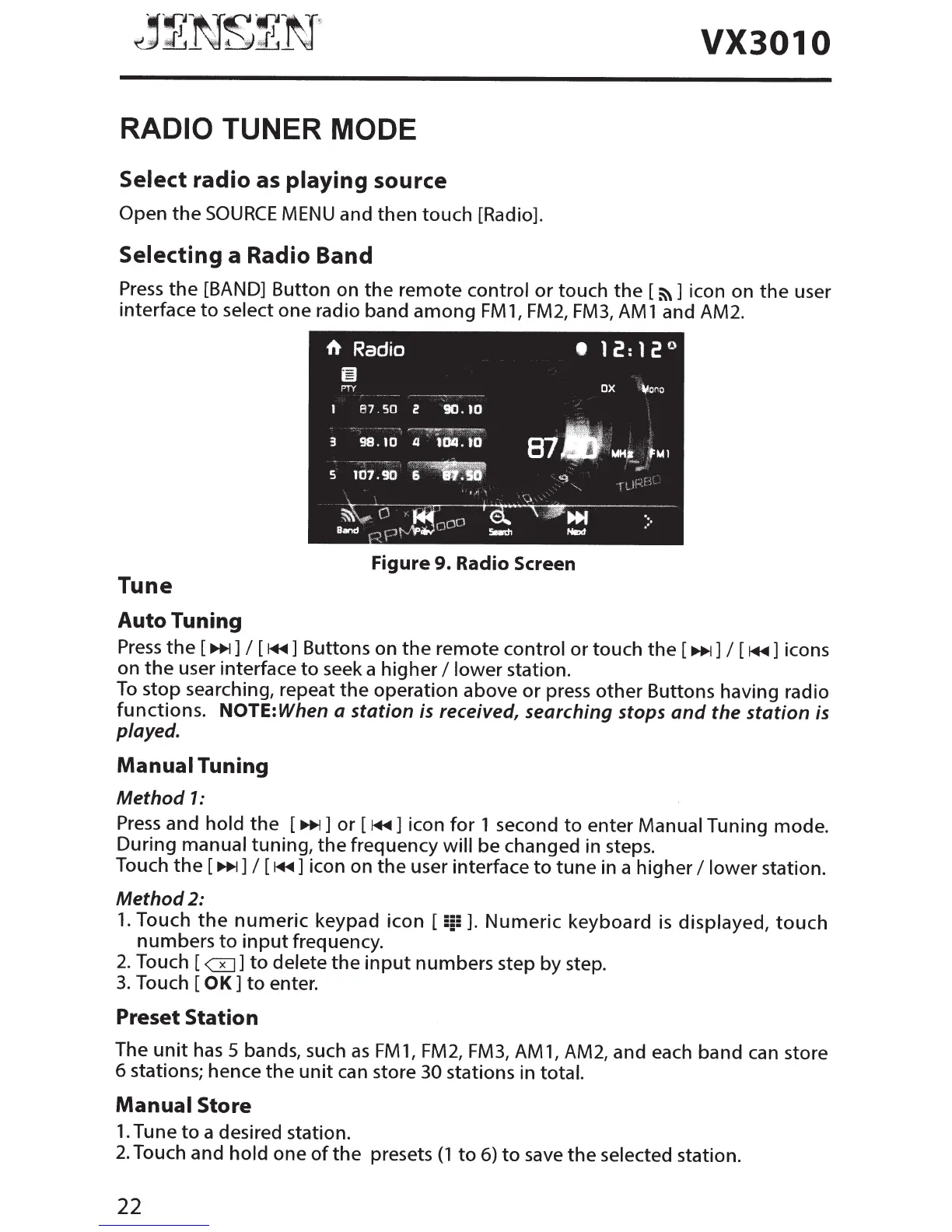
Figure
9. Radio Screen
Tune
Auto
Tuning
Press
the
[
111+1]
I [
~+~]
Buttons on
the
remote control or touch
the
[
111+1]
I
[
~+~]
icons
on
the
user interface
to
seek a higher
I lower
station.
To
stop searching, repeat
the
operation above or press other Buttons having radio
functions. NOTE:
When a station is received, searching stops
and
the
station is
played.
Manual
Tuning
Method
1:
Press
and
hold
the
[
111+1]
or [
~+~]
icon
for
1 second
to
enter Manual Tuning mode.
During manual tuning,
the
frequency
will
be changed in steps.
Touch
the
[
111+1]
I
[
~+~]
icon on
the
user interface
to
tune
in a higher I
lower
station.
Method2:
1.
Touch
the
numeric
keypad icon
[iii].
Numeric
keyboard
is
displayed,
touch
numbers
to
input
frequency.
2.
Touch [
GJ]
to
delete
the
input
numbers step by step.
3.
Touch
[OK]
to
enter.
Preset
Station
The
unit
has
5 bands, such
as
FM
1,
FM2, FM3,
AM
1,
AM2, and each band can store
6 stations; hence
the
unit
can
store 30
stations in total.
Manual
Store
1.
Tune
to
a desired station.
2.
Touch and
hold
one
of
the
presets
(1
to
6)
to
save
the
selected station.
22

Other manuals for Jensen VX3010

Related product manuals