EasyManua.ls Logo

Jensen VX3010 - iPod;iPhone Playback Management; Playback Controls (Pause, Track Selection); Fast Forward;Reverse and Repeat Modes; Random Play and Track Controls

Jensen VX3010
54 pages
Print Icon
To Next Page IconTo Next Page
To Previous Page IconTo Previous Page
Loading...
Pausing Playback
l.Touch
fhe
Pause
icon [
11]
on the bottom
of
the
screen
to
pause
play.
"PAUSE"
appears
in
the
display,
and
Pause
icon[
11]
will
switch to a
Play
icon[~].
2.
Touch
the
Play
icon
[~]to
resume
playback.
Selecting a Track
Track-up
Touch the Forward icon [
~]
to
move
to
the beginning
of
the next track.
Track-down
1.
Touch
the
Back icon [
~]
once
to
move back
to
the beginning
of
the
current
track.
2.
Touch the
Back
icon[~]
twice
to
move back
to
the beginning
of
the previous
track.
Fast Forward/Fast Reverse
Fast
forward
Touch and
hold the Forward icon
[~].to
fast forward a track.
Fast reverse
Touch and
hold
the
Back
icon
[~]to
fast reverse a track.
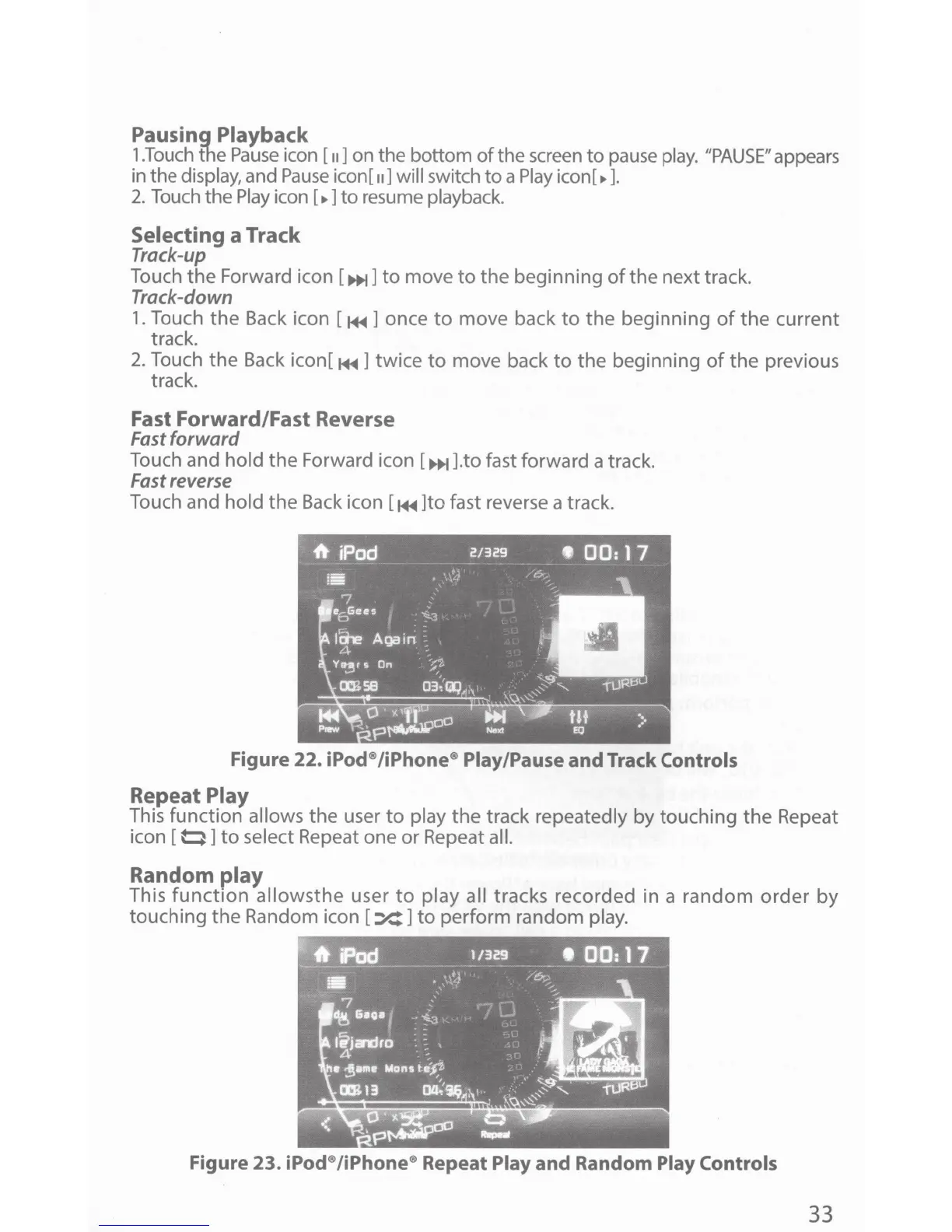
Figure
22.
iPod®/iPhone® Play/Pause
and
Track
Controls
Repeat
Play
This function
allows
the user
to
play
the track
repeatedly by touching the Repeat
icon [
0]
to
select Repeat one or Repeat all.
Random
play
This
function
allowsthe
user
to
play all
tracks recorded in a random
order
by
touching the Random icon
[:X:]
to
perform random
play.
Figure 23.
iPod®
/iPhone® Repeat
Play
and
Random
Play Controls
33

Other manuals for Jensen VX3010

Related product manuals