EasyManua.ls Logo

Jet JTAS-10XL - User Manual

Jet JTAS-10XL
36 pages
Print Icon
To Next Page IconTo Next Page
Loading...
Operating Instructions and Parts Manual
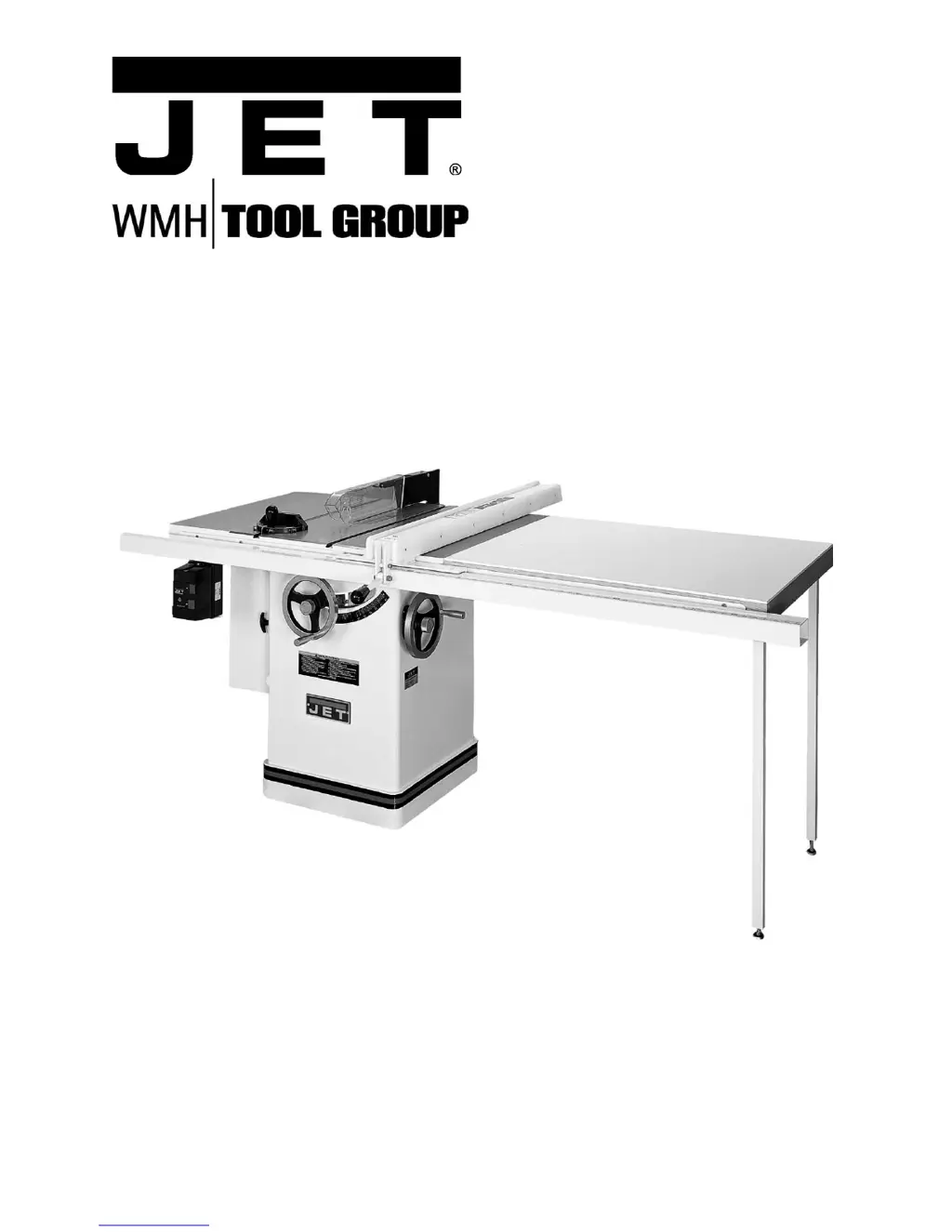
Left Tilting Arbor Saw
Models JTAS-10XL and JTAS-12XL
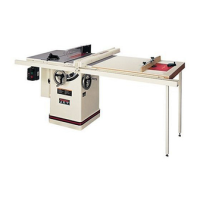
JTAS-10XL shown
WMH TOOL GROUP
2420 Vantage Drive
Elgin, Illinois 60123 Part No. M-708661
Ph.: 800-274-6848 Revision H 7/06
www.wmhtoolgroup.com Copyright © WMH Tool Group
This manual is bookmarked

Questions and Answers

  • H
    hornjoshuaAug 13, 2025
    What to do if my Jet JTAS-10XL stops or will not start?
    • T
      Tina ArmstrongAug 13, 2025
      If your Jet Saw stops or won't start, here's what you can check: * The overload might have tripped. If so, allow the motor to cool down and reset it by pushing the off switch. * Ensure the saw is properly plugged into the wall and the motor. Check all plug connections. * A fuse might be blown, or a circuit breaker tripped. Replace the fuse or reset the circuit breaker. * The cord could be damaged. If that's the case, replace the cord.
  • L
    Lori MillerAug 16, 2025
    Why does the material bind blade when ripping with my Jet Saw?
    • Z
      zachary90Aug 16, 2025
      If the material binds the blade when ripping with your Jet Saw, consider the following: 1. The fence might not be aligned with the blade. Check and adjust the fence. 2. The wood might be warped. Select another piece of wood. 3. The feed rate might be too high. Reduce the feed rate. 4. The splitter might not be aligned with the blade. Align the splitter with the blade.
  • D
    David SantosAug 20, 2025
    Why does my Jet JTAS-10XL make unsatisfactory cuts?
    • H
      heather67Aug 20, 2025
      If your Jet Saw is making unsatisfactory cuts, it could be due to several reasons: * The blade might be dull. Sharpen or replace the blade. * The blade might be mounted backward. Turn the blade around. * There might be gum or pitch on the blade. Remove the blade and clean it. * You might be using the incorrect blade for the cut. Change the blade to the correct type. * There might be gum or pitch on the table. Clean the table.
  • D
    Deborah CarterAug 25, 2025
    Why does my Jet Saw vibrate excessively?
    • B
      Bethany MartinezAug 25, 2025
      If your Jet Saw vibrates excessively, here are some potential causes and solutions: * The stand might be on an uneven floor. Reposition it on a flat, level surface. * The saw blade might be damaged. Replace the saw blade. * The V-belts might be bad. Replace the V-belts. * The pulley might be bent. Replace the pulley. * The motor mounting might be improper. Check and adjust the motor. * The hardware might be loose. Tighten the hardware.
  • S
    Stephen VasquezAug 28, 2025
    How to fix inaccurate 45 or 90 degree cuts with my Jet JTAS-10XL?
    • P
      Patrick DavidsonAug 28, 2025
      If your Jet Saw does not make accurate 45 or 90 degree cuts, consider these possibilities: * The stops might not be adjusted correctly. Check the blade with a square and adjust the stops. * The angle pointer might not be set accurately. Check the blade with a square and adjust the pointer. * The miter gauge might be out of adjustment. Adjust the miter gauge.
  • C
    Chad NelsonSep 1, 2025
    What to do if material kicked back from blade on my Jet JTAS-10XL Saw?
    • J
      Jon Allen DDSSep 1, 2025
      If the material is kicked back from the blade of your Jet Saw, consider the following: * The rip fence might be out of alignment. Align the rip fence with the miter slot. * The splitter might not be aligned with the blade. Align the splitter with the blade. * You might be feeding stock without a rip fence. Install and use the rip fence. * The splitter might not be in place. Install and use the splitter (with guard). * The blade might be dull. Replace the blade. * You might be letting go of the material before it is past the blade. Push the material all the way past the blade before releasing work. * The anti-kick back plates might be dull. Replace or sharpen the anti-kick back plates.
  • K
    Krystal BennettSep 4, 2025
    Why blade does not come up to speed on my Jet JTAS-10XL Saw?
    • S
      Sabrina SmithSep 4, 2025
      If the blade of your Jet Saw does not come up to speed, it could be due to: * An extension cord that is too light or too long. Replace it with an adequate size cord. * Low shop voltage. Contact your local electric company. * The motor not wired for the correct voltage. Refer to the motor junction box.
  • M
    mcdowellmatthewSep 8, 2025
    How to fix blade that does not raise or tilt freely on my Jet JTAS-10XL Saw?
    • M
      Mark HallSep 8, 2025
      If the blade on your Jet Saw does not raise or tilt freely, it might be due to sawdust and debris in the raising and tilting mechanisms. Clean and regrease these mechanisms.

Summary

Warranty and Service

Product Information and Warranty

Details product info, warranty durations, and service center access.

Warranty Coverage and Service Procedures

Explains what's covered, who's covered, exclusions, and how to get repairs.

Legal Rights and Warranty Limitations

Outlines user legal rights and limitations on implied warranties.

General Safety Warnings

Introduction to the JET Table Saw

JTAS-10 XL and JTAS-12 XL Specifications

Contents of the Shipping Container

Tools Required for Assembly

Unpacking and Cleanup Procedure

Installation and Leveling

Motor Cover Assembly

Instructions for installing the motor cover.

Extension Wing Assembly

Steps for attaching the extension wings to the saw table.

Handwheel Assembly

Blade Guard Assembly

Installing the Saw Blade

Aligning Blade Guard and Splitter

How to align the blade guard and splitter for safe operation.

Assembly and Setup Procedures

Table Insert Adjustment

Adjusting the table insert for a flush surface.

Mounting Rails and Extension Table

Instructions for mounting rails and extension table.

Attaching Switch Bracket and Brace

Securing the switch bracket assembly and switch brace.

Miter Gauge Operation

How to operate the miter gauge.

Blade Adjustment and Electricals

Blade Raising and Tilting Mechanism

How to adjust the blade height and tilt angle.

Electrical Connections and Voltage Conversion

Guidelines for safe electrical hookup and voltage conversion.

Blade Alignment Procedure

Adjusting 45° and 90° Positive Stops

Maintenance and Belt Changes

Changing the Drive Belts

Step-by-step guide for replacing the drive belts.

General Maintenance Procedures

Cleaning, lubrication, and rust removal for the table saw.

Troubleshooting Common Issues

Jet JTAS-10XL Specifications

General IconGeneral
TypeTable Saw
Blade Diameter10 inches
Maximum Depth of Cut at 90 Degrees3-1/8 inches
Maximum Rip to Left of Blade12 inches
Arbor Diameter5/8 inches
Maximum Depth of Cut at 45 Degrees2-1/8 inches
Table Size20 x 27 in
Dust Port Diameter4 in

Related product manuals