EasyManua.ls Logo

Jet JWB-10 - User Manual

Jet JWB-10
24 pages
Print Icon
To Next Page IconTo Next Page
Loading...
Operating Instructions and Parts Manual
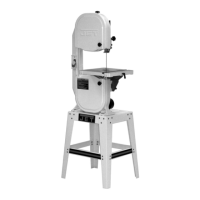
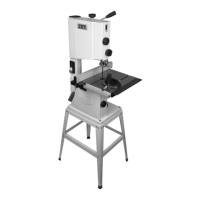
10-inch Band Saw
Model JWB-10
JET
427 New Sanford Road
LaVergne, Tennessee 37086 Part No. M-714000
Ph.: 800-274-6848 Edition 1 12/2015
www.jettools.com Copyright © 2015 JET

Questions and Answers

  • M
    melissaloganAug 7, 2025
    How to adjust Jet JWB-10 for accurate cuts?
    • B
      Benjamin WilliamsAug 7, 2025
      If your Jet Saw isn't making accurate 45 or 90 degree cuts, the stop might not be adjusted correctly. Check the blade with a square and adjust the stop accordingly. Also, the angle pointer might not be set accurately, so check the blade with a square and adjust the pointer.
  • M
    Melissa TurnerAug 12, 2025
    What to do if my Jet JWB-10 stops suddenly?
    • K
      Karen NelsonAug 12, 2025
      If your Jet Saw stops or won't start, there could be a few reasons. First, check the plug connections to ensure the saw is properly plugged in. If that's not the issue, inspect the fuse or circuit breaker; a blown fuse or tripped breaker will need replacing or resetting. Lastly, examine the cord for any damage, and replace it if necessary.
  • D
    Dr. Sean StanleyAug 17, 2025
    Why does my Jet Saw make unsatisfactory cuts?
    • A
      Anthony Porter PhDAug 17, 2025
      Unsatisfactory cuts from your Jet Saw can stem from several issues. A dull blade is a common culprit, so consider replacing it. Also, ensure the blade is mounted correctly with the teeth pointing down. Check for gum or pitch on the blade and clean if necessary. Verify you're using the correct blade for the type of cut you're making, and clean any gum or pitch from the table.
  • T
    Toni McintoshAug 21, 2025
    Why does my Jet Saw blade wander during cuts?
    • W
      williamyangAug 22, 2025
      If the blade on your Jet Saw wanders during a cut, several factors could be responsible. Start by checking the fence alignment with the blade and adjust if needed. The wood itself could be warped, so try selecting a different piece. Reduce the feed rate if you're pushing the wood too quickly. Ensure you're using the correct blade type for the cut. Proper blade tension is crucial, so set it according to the blade size. Finally, review the guide bearing adjustment.
  • D
    Donna ArmstrongAug 27, 2025
    How to fix excessive vibration in my Jet Saw?
    • S
      Sean StokesAug 27, 2025
      Excessive vibration in your Jet Saw can be caused by a few things. Make sure the base is positioned on a flat, level surface. A bad v-belt can also cause vibration, so consider replacing it. Check if the motor mount is loose and tighten the hardware. Also, inspect for any other loose hardware and tighten as needed.
  • A
    Aaron LarsenSep 1, 2025
    What to do if Jet Saw blade does not come up to speed?
    • K
      Kyle PaceSep 1, 2025
      If the blade on your Jet Saw isn't reaching full speed, it could be due to the extension cord being too light or too long; replace it with a cord of adequate size and length. Another possibility is low shop voltage, in which case you should contact your local electric company.

Summary

IMPORTANT SAFETY INSTRUCTIONS

Specifications

Unpacking

Assembly

Stand assembly

Instructions for assembling the band saw stand structure.

Mounting saw to stand

Steps to securely attach the band saw to the assembled stand.

Electrical connections

GROUNDING INSTRUCTIONS

Essential grounding procedures for safe electrical operation of the machine.

Adjustments

Changing blades

Detailed steps for safely removing and installing new saw blades.

Adjusting blade tension

How to properly set the tension for the band saw blade.

Adjusting blade tracking

Steps to ensure the blade tracks correctly on the wheels.

Operating controls

User-maintenance

Troubleshooting JWB-10 Band Saw

Electrical Connections for JWB-10 Band Saw

Jet JWB-10 Specifications

General IconGeneral
BrandJet
ModelJWB-10
CategorySaw
LanguageEnglish

Related product manuals