EasyManua.ls Logo

Jet JWCS-10A - User Manual

Jet JWCS-10A
21 pages
Print Icon
To Next Page IconTo Next Page
Loading...
OWNER'S MANUAL
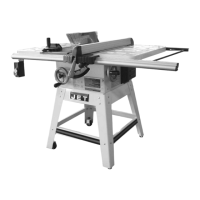
JWCS-10A Cabinet Saw
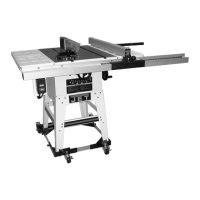
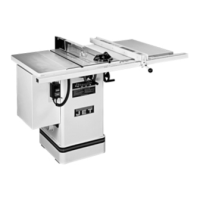
JWCS-10A-PF Shown
JET EQUIPMENT & TOOLS, INC. P.O. BOX 1349 Phone:253-351-6000
A WMH Company Auburn, WA 98071-1349 Fax: 1-800-274-6840
www.jettools.com e-mail jet@jettools.com M-708435 12/00

Questions and Answers

  • A
    Angela StephensonAug 13, 2025
    What to do if material is kicked back from the blade on my Jet JWCS-10A?
    • D
      darrell34Aug 14, 2025
      If material is kicked back from the blade of your Jet Saw, several factors could be at play. First, check the rip fence alignment with the miter slot and adjust if necessary. Ensure the splitter is correctly aligned with the blade. Always use the rip fence when feeding stock and make sure the splitter is installed and used with the guard. A dull blade can also cause kickback, so replace it if needed. Maintain control by pushing the material completely past the blade before releasing it. Lastly, check and either sharpen or replace the anti-kickback plates.
  • P
    Patrick BryantAug 17, 2025
    Why does my Jet JWCS-10A make unsatisfactory cuts?
    • Q
      qdavidsonAug 17, 2025
      If your Jet Saw is making unsatisfactory cuts, there are several potential reasons. It could be due to a dull blade, in which case you should sharpen or replace it. Make sure the blade is mounted correctly, with the teeth pointing in the direction of rotation. Gum or pitch accumulation on the blade or table can also affect cut quality, so remove the blade and clean it, and clean the table. Finally, ensure you are using the correct blade type for the material and cut you are performing.
  • V
    Victor LaraAug 21, 2025
    What to do if my Jet JWCS-10A Saw stops or will not start?
    • W
      William KnightAug 21, 2025
      If your Jet Saw stops or won't start, begin by checking if the overload on the motor has tripped; if so, allow the motor to cool and then reset the overload switch. Ensure the saw is properly plugged into the wall and the motor. Check the fuse or circuit breaker and replace or reset if necessary. Finally, inspect the cord for any damage and replace it if needed.
  • R
    Renee SilvaAug 25, 2025
    Why does the material bind the blade when ripping on my Jet JWCS-10A?
    • W
      Wendy AcostaAug 26, 2025
      If the material binds the blade when ripping on your Jet Saw, first check and adjust the fence to ensure it is aligned with the blade. The wood may be warped, so select another piece. Try to reduce the feed rate. Also, make sure that the splitter is aligned with the blade.
  • R
    Richard DuncanAug 28, 2025
    How to fix excessive vibrations in my Jet JWCS-10A Saw?
    • M
      melaniejenkinsAug 28, 2025
      If your Jet Saw vibrates excessively, first ensure it's positioned on a flat, level surface. A damaged saw blade can cause vibration, so replace it if necessary. Check the V-belts and replace if they are bad. Inspect the pulley for any bending and replace if needed. Verify that the motor is mounted correctly and adjust if necessary. Check for excessive play in the raising mechanism and adjust the worm and arbor bracket. Finally, tighten any loose hardware.
  • K
    Kenneth LaraSep 1, 2025
    Why my Jet JWCS-10A Saw does not make accurate 45 or 90 degree cuts?
    • M
      Maria DicksonSep 1, 2025
      If your Jet Saw does not make accurate 45° or 90° cuts, the stops may not be adjusted correctly; check the blade with a square and adjust the stops. The angle pointer may not be set accurately, so check the blade with a square and adjust the pointer. Finally, the miter gauge may be out of adjustment, so adjust the miter gauge.
  • D
    David WheelerSep 5, 2025
    Why doesn't the blade on my Jet Saw come up to speed?
    • N
      nmillerSep 5, 2025
      If the blade on your Jet Saw does not come up to speed, the extension cord might be too light or too long; replace it with a cord of adequate size. Low shop voltage could also be the problem; in this case, contact your local electrical company. Also, the motor might not be wired for the correct voltage; refer to the motor junction box.
  • L
    Lisa ArnoldSep 9, 2025
    What to do if the blade does not raise or tilt freely on my Jet JWCS-10A Saw?
    • F
      fbutlerSep 9, 2025
      If the blade on your Jet Saw does not raise or tilt freely, there might be too much tension in the raising mechanism; adjust the raising worm and arbor bracket. Sawdust and debris in the raising and tilting mechanisms can also cause this issue, so clean and regrease them.

Summary

Important Information

Limited Tool and Equipment Warranty

Overview of the 2-year limited warranty for the tablesaw product.

General Safety Warnings

Operator Safety Precautions

Provides crucial safety guidelines for operating the table saw, covering personal protection and safe practices.

Grounding Instructions

115 Volt Operation

230 Volt Operation

Tools Required for Assembly & Adjustments

Installation and Leveling

Blade Guard Assembly

Installing Blade

Aligning Blade Guard and Splitter

Miter Gauge Operation

Blade Raising and Tilting Mechanism

Adjusting 45° and 90° Positive Stops

Electrical Connections

Troubleshooting

Cabinet & Table Parts List

Motor & Trunnion Parts List

Electrical Schematic - 115 V

Electrical Schematic - 230 V

Jet JWCS-10A Specifications

General IconGeneral
BrandJet
ModelJWCS-10A
CategorySaw
LanguageEnglish

Related product manuals