EasyManua.ls Logo

JETI model duplex - User Manual

JETI model duplex
33 pages
Print Icon
To Next Page IconTo Next Page
Loading...
COMPLEX RADIO CONTROL SYSTEM
User ManualUser ManualUser Manual
EN
Receivers Rx Receivers Rx Receivers Rx
®
COMPLEX RADIO CONTROL SYSTEM
Question and Answer IconNeed help?

Do you have a question about the JETI model duplex and is the answer not in the manual?

Summary

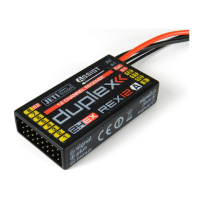
Jeti Duplex Receiver Overview

Jeti Duplex Receiver Specifications

Receiver Specs: Outside US Market

Details specifications for R4 RES, R5L, R7 nano, R9 models, covering dimensions, weight, voltage, and performance.

Receiver Specs: US Market

Specifications for US models R3, R4L, R5L, R6L, R7plus, including dimensions, weight, voltage, and performance.

Jeti Duplex Receiver Installation and Setup

Powering Duplex Receivers

Methods for connecting power to Duplex receivers using batteries, BEC, or specific connectors.

Transmitter and Receiver Operation Sequence

Recommended sequence for powering on and off the transmitter and receiver for optimal operation.

Receiver Binding Process

Step-by-step guide to pair receivers with transmitters using a bind plug or JETIBOX.

R7 nano Receiver Specifics

Handling, soldering, and connection guidelines for the R7nano receiver, emphasizing ESD precautions.

Jeti Duplex Telemetry Functions

EX Telemetry System Explained

Overview of EX telemetry data display with DC/DS transmitters and JETIBOX profi.

1 st Generation Telemetry Guide

Using JETIBOX for 1st Gen telemetry via transmitter modules, accessing menus and sensors.

Configuring Jeti Duplex Receivers

JETIBOX Receiver Setup

Methods for receiver configuration using JETIBOX, JETIBOX profi, or transmitter emulation.

DC;DS Transmitter Receiver Setup

Configuring receivers through the DC/DS transmitter's device explorer menu with updated firmware.

Jeti Duplex Receiver Menu Functions

Receiver Data Overview

Viewing receiver type, production numbers, antenna status, and channel counts.

Measure Function Details

Accessing measured data for maximum, minimum, and current receiver voltage.

Main Settings Configuration Options

Adjusting Fail Safe, Signal Fault Delay, Volt ACT/ALARM, Output Period, Serial Link, PPM modes, and Rx mode.

Output Pin Assignment Options

Configuring physical receiver outputs for servo, PPM input/output, or UDI.

R4 RES Specific Configuration

Special settings and telemetry for R4 RES receivers used in ERES competition.

Jeti Duplex Receiver Updates and Defaults

Resetting Receiver to Factory Defaults

Restoring receiver settings to default values while keeping transmitter binding intact.

Updating Receiver Firmware

Procedure for upgrading receiver firmware using a PC and JETI USB adapter via JETI Studio.

Summary

Jeti Duplex Receiver Overview

Jeti Duplex Receiver Specifications

Receiver Specs: Outside US Market

Details specifications for R4 RES, R5L, R7 nano, R9 models, covering dimensions, weight, voltage, and performance.

Receiver Specs: US Market

Specifications for US models R3, R4L, R5L, R6L, R7plus, including dimensions, weight, voltage, and performance.

Jeti Duplex Receiver Installation and Setup

Powering Duplex Receivers

Methods for connecting power to Duplex receivers using batteries, BEC, or specific connectors.

Transmitter and Receiver Operation Sequence

Recommended sequence for powering on and off the transmitter and receiver for optimal operation.

Receiver Binding Process

Step-by-step guide to pair receivers with transmitters using a bind plug or JETIBOX.

R7 nano Receiver Specifics

Handling, soldering, and connection guidelines for the R7nano receiver, emphasizing ESD precautions.

Jeti Duplex Telemetry Functions

EX Telemetry System Explained

Overview of EX telemetry data display with DC/DS transmitters and JETIBOX profi.

1 st Generation Telemetry Guide

Using JETIBOX for 1st Gen telemetry via transmitter modules, accessing menus and sensors.

Configuring Jeti Duplex Receivers

JETIBOX Receiver Setup

Methods for receiver configuration using JETIBOX, JETIBOX profi, or transmitter emulation.

DC;DS Transmitter Receiver Setup

Configuring receivers through the DC/DS transmitter's device explorer menu with updated firmware.

Jeti Duplex Receiver Menu Functions

Receiver Data Overview

Viewing receiver type, production numbers, antenna status, and channel counts.

Measure Function Details

Accessing measured data for maximum, minimum, and current receiver voltage.

Main Settings Configuration Options

Adjusting Fail Safe, Signal Fault Delay, Volt ACT/ALARM, Output Period, Serial Link, PPM modes, and Rx mode.

Output Pin Assignment Options

Configuring physical receiver outputs for servo, PPM input/output, or UDI.

R4 RES Specific Configuration

Special settings and telemetry for R4 RES receivers used in ERES competition.

Jeti Duplex Receiver Updates and Defaults

Resetting Receiver to Factory Defaults

Restoring receiver settings to default values while keeping transmitter binding intact.

Updating Receiver Firmware

Procedure for upgrading receiver firmware using a PC and JETI USB adapter via JETI Studio.

JETI model duplex Specifications

General IconGeneral
Frequency2.4 GHz
TelemetryYes
CompatibilityJETI Duplex transmitters
Input Voltage4.0 - 8.4 V
Voltage Range4.0 - 8.4 V

Related product manuals