- 16 -
4.2.1
4.2.1
4.2.1
4.2.1 Network
Network
Network
Network
Before playing the files shared over network or internet radio,you should setup the
network links frist.
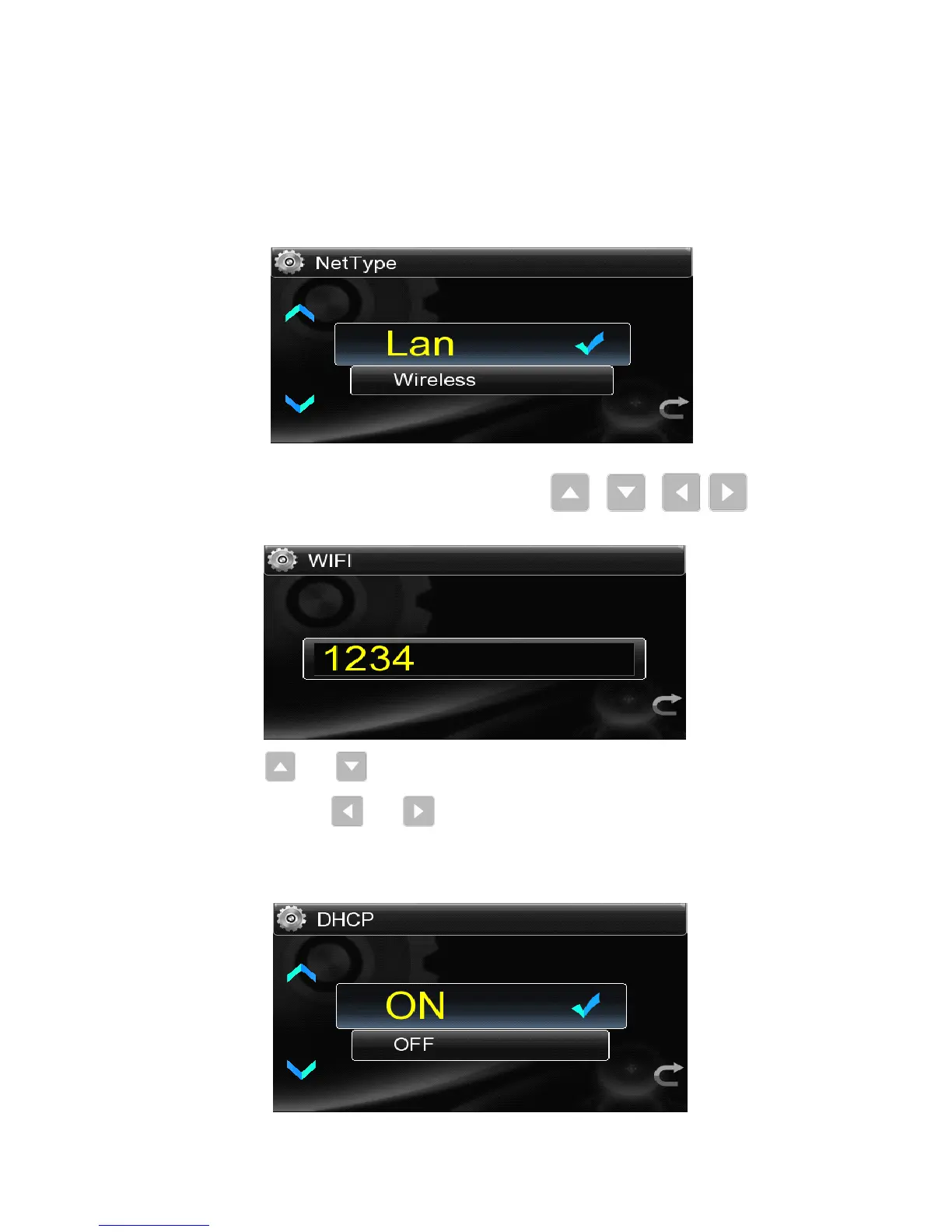
● Enter into the network setting list:Touch the “ Setup ” icon in the main
interface ,then click “ Network ” , “ Net Type ” ,if it is chosen through a wired
connection,select “ Lan ” ; a via WI-FI connection,select “ Wireless ” .
● When select “ Wireless ” ,it is necessary to click “ Wi-fi Set ” to search for available
wireless network around and then use the keys / / / of the
remote control to set connection password
Note: The keys and are used to select the digital 0~9, uppercase A~Z and
lowercase a~z.T he keys and are used to move the password last or next 。
● No matter what type of network selected,should get into “ DHCP ” and select “ On ”
,
otherwise enter into “ IP Set ” to set IP address and DNS server address.



 To Next Page