- 20 -
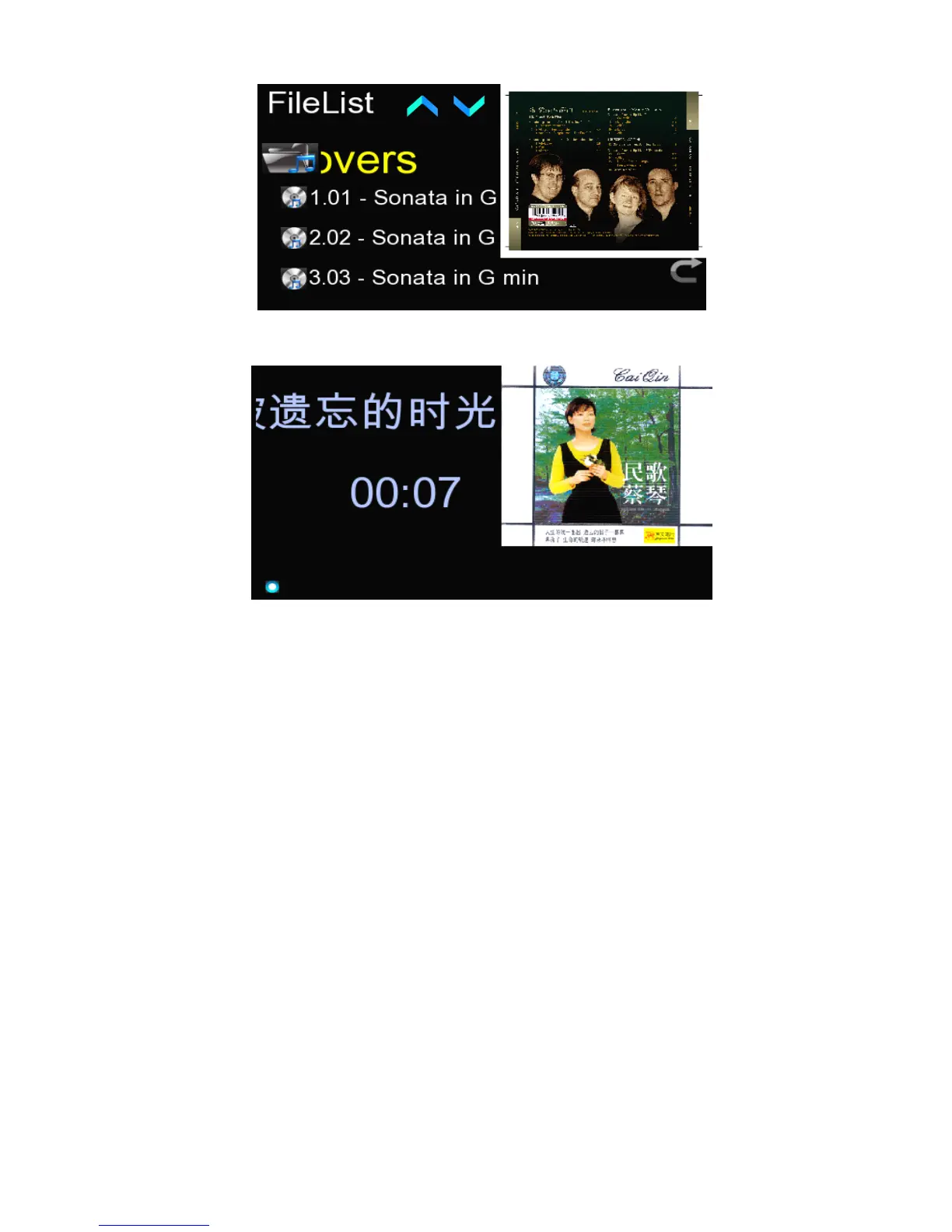
It will show the album artwork on the right of the file list. Touch the selected file or
press the “ Ok ” key of the remote control to get into the file playing interface.
After playing about 10 seconds,it will enter into the screen saver mode,for the upper
right corner of the album artwork . When playing,you can go to the file list by
pressing the “ RCLL LIST ” key of the remote control.
Note:The system will automatically screen out of the picture which larger than
1M , for the one smaller than 1M ,you can press any key of the remote control
or touch the screen to exit screen saver mode, back to the playing interface
press the key “ F1 ” to shield picture.
4.
4.
4.
4. 3
3
3
3 .
.
.
. 2
2
2
2 Play
Play
Play
Play The
The
The
The File
File
File
File In
In
In
In External
External
External
External CD-ROM
CD-ROM
CD-ROM
CD-ROM
Connect the CD-ROM to the USB port of HDM player, touch the “ Local S ource ” icon
in the main interface in a direct way to locate such an icon in the center and then
touch this icon again or press the “ Ok ” key of the remote control to enter the option
menu of external CD-ROM.
Touch the icon of CD-ROM or press the “ OK ” key of the remote control to enter into
track list of the CD-ROM. Touch the selected file or press the “ Ok ” key of the remote
control to get into the file playing interface.



 To Next Page