of electric shock, avoid touching live components and treat connection
terminals carefully.
Note: Ensure that photovoltaic field voltage polarity matches the “+” and “-”
symbols. Before connecting JSI inverters with the photovoltaic field, JFY-tech
recommends to check, using a proper gauge, that the polarity value and the
voltage allowed value between positive and negative contacts are correct.
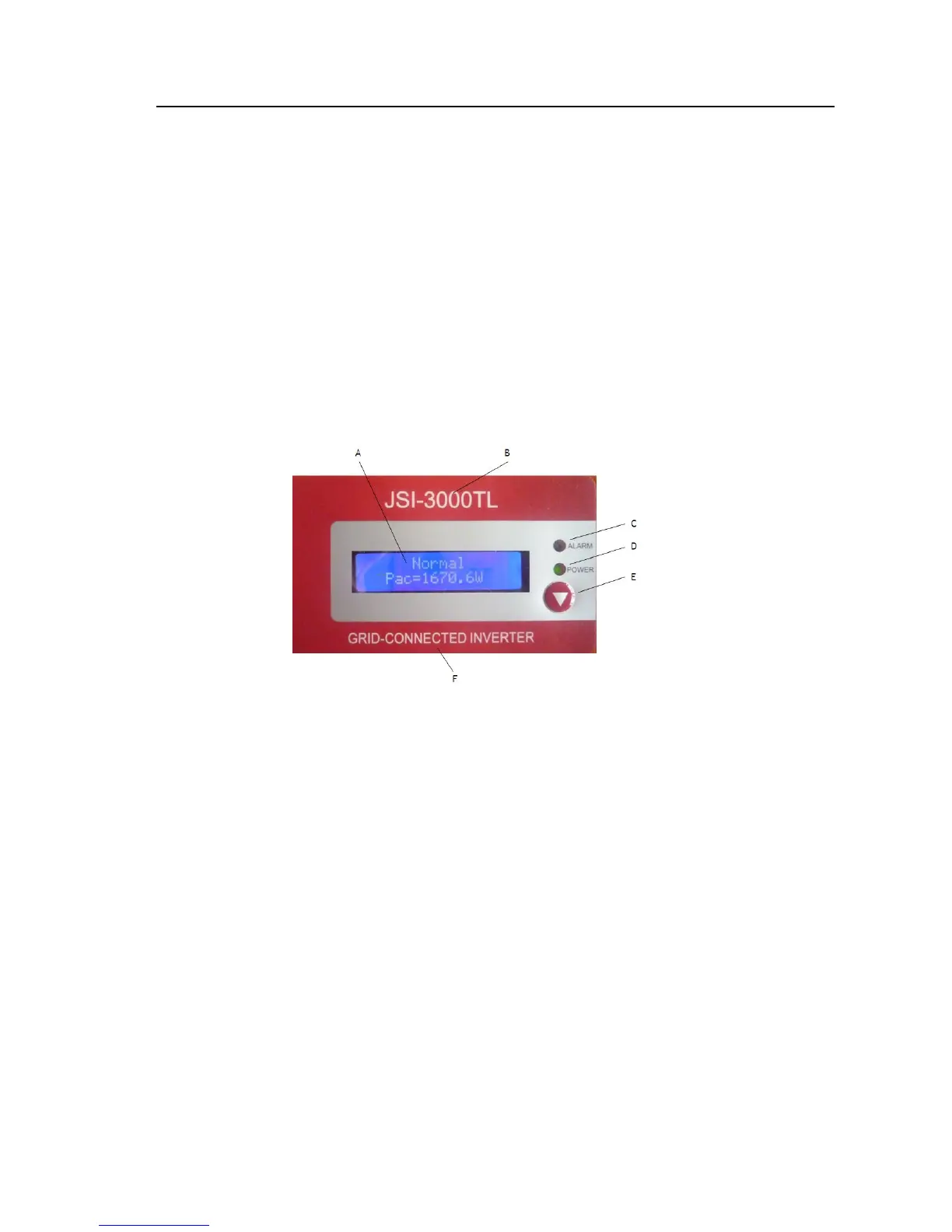
3. CONTROL PANEL FUNCTIONS
There is an LCD screen, two LEDs and one function key on the front of the solar
inverter. The LCD and LED provide you with details of the status of your Inverter.
You also can use this Function key as a simple control.
Fig. 9 Control panel
A. LCD Screen: Display the operating data and situations, warning/error codes
B. The model of inverter (for example,JSI-3000TL)
C. ALARM LED: Indicates the fault of inverter.
D. POWER LED: Indicates the inverter is running normally.
E. Function Key: Used to set different parameter and display language for the
F.
Description of inverter.
Note: To save power, the LCD display’s backlight automatically turns off after 10
seconds.
3.1 Operate the Function Key
To view the operating data of the inverter, you can press the Function Key. Of
course, the data also will automatically and periodically display. To set different
display contrast and display language for the inverter, please carefully refer to the
following chart.



 To Next Page