www.JFY-tech.com
18
E02 Ileak error GFCI Fault, leakage current is too high
E03 Grid fault Grid voltage/frequency is out of range
Inverter fault
E04 Coherence error Consistent Fault
E05 Over temperature Internal temperature abnormal
E06 Relay failure Output relay Fault
E07 DCinj failure Output Current DC Offset too high
E08 EEPROM failure EEPROM Fault
E09 Com. failure Communication Fault
E10 DC bus OV. DC Bus over-voltage
E11 DC bus UV. DC Bus under-voltage
E12 Vref error 2.5V Reference Voltage Fault
E13 DC sensor fault DC current sensor fault
E14 GFCI failure GFCI Device is damaged
5. COMMUNICATIONS
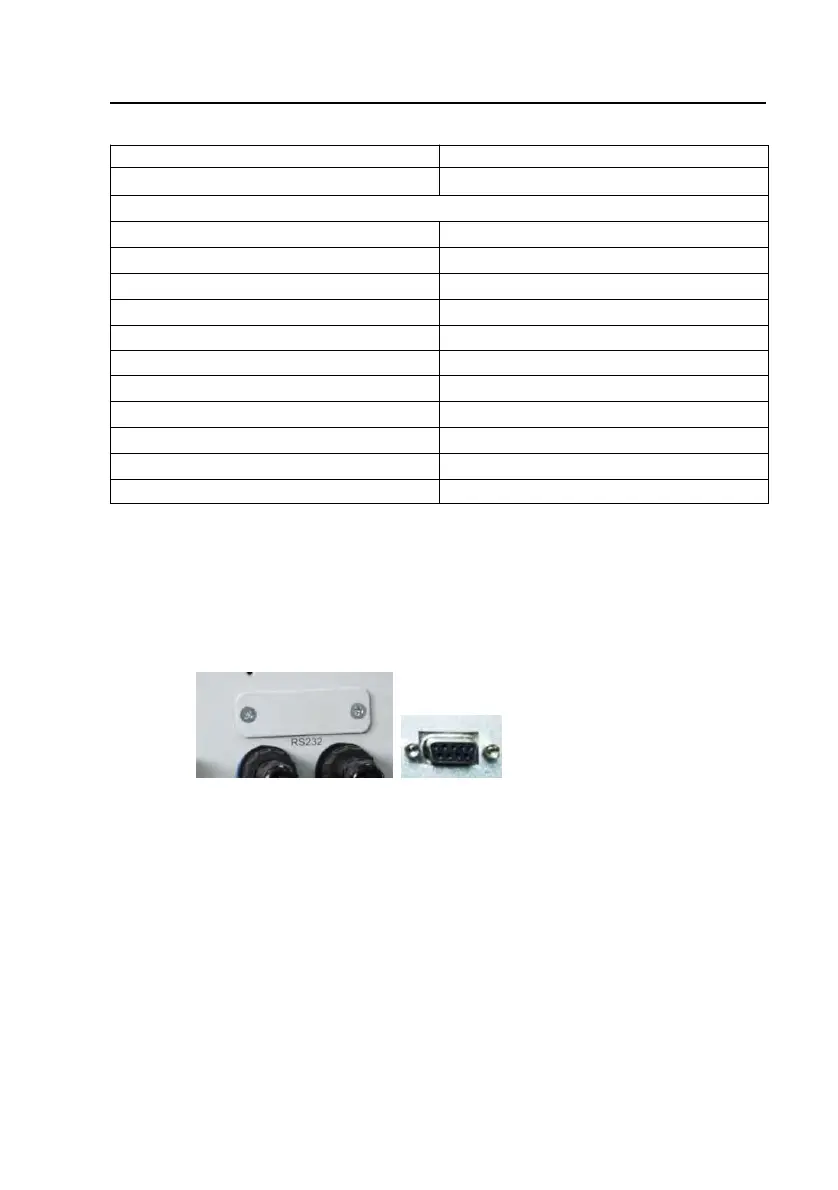
5.1 Data communication with RS232
Fig. 10 RS232 serial port
Open the cover of RS232 serial port, connect solar Inverter and computer by
RS232 cable. By the way, the communication distance should be below 10m.
If your computer doesn't have any RS232 port, only has USB ports, please buy a
RS232-USB converter for the communication in the local market.
5.2 Data c ommunication with RS485 (optional)
5.2.1 RS485 Serial Port
The RS485 is used for several inverters’ communication. Ethernet cable is applied
to connect each inverter herein. Only three cables in ethernet cable are applied:
two signal ones and one for ground connection.



 To Next Page