Need help?
Do you have a question about the Jimi JC400D and is the answer not in the manual?
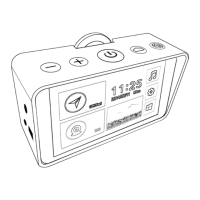
Provides a general overview of the JC400D device features and components.
Details the steps for physically installing the JC400D device onto a vehicle's window.
Explains how to install the Driver Monitoring System (DMS) camera correctly.
Guides on using the calibration tool, likely an app, for the DMS camera.
Lists and explains various commands used to configure DMS functions and alert intervals.
Instructions for configuring DMS settings via Tracksolid APP and WEB side.
Outlines the procedure for testing the JC400D device's functionality, starting in the office.
Provides visual examples and instructions on how to intentionally trigger DMS events.
Important notes and considerations regarding default settings and event detection behavior.
 General
| Loop Recording | Yes |
|---|---|
| G-Sensor | Yes |
| Operating Temperature | -20°C to 70°C |
| Video Resolution | 1080p |
| Storage | Supports up to 128GB MicroSD |
| Operating Voltage | 5V |
| Night Vision | Yes |
| Display/Screen Size | 2.0 inch |
| Battery | Built-in lithium battery |


 To Next Page