FLW2389N_SVG
E
H
H
R
S
P
O
R
F
E
T
W
W
E
A
A
N
N
A
M
I
S
S
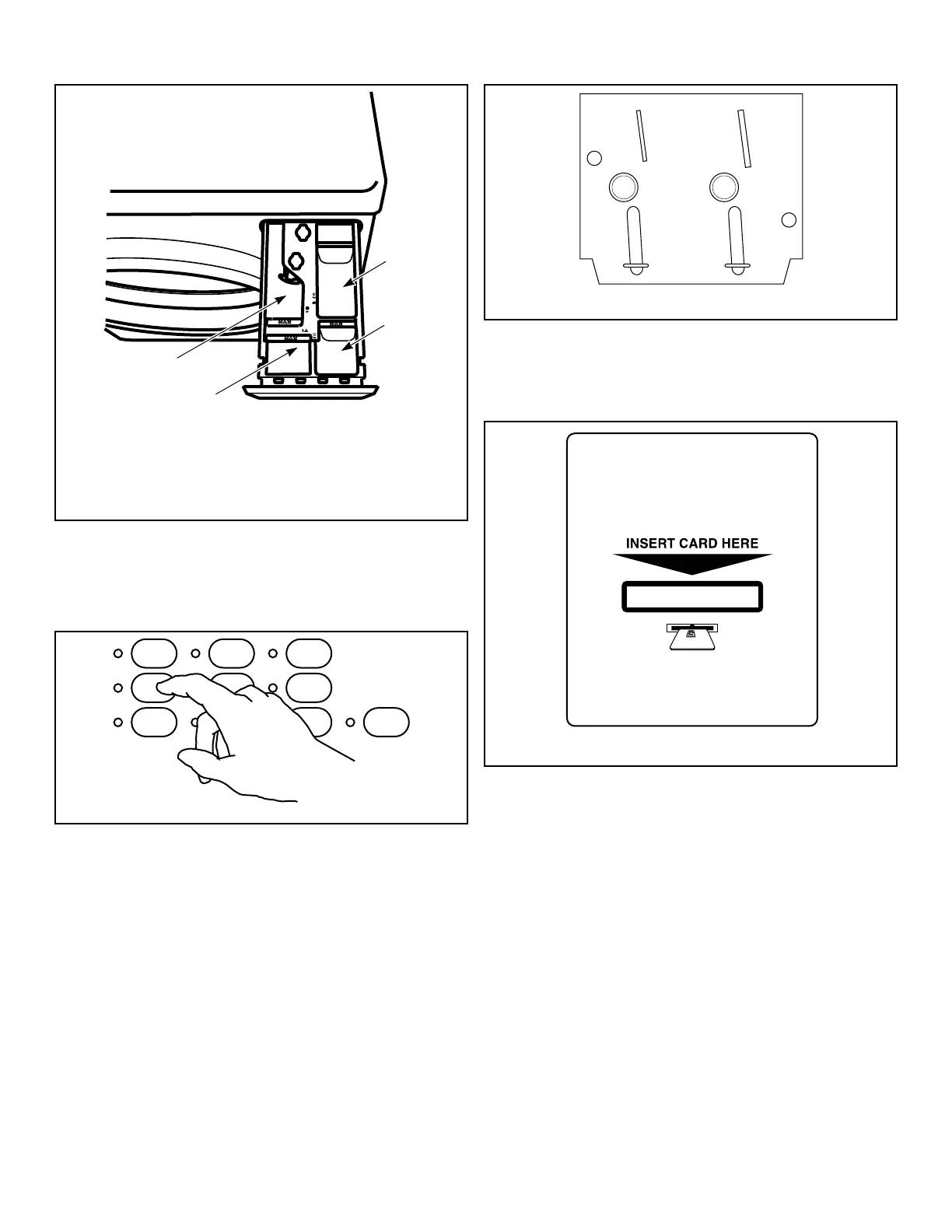
LIQUID BLEACH
3
2
1
4
1. Main Wash Detergent
2. Liquid Bleach
3. Fabric Softener
4. Pre-Wash Detergent
Figure 24
Set Fabric Selector/Wash Temperature
Push touchpad for the desired cycle. Refer to the control panel for
cycle descriptions. Light indicates selection.
Figure 25
NOTE: Changes can be made to Fabric Selector setting
up until the first fill is complete.
Insert Coins or Card
Insert Coins, if Needed
1. Insert coin(s) in coin slot.
2. Check pricing as seen on digital display
.
Figure 26
To Insert Card
Insert card into opening.
Figure 27
Start Washer
1. Push the START pad.
2. Door must be closed to start washer
.
Operation
©
Published by permission of the copyright owner -
DO NOT COPY or TRANSMIT
22 Part No. 805412R7


 To Next Page