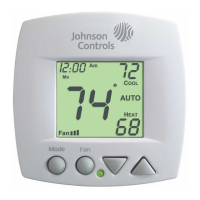
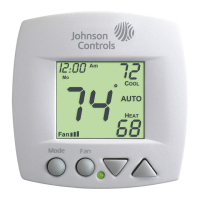
HEAT indicates the temperature
that the room has to fall to before
the heating source energizes. If
the water supply is cold, this
screen and heating would be
locked out.
COOL indicates the temperature
that the room has to rise to before
the cooling source energizes. If
the water supply is hot, this
screen and cooling would be
locked out.
70
OFF
Press
MODE
Press
Press
MODE
MODE
Page 8
70
69
70
72
Note: If the water temperature is changed during the
year, the thermostat will then automatically lock out the
incorrect mode.
Heating and/or Cooling
Step #4 = 3 in Advanced Setup (page 11), and a
changeover sensor is used.
Step #4 = 4 or 5 in Advanced Setup (page 11).
Operation is the same as a 4-pipe system (page 5).
Selecting the Heat or Cool Mode 2-Pipe Operation
70
72
69
If step #4 = 3, this
screen will not appear.
AUTO will automatically select
heat or cool based on the room
temperature demand.
OFF indicates both heating
and cooling are turned off.








 To Next Page
