EasyManua.ls Logo

Johnson Controls TEC3330 Series - User Manual

Johnson Controls TEC3330 Series
42 pages
Print Icon
To Next Page IconTo Next Page
Loading...
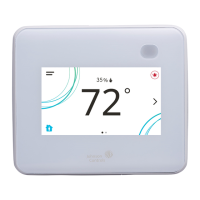
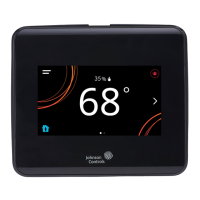
TEC3000 Series Single- or Two-Stage Economizer Thermostat
Controllers Installation Instructions
1
Refer to the QuickLIT website for the most up-to-date version of this document.
Applications
The TEC3000 Series Single- or Two-Stage Economizer Thermostat Controllers are stand-alone and
field-selectable BACnet® MS/TP or N2 networked devices that provide control of the following:
unitary rooftop units (RTUs)
unitary RTUs with economizers
unitary RTUs with heat pumps
unitary RTUs with economizers and heat pumps
The networked models feature a field-selectable Building Automation System (BAS) BACnet MS/TP or N2
communication capability that enables remote monitoring and programming for efficient space temperature control.
All models include a USB port configuration that reduces installation time by allowing simple backup and restore
features from a USB drive, which enables rapid cloning of configuration between like units.
Some models have occupancy sensing capability built into the device. These thermostat controllers maximize up to
30% energy savings in high-energy usage commercial buildings, such as schools and hotels, during occupied
times by using additional standby setpoints.
All models feature an intuitive onboard touchscreen UI with backlit display that makes setup and operation quick
and easy. Only the single-speed fan configuration is supported for fan coil equipment types.
IMPORTANT: The TEC3000 Series Thermostat Controller is intended to provide an input to equipment under
normal operating conditions. Where failure or malfunction of the thermostat controller could lead to personal
injury or property damage to the controlled equipment or other property, additional precautions must be
designed into the control system. Incorporate and maintain other devices, such as supervisory or alarm systems
or safety or limit controls, intended to warn of or protect against failure or malfunction of the thermostat
controller.
IMPORTANT: Le TEC3000 Series Thermostat Controller est destiné à transmettre des données entrantes à un
équipement dans des conditions normales de fonctionnement. Lorsqu'une défaillance ou un dysfonctionnement
du thermostat controller risque de provoquer des blessures ou d'endommager l'équipement contrôlé ou un autre
équipement, la conception du système de contrôle doit intégrer des dispositifs de protection supplémentaires.
Veiller dans ce cas à intégrer de façon permanente d'autres dispositifs, tels que des systèmes de supervision ou
d'alarme, ou des dispositifs de sécurité ou de limitation, ayant une fonction d'avertissement ou de protection en
cas de défaillance ou de dysfonctionnement du thermostat controller.
TEC3000 Series Single- or Two-Stage Economizer
Thermostat Controllers
Installation Instructions
TEC3330-xx-xxx, TEC3331-xx-xxx,
TEC3630-xx-xxx, TEC3631-xx-xxx
Part No. 24-10789-5, Rev.
F
Issued July 2018
(barcode for factory use only)
*24107895F*
24-10789-5, Rev. F

Questions and Answers

  • K
    Kimberly EricksonAug 29, 2025
    What does 'Internal Sensor Fail' mean on my Johnson Controls TEC3330 Thermostat?
    • K
      Katherine PittmanAug 29, 2025
      If your Johnson Controls Thermostat displays 'Internal Sensor Fail', it means an internal sensor on the TEC has failed. Order replacement units and return the affected devices to Johnson Controls under the RMA program.
  • C
    Christina HendricksAug 30, 2025
    What to do if my Johnson Controls Thermostat displays 'Zone Temp Unreliable'?
    • G
      Gregory MaloneAug 30, 2025
      If your Johnson Controls Thermostat displays 'Zone Temp Unreliable', it means all sources of zone temperature, including the onboard sensor, are unreliable. Order replacement units and return the affected devices to Johnson Controls under the RMA program.
  • S
    Scott SantiagoAug 30, 2025
    Why does my Johnson Controls TEC3330 say 'Econ Unavailable'?
    • J
      jordanjenniferAug 31, 2025
      If the Johnson Controls Thermostat displays 'Econ Unavailable', it means the outdoor air temperature sensor is not installed, has failed, or has been disconnected, and the TEC can no longer control the economizer. Follow the same steps as for an Outdoor Temp Fail alarm to resolve this.
  • J
    John SmithAug 25, 2025
    What does the bell icon mean on my Johnson Controls TEC3330?
    • C
      Christopher HernandezAug 25, 2025
      If the Johnson Controls Thermostat displays the Bell icon, it means a fault has been detected. Refer to Table 11 for TEC fault causes and resolution.
  • A
    Alan PotterSep 1, 2025
    Why are OA Lockouts Disabled on my Johnson Controls Thermostat?
    • J
      jessica26Sep 1, 2025
      If the Johnson Controls Thermostat displays 'OA Lockouts Disabled', it means the local outdoor air temperature sensor has become disconnected or failed, or a network outdoor air temperature sensor has timed out, and the TEC is no longer shutting down equipment based on the OA lockout setpoints. If the source of outdoor air temperature was a locally connected sensor, follow the steps for the Outdoor Temp Fail alarm. If the source of outdoor air temperature was a BAS, check the BAS to ensure that it is still online and is providing the TEC with the temperature reading. If removal of the BAS mapping was intentional, reset sensors through the menu.
  • M
    Miranda PorterSep 1, 2025
    What causes the 'Humidity Unreliable' error on my Johnson Controls TEC3330?
    • U
      ujohnsonSep 2, 2025
      If your Johnson Controls Thermostat displays 'Humidity Unreliable', it means the zone humidity reading was reliable but has now failed. If the source of zone humidity was the onboard sensor, contact Johnson Controls product sales and support. If the source of zone humidity was a BAS, check the BAS to ensure that it is still online and providing the TEC with the humidity reading. If removal of the BAS mapping was intentional, reset sensors through the menu.
  • L
    Laura BrownSep 2, 2025
    Why is dehumidification unavailable on my Johnson Controls Thermostat ('Dehum Unavailable' message)?
    • A
      Amy ScottSep 2, 2025
      If your Johnson Controls Thermostat displays 'Dehum Unavailable', it means dehumidification is unavailable because the zone humidity sensor has failed or the humidity reading is not reliable. If the source of zone humidity was a BAS, check the BAS to ensure that it is still online and providing the TEC with the humidity reading. If removal of the BAS mapping was intentional, reset the sensors through the menu. If the problem persists, order replacement units and return the affected devices to Johnson Controls under the RMA program.
  • A
    Angela WoodSep 3, 2025
    What does 'Supply Fan Runtime Limit Extended' mean on my Johnson Controls TEC3330?
    • P
      porteraliciaSep 3, 2025
      If the Johnson Controls Thermostat displays 'Supply Fan Runtime Limit Extended', it means the supply fan runtime has exceeded the configured supply fan runtime limit. To resolve this, service the supply fan and reset the supply fan runtime.
  • K
    Kelsey HolmesSep 4, 2025
    What to do when my Johnson Controls TEC3330 Thermostat displays 'USB Malfunction'?
    • T
      Taylor MillerSep 4, 2025
      If your Johnson Controls Thermostat displays 'USB Malfunction', it means a USB drive has malfunctioned and drawn more than the maximum allowed current. To resolve this, attempt to insert and use the USB drive again, or try a new USB drive. If problems persist, order replacement units and return the affected devices to Johnson Controls under the RMA program.
  • J
    Justin GrantSep 4, 2025
    Why does my Johnson Controls Thermostat say 'Open Window'?
    • R
      rebecca13Sep 4, 2025
      If your Johnson Controls Thermostat displays 'Open Window', it means the switch connected to the BI configured for Open Window is sensing that the window is opened, and control has shut down. Close the window to resume control. Check sensor functionality with an ohmmeter, and verify the wiring to the TEC. Order replacement units and return the affected devices to Johnson Controls under the RMA program.

Summary

Product Introduction and Compliance

Applications

Details the uses and capabilities of the TEC3000 series controllers for HVAC systems.

Emissions Compliance

Covers regulatory compliance for digital devices in the United States and Canada.

Installation Procedures

Installation Preparation

Includes parts included, location considerations, and general installation notes.

Mounting the Controller

Step-by-step instructions for physically mounting the thermostat controller.

Wiring the Controller

Provides crucial safety warnings and instructions for electrical connections.

Configuration and Operation

Setup and Adjustments

Guides on home screen customization, user lockout, and basic operational setup.

USB Port Operations

Explains firmware updates, backups, and setting restoration via USB drive.

Controller Configuration

Covers setting up system modes, heating/cooling stages, economizer, and fan settings.

Temperature and Occupancy Settings

Details configuring temperature setpoints, occupancy modes, and scheduling.

Advanced Features and Maintenance

Advanced Control Features

Discusses optimal start, motion sensors, and PID tuning for performance optimization.

Commissioning and Diagnostics

Covers entering commissioning mode and understanding available fault diagnostics.

Troubleshooting and Repair

Provides solutions for common faults, probable causes, and repair information.

Technical Specifications

Product Specifications

Lists electrical, environmental, and performance characteristics of the TEC3000 series.

Johnson Controls TEC3330 Series Specifications

General IconGeneral
BrandJohnson Controls
ModelTEC3330 Series
CategoryThermostat
LanguageEnglish

Related product manuals