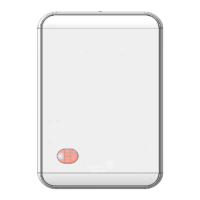
• ZFR1831 Wireless Router
• 3m (10ft) router cable
• ZFR1831 Pro Series Wireless Installation Guide (Part No. 24-11461-00004)
• Wireless Router Gateway Installation Guide (Part No. 24-11460-00018)
Special tools required
To configure the WRG1830, you require a mobile device, such as a tablet or smart phone, or a
desktop or laptop with Wi-Fi or an Ethernet connection. You also require a compatible browser
application on the mobile device or laptop. See Technical specifications for more information.
Mounting
Location considerations
Follow these guidelines when you mount the WRG:
• Mount the WRG1830 in areas free of corrosive vapors and observe the environmental
limitations listed in the Technical specifications section.
• Solid objects including walls, ductwork, cabinets, doors, and glass can impede the wireless
signal. Minimize the number of barriers between the connected computer or mobile device
and the WRG1830. Use line of sight, if possible.
• Do not mount the WRG1830 outdoors.
Mounting options (WRG)
• DIN rail mounting
• Wall mounting
Mounting options (ZFR1831)
• Conduit mounting
• Wall or panel mounting
• Gang box mounting
• Ceiling grid mounting
Refer to ZFR1831 Pro Series Wireless Router Installation Guide (Part No. 24-11461-00004) for more
details on mounting options.
Wall mounting
Note: Wall mounting includes any flat, stable, vertical surface including drywall, wood,
concrete, or metal.
1. Pull the bottom two mounting clips downwards to their extended position.
2. Mark three mounting hole locations on the wall. Use the dimensions shown in Figure 1, or
hold the bracket against the wall and mark the hole locations through the mounting clips.
Note: The screw holes on the WRG1830 can accommodate M3.5 and #6 screws.
3. Drill holes in the wall based on the locations marked in Step 2.
4. Insert wall anchors for each hole if necessary.
Wireless Router Gateway Installation Guide2



 To Next Page