Wireless Router Gateway Installation Guide
Applications
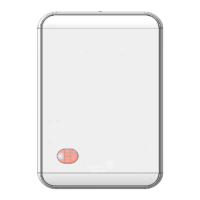
The WRG1830 Wireless Router Gateway (WRG) is a component of the ZFR183x Pro Series Wireless
Field Bus System. The WRG1830 provides BACnet IP connectivity to compatible Johnson Controls
®
Field Controllers, VAV Controllers, Thermostats, and Sensors over a wireless mesh network.
The WRG1830 has an intuitive, browser-based interface to access network configuration data,
wireless network diagnostics, equipment commissioning tools, and advanced features such as
controller fault detection, alarms, and point configuration.
The optional USB Wi-Fi dongle provides a wireless access point connection to a browser-based user
interface on most mobile devices. You can also access the user interface over an existing Ethernet
network on site.
North American emissions compliance
United States
This equipment has been tested and found to comply with the limits for a Class A digital device
pursuant to Part 15 of the FCC Rules. These limits are designed to provide reasonable protection
against harmful interference when this equipment is operated in a commercial environment. This
equipment generates, uses, and can radiate radio frequency energy and, if not installed and used in
accordance with the instruction manual, may cause harmful interference to radio communications.
Operation of this equipment in a residential area may cause harmful interference, in which case the
users will be required to correct the interference at their own expense.
Canada
This Class (A) digital apparatus meets all the requirements of the Canadian Interference-Causing
Equipment Regulations.
Cet appareil numérique de la Classe (A) respecte toutes les exigences du Règlement sur le matériel
brouilleur du Canada.
Installation
Important: The WRG1830 works together with a ZFR1831 Router to become the network's or
PANs wireless cordinator. Mount the ZFR1831 router outside of any metal enclosure and away
from metal obstructions to achieve the best performance. If possible, mount the ZFR1831 as
close to the middle of the wireless mesh network as possible. The ZFR1831 can be mounted up
to 100 feet away from the WRG1830 and wired using common 4 conductor cable or by the RJ12
port. Refer to ZFR1831 Pro Series Wireless Router Installation Guide (Part No. 24-11461-00004) for
more information on mounting and configuring the ZFR1831.
Parts included in the JC-WRGKIT-0
• WRG1830 Wireless Gateway
• USB Wi-Fi adapter
• Wireless Router Gateway Quick Start Guide WRG1830 (Part No. 24-11460-00026)
(barcode for factory use only)
*241146000018A*
Part No. 24-11460-00018 Rev A
2021-01-11



 To Next Page
 General