©2007 Johnson Level & Tool
5
5. Using the Product
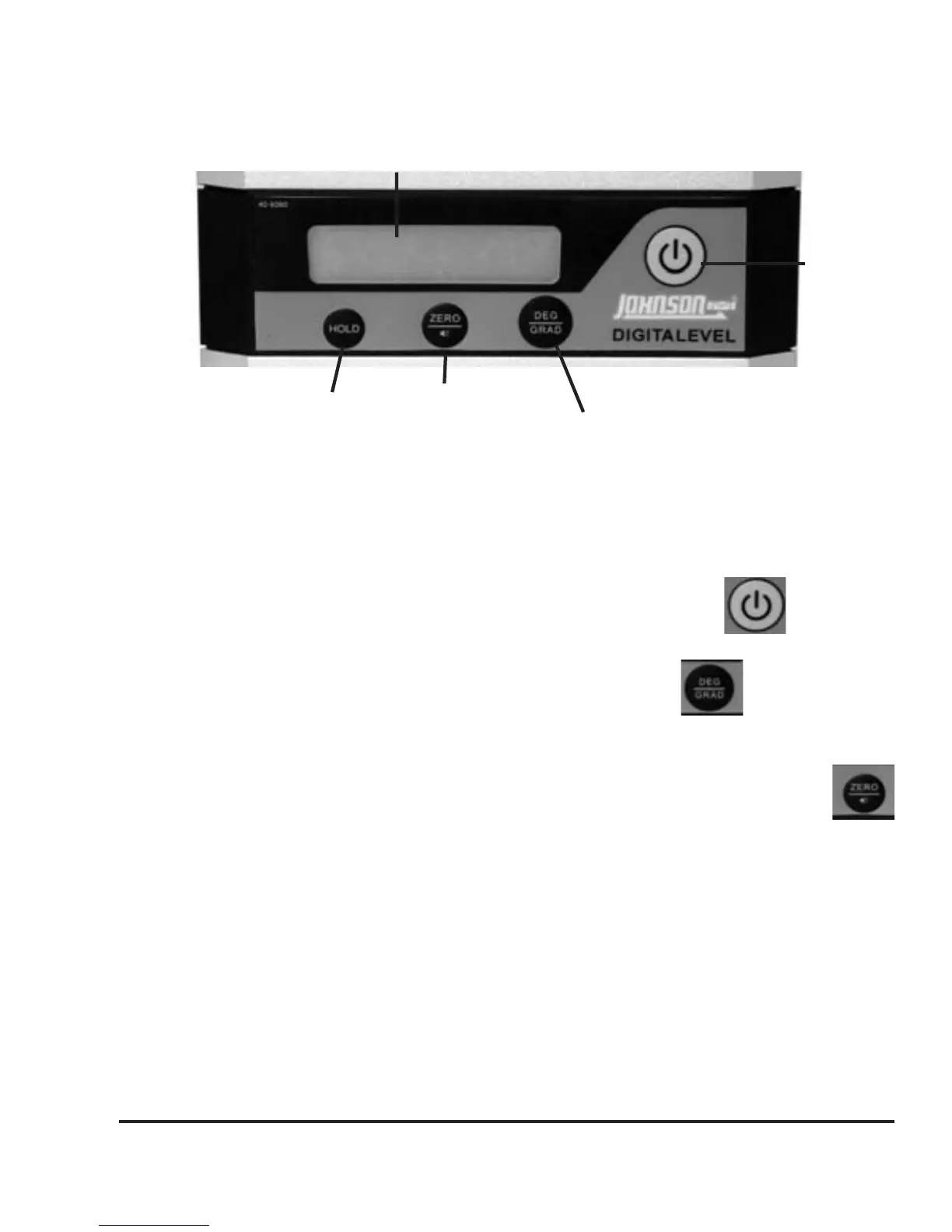
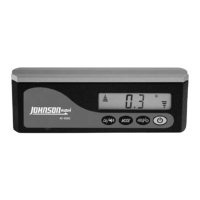
Key Guide
There are four key-presses in this instrument, they are (from right
to left): power on/off key, switch from degree to percent, zero
calibration/horn key and the hold key.
Power On/Off Key
Power on and off the instrument by pressing this key.
Degree/Percent Key
This key will switch between degree and percent.
Zero Calibration/Horn Key
Periodic checking should be conducted to this instrument. If it
is out of alignment, recalibration will be necessary. This key is
used for calibration to absolute horizontal and absolute vertical of the
instrument. See the “Self-Check and Calibration” in section 6.
Horn Function
Push the Zero/Horn key once to turn on the horn (symbol should be
displayed). Push again to turn off. Horn will start a slow beep at 10º
or 17.5% and beep faster the closer you get to 0º or 0%. Once the
instrument hits 0º or 0%, you will get a steady tone.
Power
On/Off
Display
Hold Key
Zero Key/
Horn
Degree/Percent


 To Next Page