SENSOR REPLACEMENT PROCEDURE (JPS)
Tools required:
u Philips
screwdriver
Procedure:
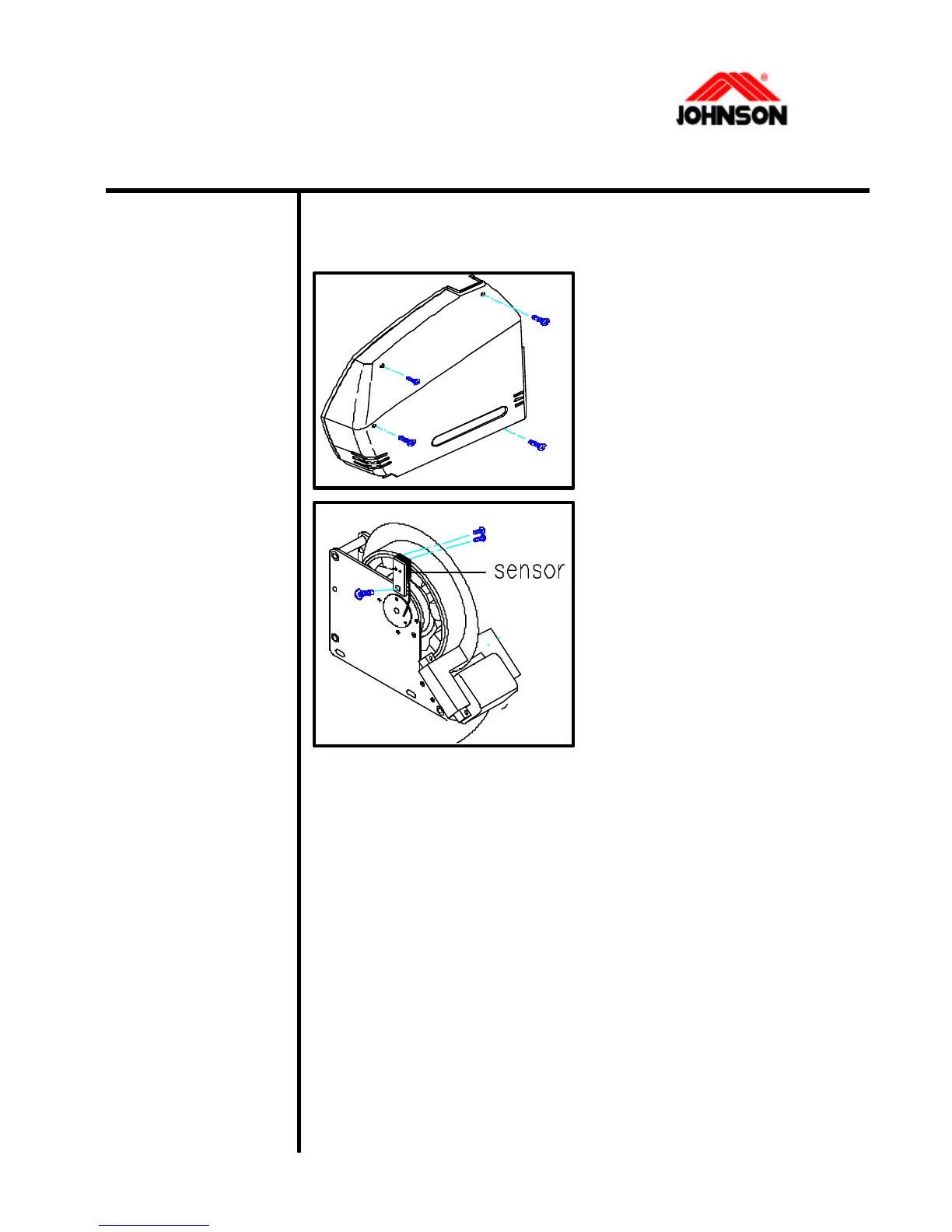
1. Loosen the screws from
the side cover with the
screwdriver.
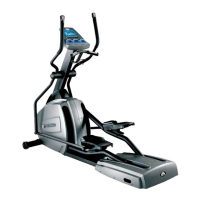
2. Disconnect the sensor
cable from the control board.
3. Loosen the screws
holding the sensor to the
frame.
4. Replace the sensor with a new one.
5. Tighten the screws holding the sensor to the frame.
6. Reconnect the sensor cable to the control board.
7. Install the side cover.
3-15 Revision: 1.0 Date: 2001/06/01



 To Next Page