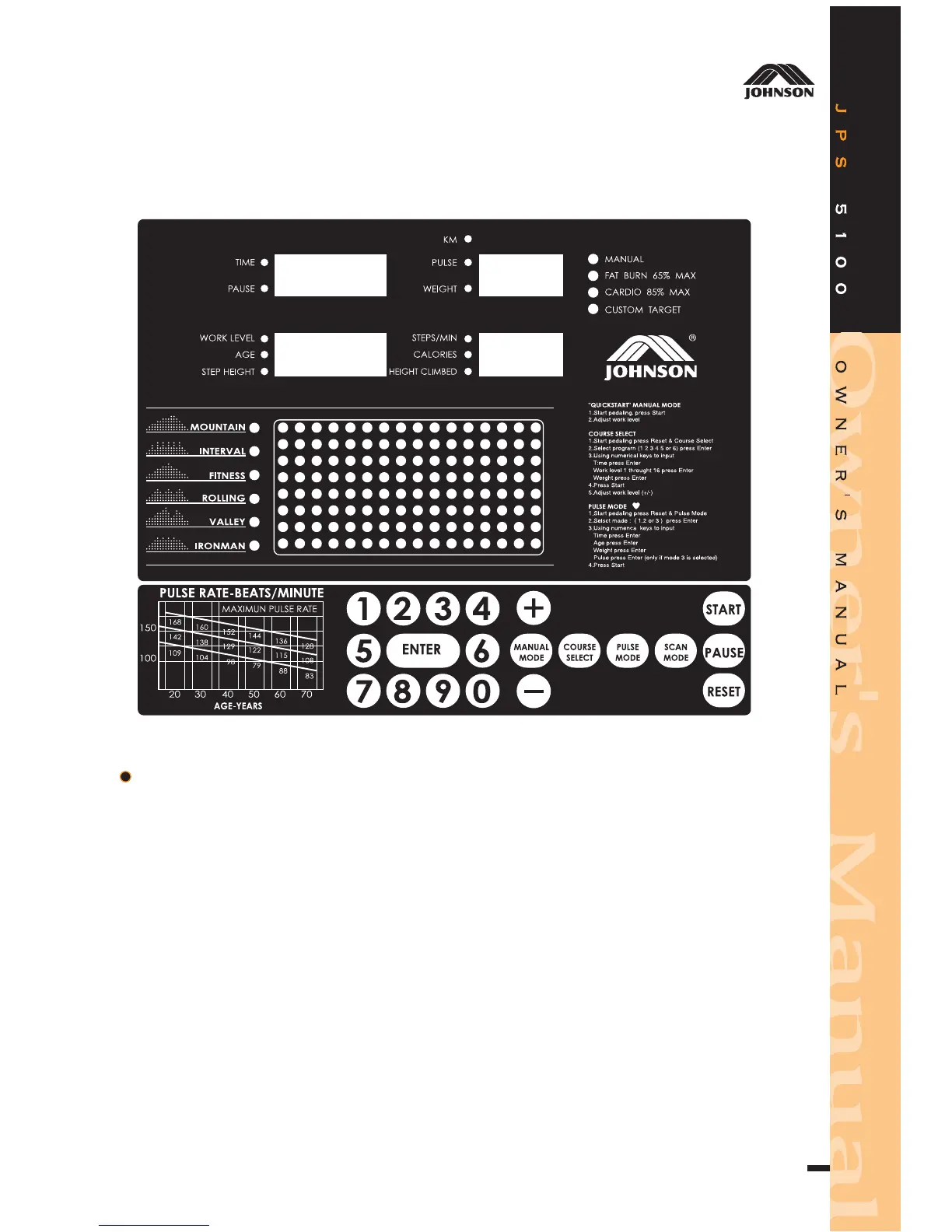
FUNCTION KEY
1.MANUAL MODE:Press MANUAL MODE key to LED of MANUAL blinking,
then press ENTER to manual function.
2.COURSE SELECT:Press COURSE MODE keys to LED of courses 1-6 blinking,
then press numerical k eys 1,2,3,4,5 or 6 to select course,
then press ENTER to course function.
3.PULSE MODE:Press P ULSE MODE key to LED of F AT BURN 65% MAX,
CARDIO 85% MAX, CUSTOM TARGET, blinking, then press
numerical key 1,2 or 3 to pulse function.
(1)65% P ULSE=(220-AGE)x65%
(2)85% P ULSE=(220-AGE)x85%
4.SC AN MODE:Press SC A N MODE key for 2 seconds to AUTO SC AN, show
real time display of WORK LEVEL/ AGE/STEP HEIGHT and
STEPS/MIN, C ALORIES, HEIGHT CLIMBED.
3



 To Next Page