TP820 User’s Manual
- 27 -
5.2.3 USB Interface
Full-speed USB interface of version 2.0.
5.2.4 Drawer Connector
The drawer connector on the back of the printer uses the RJ-11 connector, which is shown
below.
Table A-3: Drawer connector Pin assignments
Pin number Signal Direction
1 Frame GND ---
2 Drawer kick-out drive signal OUT
Fig5-6 Drawer connector
Fig 5-5 USB interface
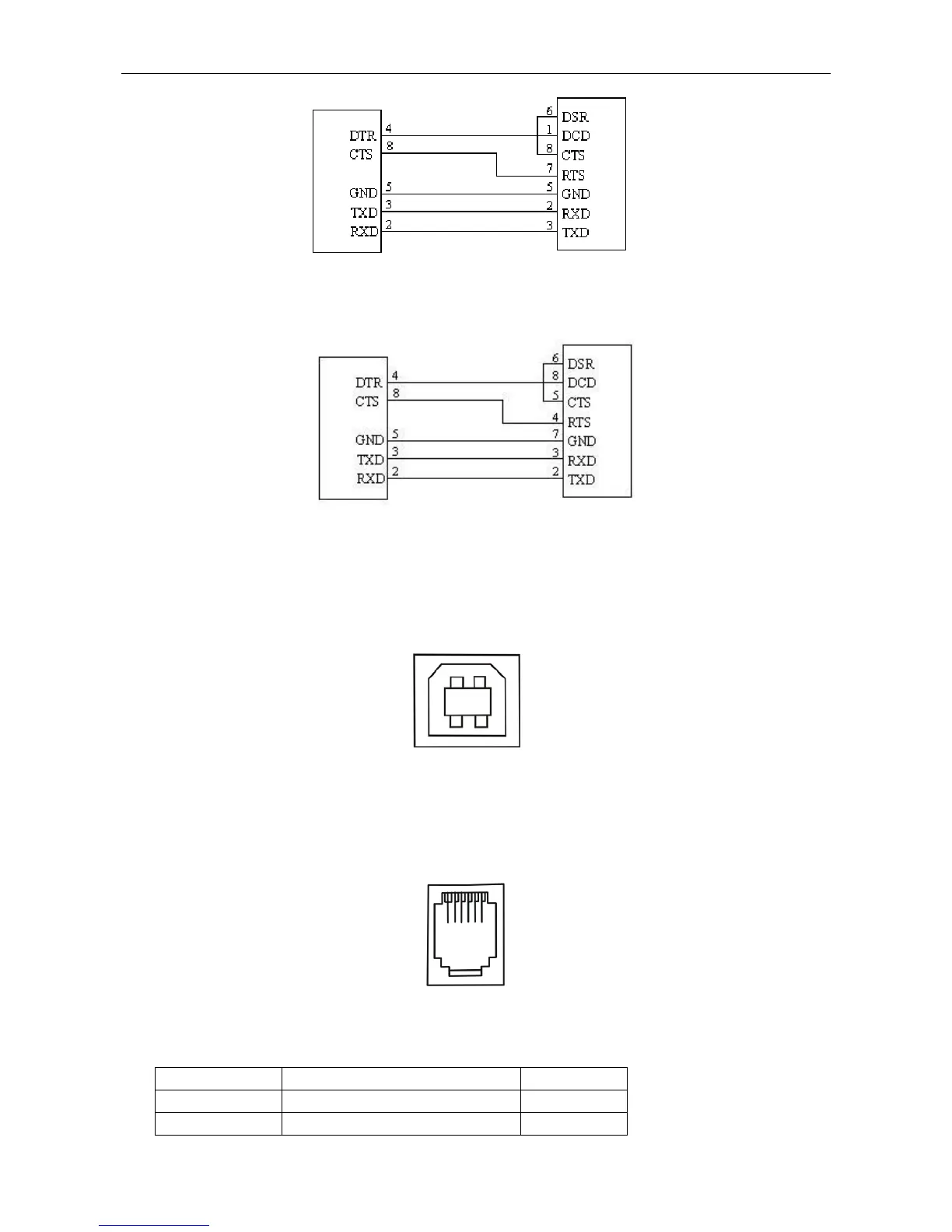
Fig5-3 TP820 connecting with 9-Pin PC
Printer 9-Pin connector
Host 9-Pin connector
Printer 9PIN connector
Host 25PIN connector
Fig5-4 TP820 connecting with 25-Pin PC
1 6



 To Next Page