homebase 4
Denitions
45
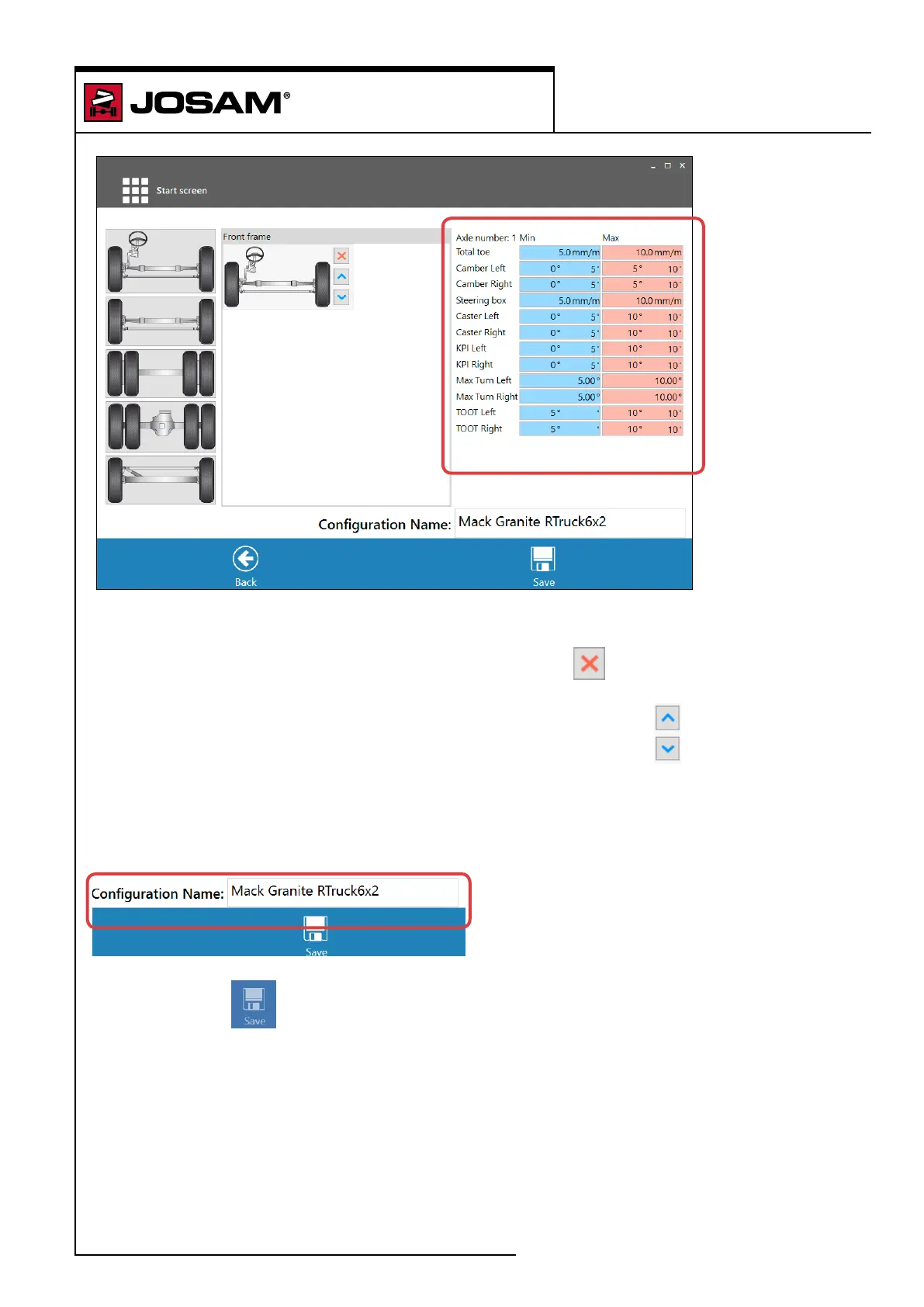
To build a new axle conguration, click on an axle type in the window to the left. The chosen axle will
then appear in the window to the right.
To remove the axle from the sequence, click on the red cross
to the right of the axle to be
removed.
To move the axle up or down in the sequence press on the blue arrows.
This will move the axle one step up or down.
Enter the measurement tolerances for each axle in the boxes to the far right.
Enter the conguration name.
Click on [Save]
The new conguration is now saved.


 To Next Page