Measure a trailer
Select scale setup for the coming measurement.
Note! Carefully check the setup options for every new vehicle.
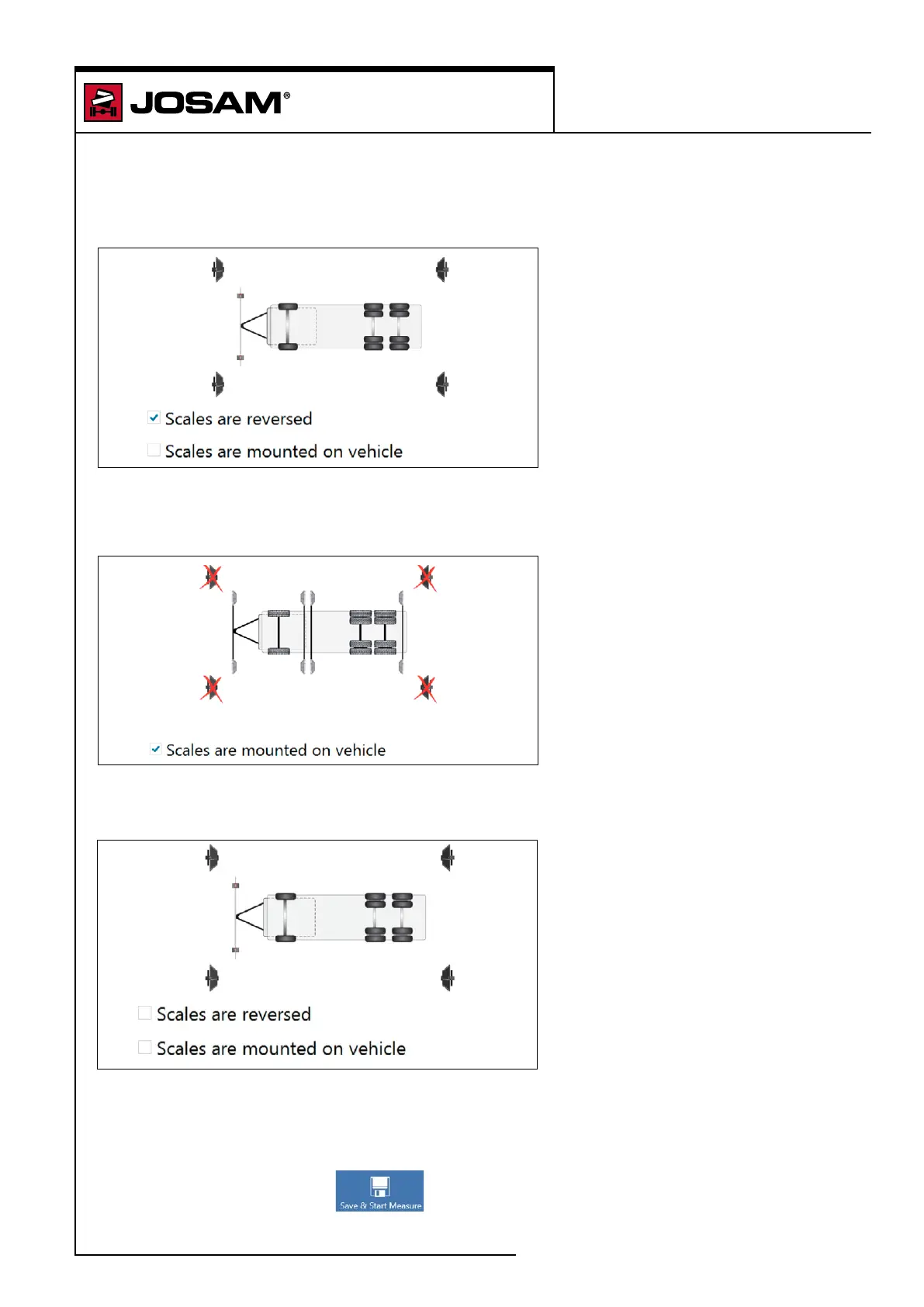
Checkbox "Scales are reversed":
Used if the vehicle is reversed into the work bay so that the front of the vehicle is facing the rear
targets. All axles are measured simultaneously.
Checkbox "Scales are mounted on vehicle":
Hang reference targets on the vehicle. Make sure to cover existing scales in the workshop bay.
All axles are measured individually.
No boxes checked:
The software will assume that the scales are assembled in the workshop and that the vehicle
is positioned with the front facing the front scales. All axles are measured simultaneously.
Press [Save & Start Measure]
i-track II
Measure a trailer
85


 To Next Page
 Loading...