3 Functional description
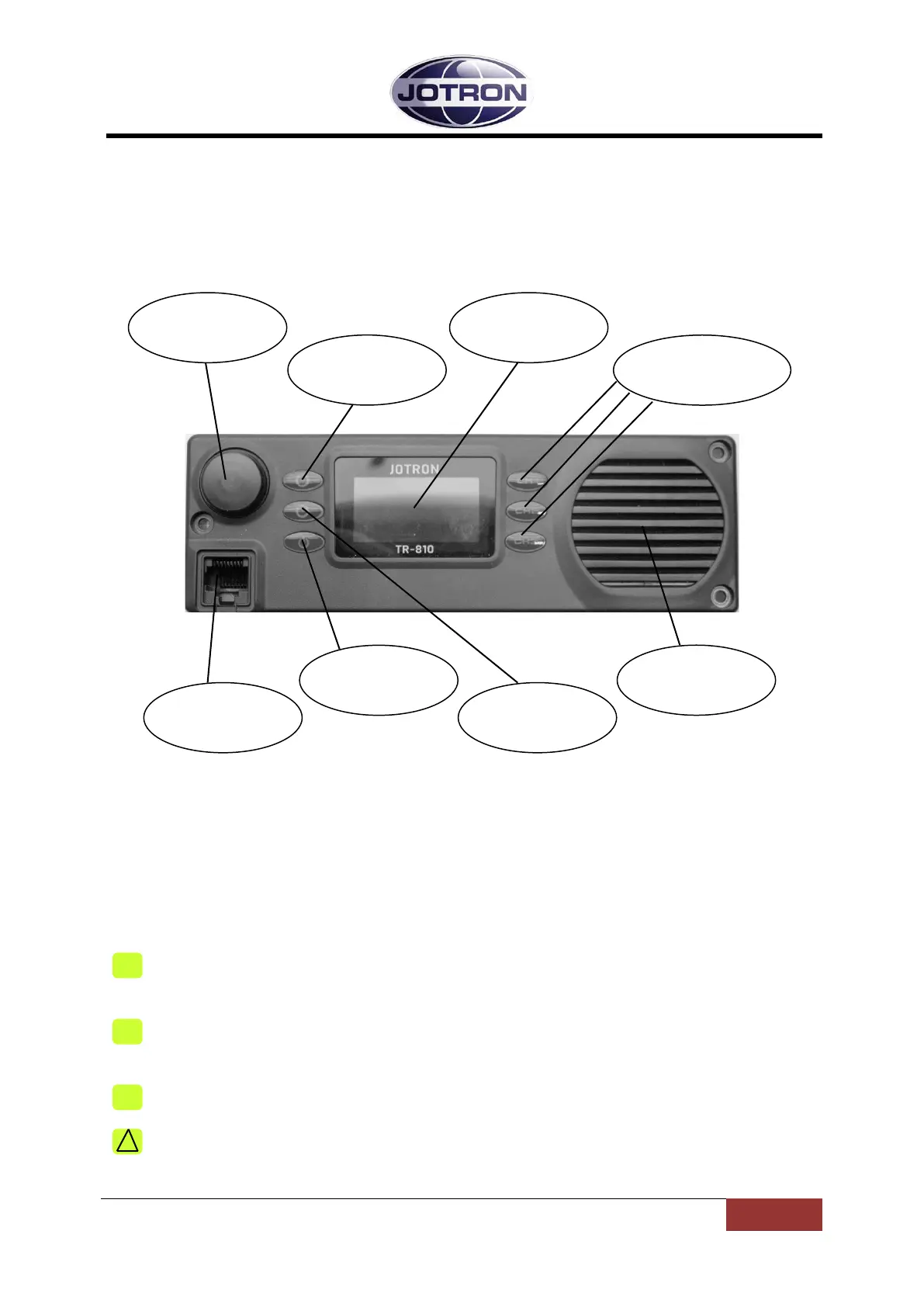
3.1 Front module controls
3.1.1 Display
The display shows the most important operational parameters, selected channel and
frequency.
In addition, the display will show various menus, submenus and operational parameters to
be accessed by the Scroll/Select switch and Navigation buttons A, B and C.
The bottom line of the display will show icons to indicate different status:
Indicates that the key button on the microphone is pressed, and the radio is
transmitting.
Indicates that the radio transmitter has decreased the output level to Low Power.
See chapter 5.6 for details.
Indicates that the Squelch is open and/or a signal is received.
Indicates an Alarm condition. An alarm text will be shown at the right side of this
symbol.
Display
3.1-1, Front module controls
84417_O&I_TR-810_G Functional description
Page 3-1



 To Next Page