26
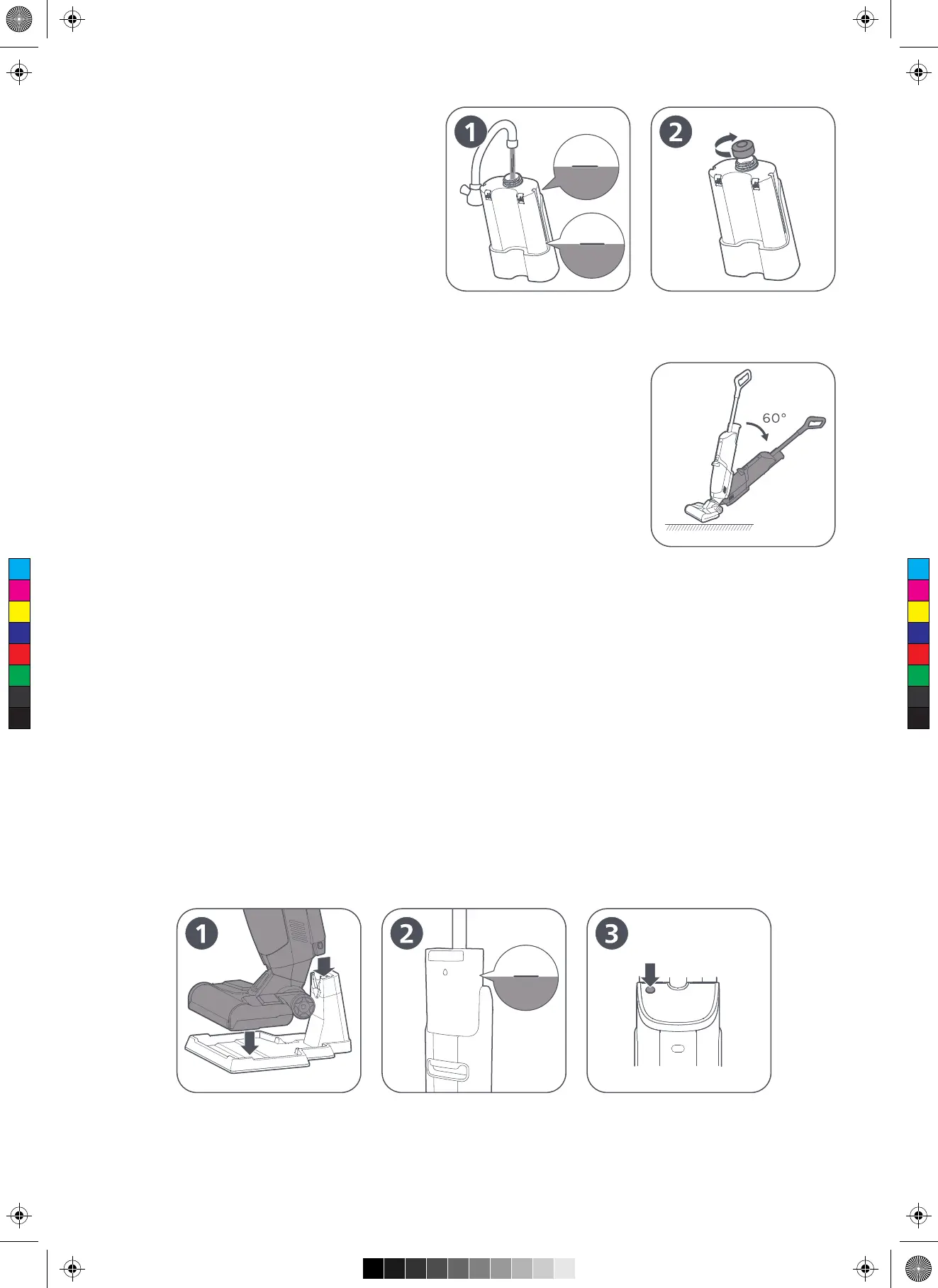
Fill the clean water
Fill the clean water tank with clean water, tightly
screw the cover, and then install the clean water
tank.
Turn on
Step on the bottom cover, hold the handle and pull it backwards to tilt the main
body to a proper angle, and press the On/Off key to start working. (as shown
in the right figure)
Self-cleaning
Place the product in the charging base for charging , and ensure that there is sufficient water in the clean water tank,
which is not lower than the self-cleaning water level. Press the Self-cleaning key to start self-cleaning, and the product
will automatically enter the charging state after cleaning is completed. (as shown in Figures 1, 2 & 3)
Tip:
1. Do not use bubble cleaning agent in the cleaning process, to avoid "Faulty alarms" of the dirty water tank and water
inflow of the fan caused by a large amount of foam;
2. Carefully observe the dirty water tank in the cleaning process, to avoid "Faulty alarms” caused by suspended objects
blocking the sensor;
3. Do not push and pull the product quickly in the cleaning process, to avoid water intake of the fan;
4. Before cleaning, open the filter cotton on the top cover of the dirty water tank and check whether there is dirt, to
avoid blockage of the air duct which affects the detection of full water;
5. Turn off the power supply of the product before charging it.
6. After self-cleaning, immediately clean the dirty water tank, to prevent peculiar smell.
Max Water
Level
Self-cleaning
Water Level
Self-cleaning
Water Level
Self-cleaning Key
C
M
Y
CM
MY
CY
CMY
K


 To Next Page