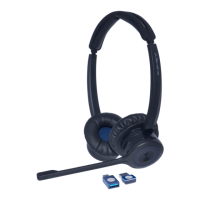
X500 Cartridge Module for
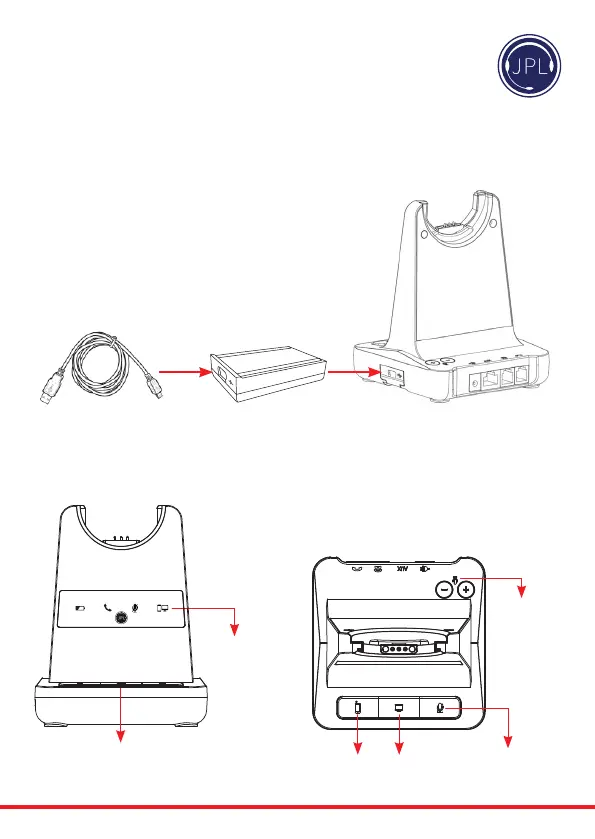
USB Connection
• SophoneinteroperabilitythroughUSB/computerwith3CX,AvayaOne-X,
CiscoJabber,CounterPathandSkypewithassistancefromtheJPLGateway.
• JPLGatewaysowaremustbeinstalledandrunningforremotecallcontrol
functionstoworkwithsupportedsophones.www.jpltele.com/gateway
• Before inserting your USB cartridge, make sure that the base unit
ispowered-o.
Additional Accessories
PC/Bluetooth
Indicator
PC/TEL
Selection
• Aerinsertingthecartridge,connectthepowerandthenconnecttheUSBcable.
• TomakeaUSBcall,pressthe“PC/TEL’button.
• Whenyoupressthe“PC/TEL”button,the“PC/TEL”LEDwillashonando.
USB Cable Type-A to Mini-B
Bluetooth
Pairing Button
PC/TEL
Selection
Microphone
Mute Button
Microphone
Volume



 To Next Page