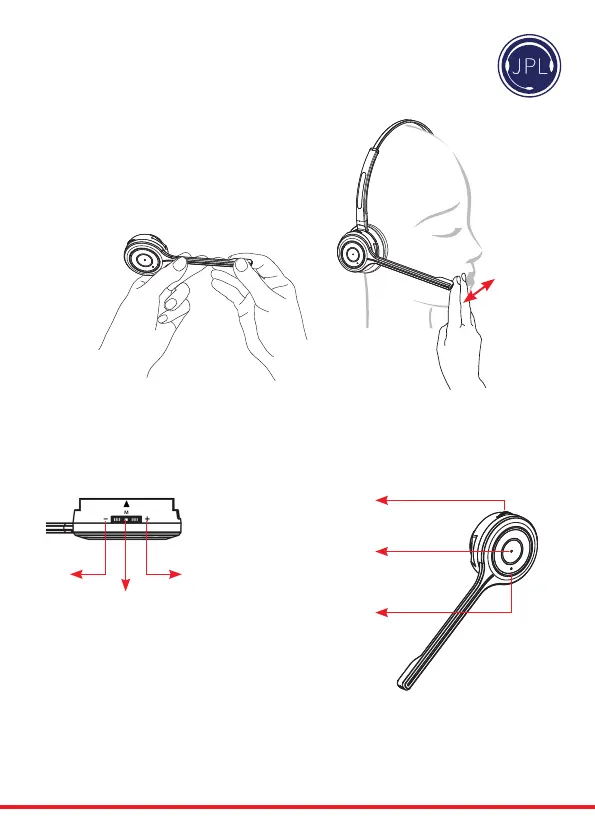
Positioning the Microphone
30mm
Themicrophoneboomarmisexible,soyoucan
gently bend the boom and position it to suit the
curveofyourface.
The ideal position for the microphone is at the corner
ofthemouthapproximately30mm(2ngerwidth)
awayfromthemouth.
Microphone Boom Volume Control
Down Up
Mute
Mute /
Speaker Volume
HookOn/O
Answer / End
a call
In-use / busy
indicator
To change the speaker volume: roll the volume
switch towards the ‘plus’ sign to increase the
volume and roll the switch towards the ‘minus’
sign to reduce the volume and press the switch to
activatethemicrophonemutemode.



 To Next Page