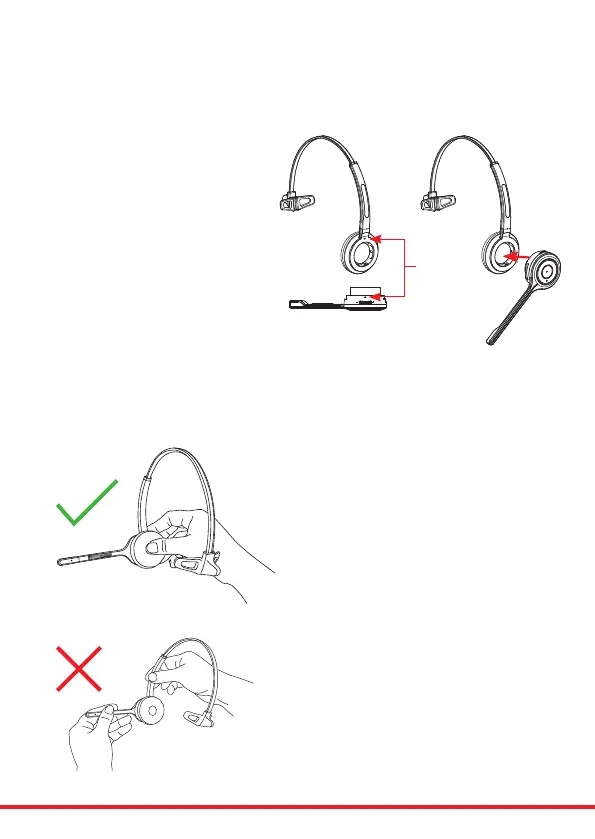
Attaching the headband
To attach the microphone boom
arm to the headband, align the
triangle shape on the microphone
boom arm with the triangle shape
on the headband and push to
clickintoplace.Themicrophone
boom arm will then rotate to your
requiredposition.
Detaching the headband
To detach the microphone boom arm from the
headband, gently push the microphone speaker from
insidetheearcushion.Thiswillpopthemicrophone
boomawayfromtheheadband.
DO NOT pull on the microphone boom
to remove it from the headband.
Align



 To Next Page