2
1
Figure 1
Figure 2
Figure 3
Figure 4
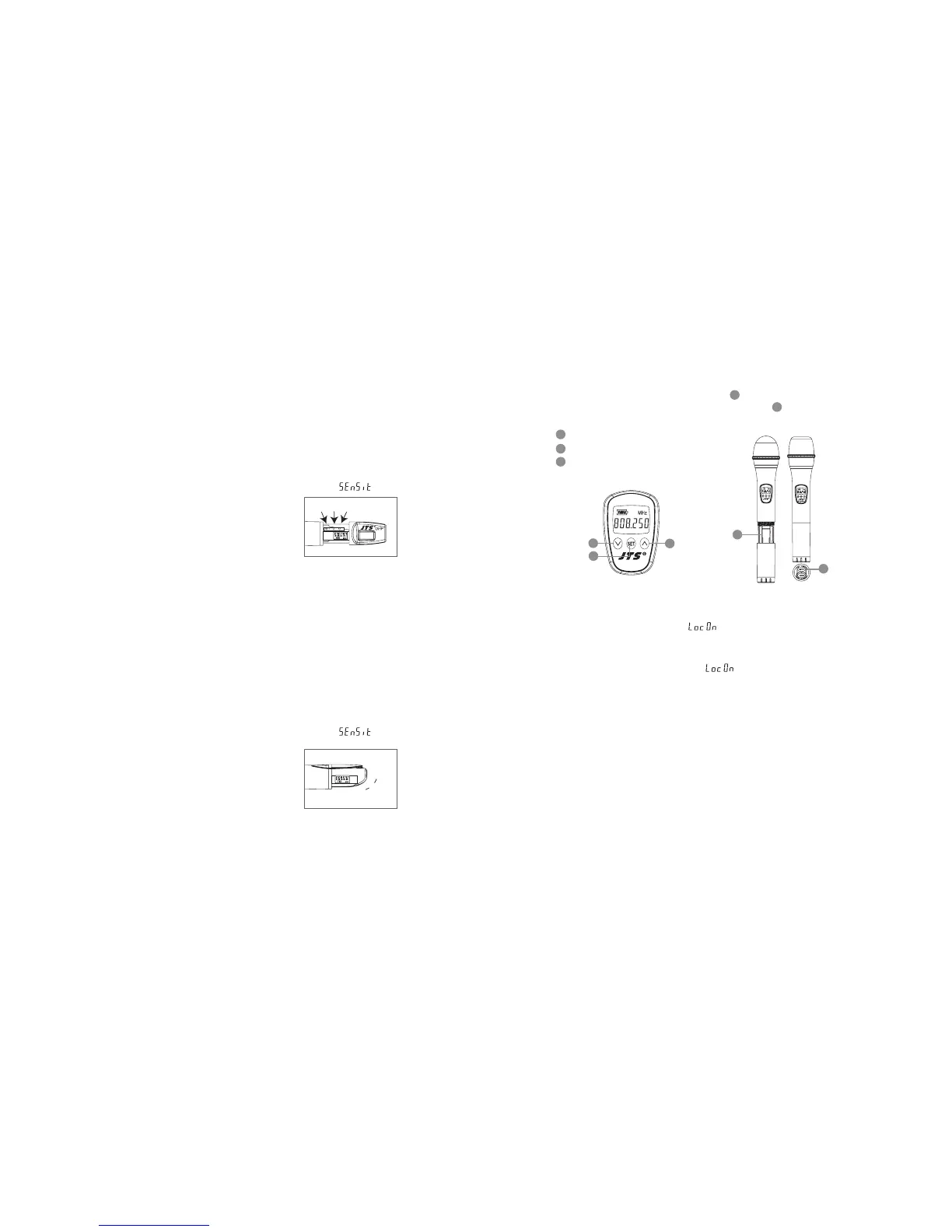
(4) Mh-950 Press the SET buon to select between frequency and sensitivity.
1. Frequency adjusting
Press the UP or DOWN buon to adjust the seing of a menu.
1-1 Hold SET buon for 3 seconds to activate frequency.
1-2 Once you see ”MHz” blanking , you are ready to select your desired frequency
by using UP and DOWN buons.
1-3 Press the SET buon again to store your changes.
2. Sensitivity adjusting
2-1 Press the SET buon twice to select sensitivity. Lasting for 3 seconds at the rst
press, then 1 second for the second press, and the display appears .
2-2 Use UP and DOWN buons to adjust changes.
2-3 Finally press EET buon again to store your changes.
(5) Mh-960 Press the SET buon to select between frequency and sensitivity.
1. Frequency adjusting
Press the UP or DOWN buon to adjust the seing of a menu.
1-1 Hold SET buon for 3 seconds to activate frequency.
1-2 Once you see ”MHz” blanking , you are ready to select your desired frequency
by using UP and DOWN buons.
1-3 Press the SET buon again to store your changes.
2. Sensitivity adjusting
2-1 Press the SET buon twice to select sensitivity. Lasting for 3 seconds at the rst
press, then 1 second for the second press, and the display appears .
2-2 Use UP and DOWN buons to adjust changes.
2 -3 Finally press SET buon again to store your changes.
UpSetDown
Up
Set
Down
(1) Insert 2 pcs 1.5V baeries into the baery tray.
(2) Aer puing into the baery, switch on the power on/o.
(3) LCD operation
Down buon
Up buon
SET buon
5-3 Handheld Transmitter // Mh-8900(i)
15
16
14
18
19
Mh-8900i
19
18
Mh-8900i
15
14
16
(4) Relieved Lock-on
Press “SET” buon three sec. till“ ” show up, then press “DOWN” buon plus “SET”
buon to store the lock-on relieved.
1. Press any buon the display shows“ ” during lock-on model. And it will not disap-
peared either electric o.
2. Mh-8990 Press the SET buon to select between frequency and
sensitivity.
2-1 Frequency adjusting
Press the UP or DOWN buon to adjust the seing of a menu.
1. Hold SET buon for 3 seconds to activate frequency.
2. Once you see “MHz” blanking, you are ready to select your desired frequency by
using UP and DOWN buons.
3. Press the SET buon again to store your changes.



 To Next Page