13
14
6. Basic Operation
6-1 SIEM-2T
1. Power On / Off
Turn on or turn off the transmitter by pressing
the “POWER” button.
2. Volume
Adjust the volume to a proper level.
POWER
VOLUME
3. Setting
LED Display
1 Channel LED Display
2 Channel Selector
POWER
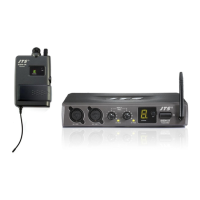
SIEM-2T
Transmitter
POWER
SIEM-2T
Transmitter
1
2
CHANNEL
SET
Select Channel
Hold “Channel Selector” for about 3 seconds, the decimal
point in LED Display starts flashing, allowing you to
change the channel. Then, cycling press “Channel
Selector” to select a desired channel from preset 16
channels. (0-9,A-F)
Notice.1 : The channel of the transmitter must match
that of the receiver .
Notice.2 : The LED Display will stop flashing if no
operation for about 6 seconds


 To Next Page