– 35 –
6-23 Service mode
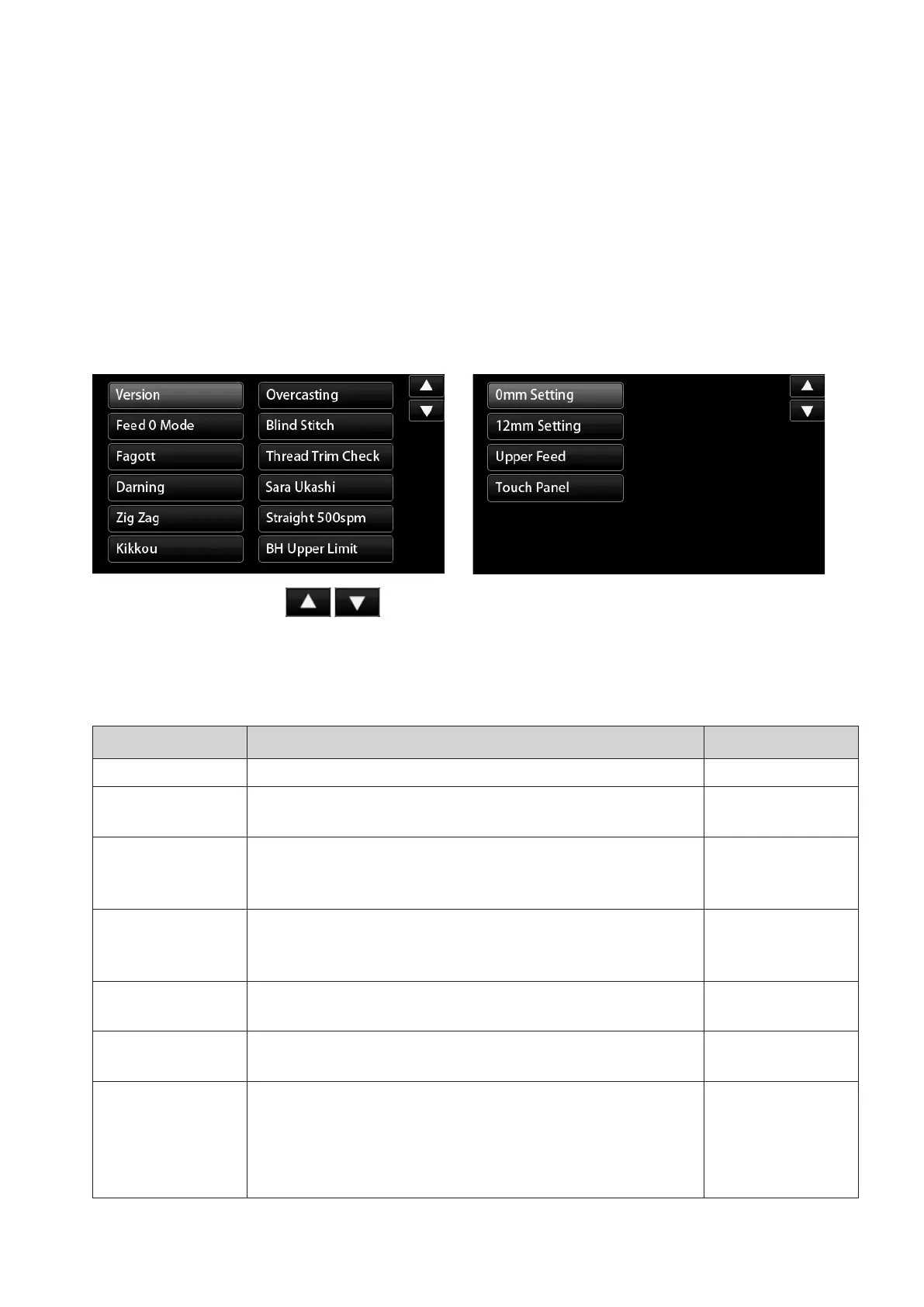
6-23-1 Service mode screen
Checkwithitemnumbersanditems.
[How to select the service mode]
1.Whenthepowerswitchstaysoff,keeppressingboththereversefeedbuttonandthethreadtrimmingbutton
simultaneously to turn ON the power switch.
2. The Service mode screen is displayed. Select the item you want to check.
Item name Description Operation
Version Software version is displayed.
Feed 0 Mode
Select the straight stitch pattern and set the amount of feed at 0
(zero).
A
Fagott
Select the fagoting pattern.
Set the zigzag width at 7.0 mm.
Thefagotingpatterncanbesewn.
A
Darning
Select the darning pattern.
Darningpatterncanbesewnwiththeinitialvalue.
Refer to the "longitu-
dinal feed"
(P28 6-18)
Zig Zag
Select the zigzag pattern.
Zigzagpatterncanbesewnwiththeinitialvalue.
A
Kikkou
Select the Kikkou pattern.
Kikkoupatterncanbesewnwiththeinitialvalue.
A
Overcasting
Adjusttheneedleentrypointforovercasting.
Slide the needle entry points toward the needle throwing direction
entirelybythespeciednumberofpulses.
Theadjustablerangeoftheslidingamountis[-4to4].Adjustment
is made in increments of 1.
B
6-23-2 Service-mode items and descriptions
1st page 2nd page
* Changeover the pages with shown at the upper right of the screen.


 To Next Page
 Loading...