KE2000 Installation Manual
24
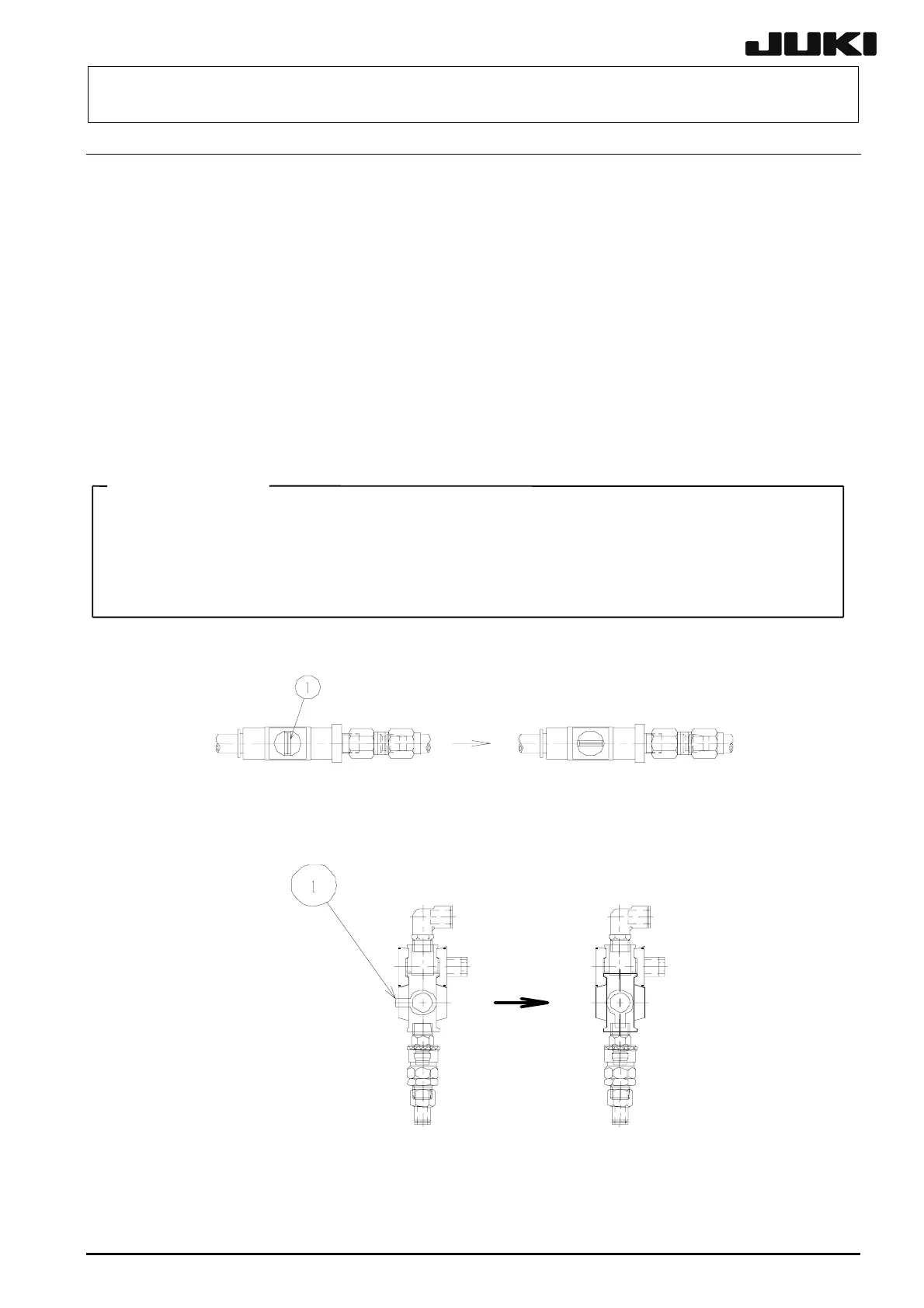
10. Connecting the compressed air tube
<Procedure>
1. Connect the compressed air tube (φ12) coming from the factory to the finger valve.
2. Turn the knob① of the finger valve to supply the compressed air to the mounter
main unit.
3. Pull the pressure regulation knob② (see the Fig 10-2) of the regulator downward
and turn it to adjust the pressure of the operating air to 0.49 MPa (5 kgf/cm2).
4. See the small window at the center of the pressure switch③ (see the Fig 10-2) to
check that the pressure setting is 0.4 MPa (4 kgf/cm2). (This pressure setting has
been adjusted before shipment from the factory.)
5. If the oil or water is accumulated in the drain bottle, press the knob④ to discharge.
<CAUTION>
- Always supply the dry air to the mounter main unit, which has been passed through
the drier.
- To adjust the pressure setting on the pressure switch③, turn the adjustment screw on
the top of the pressure switch with a slotted precision screwdriver.
〈KE−2010/2020/2040〉
〈KE−2030〉
Fig 10-1
Close state Open state
Close state
Open state



 To Next Page
 Loading...




