1
)
After confirming that the sewing machine has
stopped, press OFF button of the power switch to
turn OFF the power.
2
)
After conrming that the power switch has been
turned OFF, draw out the power cord from the
power receptacle. Perform the next work after
conrming that the power has been turned OFF
and ve minutes or more have passed.
3
)
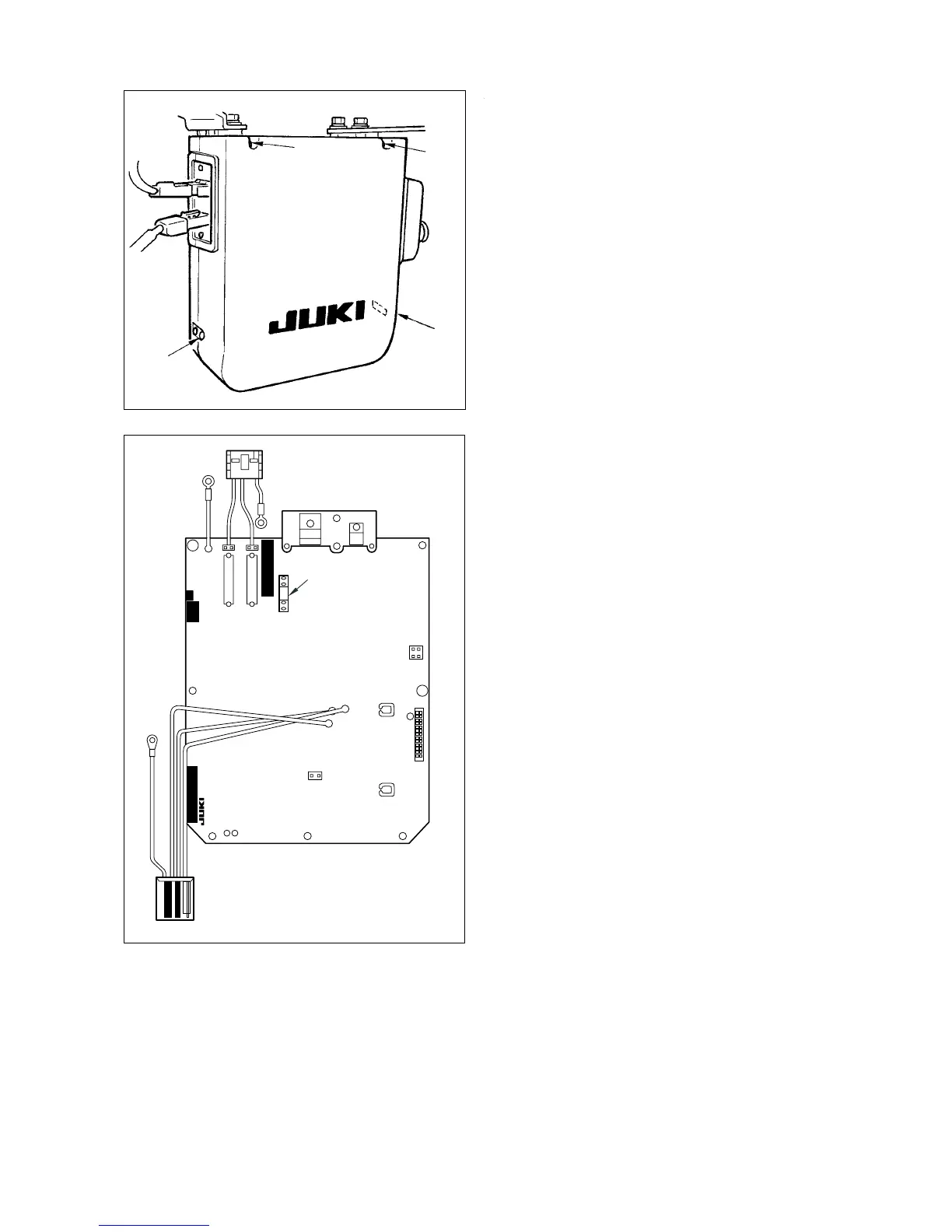
Remove four setscrews
1
of the rear cover and
remove the rear cover.
[Replacing F3 fuse of PWR circuit board (power circuit protection fuse)]
1
1
1
1
4
)
Replace F3 fuse 3.15A of PWR circuit board with
the fuse supplied with the unit as accessories.
5
)
Fix the rear cover with four setscrews
1
.



 To Next Page