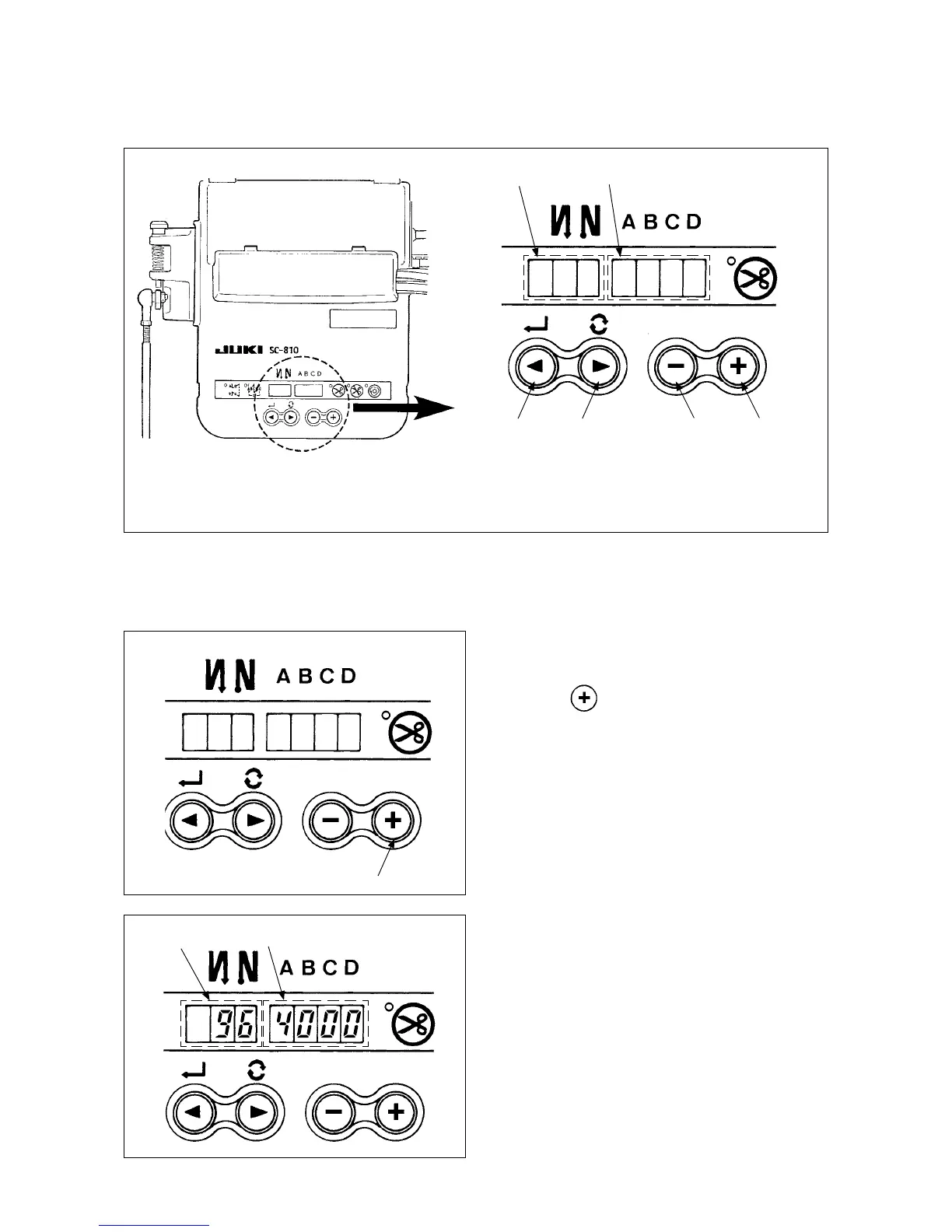
3. Setting for functions of SC-810
Functions can be selected and specied by means of the four setting switches and light emitting diode lo-
cated inside the front cover of the SC-810.
(Caution) • Do not perform switch operations other than those described in the following explanations.
• Be sure to re-turn the power switch ON after one second or more has passed. If the power is
turned ON immediately after turning it OFF, the sewing machine may not work normally. In this
case, turn ON the power again.
How to change over to the function setting mode
1) Turn OFF the power to the unit.
2) Pressing
switch
4
, turn ON the power to the
unit.
1
Switch for entering specied value changed
and updating setting No. in DOWN direction
2
Switch for entering specied value changed
and updating setting No. in UP direction
SpeciedvalueSpeciedNo.
3
Down switch (DOWN)
4
Up switch (UP)
4
3) Indication
5
and
6
will be shown on the screen
display.
(The indication item shows the item, the setting
of which was changed the last time.)
* If the indication fails to change, re-perform the
procedures 1) and 2).
5
6
1 2 3 4



 To Next Page