10
Easytech - planting
3.2 - Seed Conguration
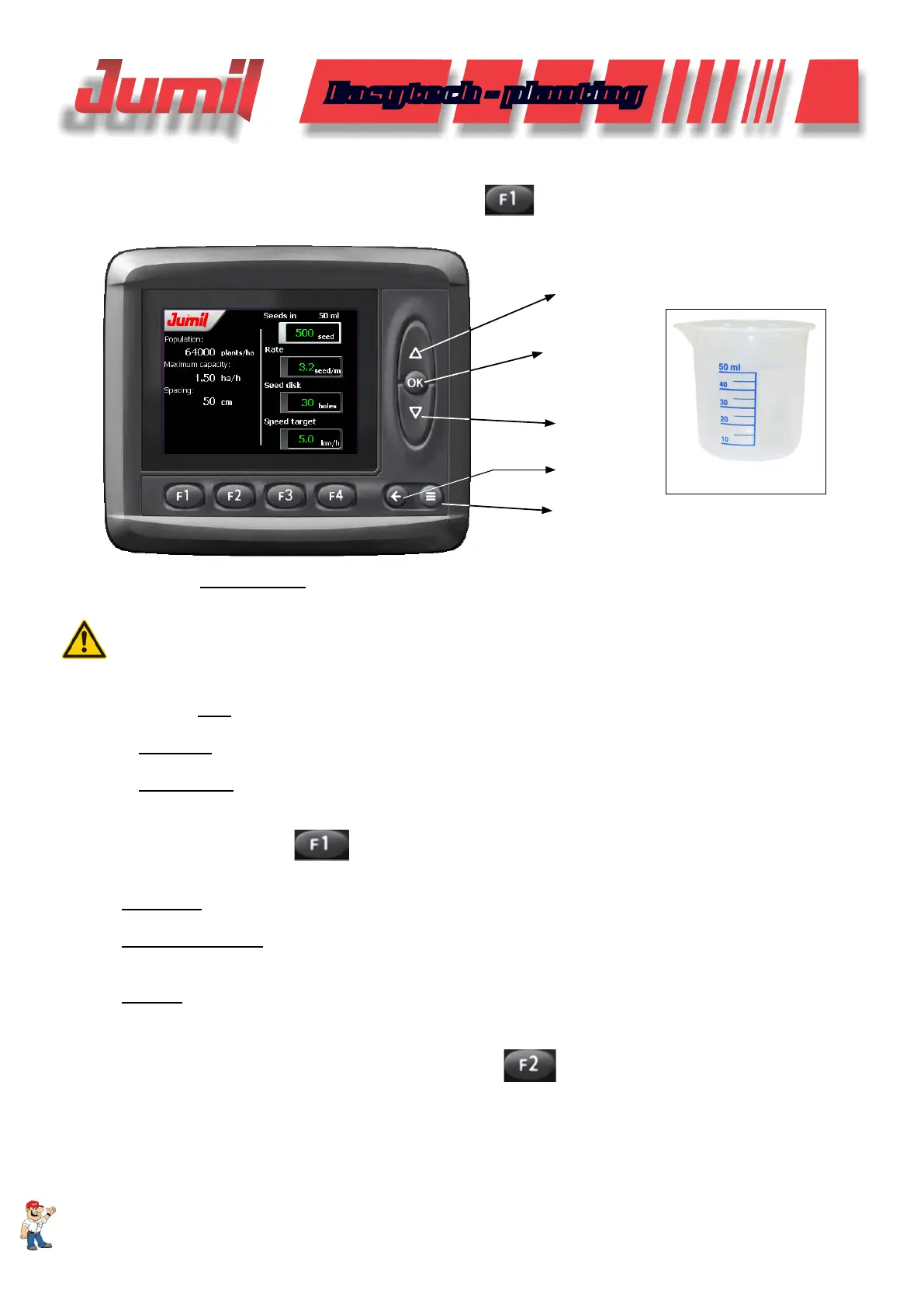
To congure the seed rate to be applied, click on the
function in the work main screen.
Checking the seeds volume:
BECKER
CURSOR
SELECT
MENU
CURSOR
BACK
In the eld Seeds in 50ml enter the number of seeds collected in the Becker that comes with the machine.
This value is important for the seeds deposit volumetric reference.
ATTENTION:
For the seeds deposit volumetric reference ideal operation, make sure that the collected value is related
to the volume requested in the display. It is recommended that the value entered is the average of 3 samples
and that the procedure is redone whenever there are any changes in the type or seed sieve used.
In the eld Rate, enter the number of seeds per meter to be distributed per row;
In Seed disc, select the quantity of holes of the disc that is being used;
In Target speed, enter the desired speed to perform the work. (NOTE: This value serves only as reference for
the statistics of excessive speed during the planting);
Also observe that in the
function we have available the following complimentary information to the
operator.
Population: Population of plants per hectare;
Maximum Capacity: Operational yield according to the target speed established expressed in hectares per
worked hour;
Spacing: Distance between planting rows that is being used in the seeder.
3.3 - Manure Conguration and Calibration
To congure the manure rate to be applied, click on the
function in the work main screen.
SYSTEM OPERATION


 To Next Page