15
3060/70 - 3080/90 - 7080/90PD
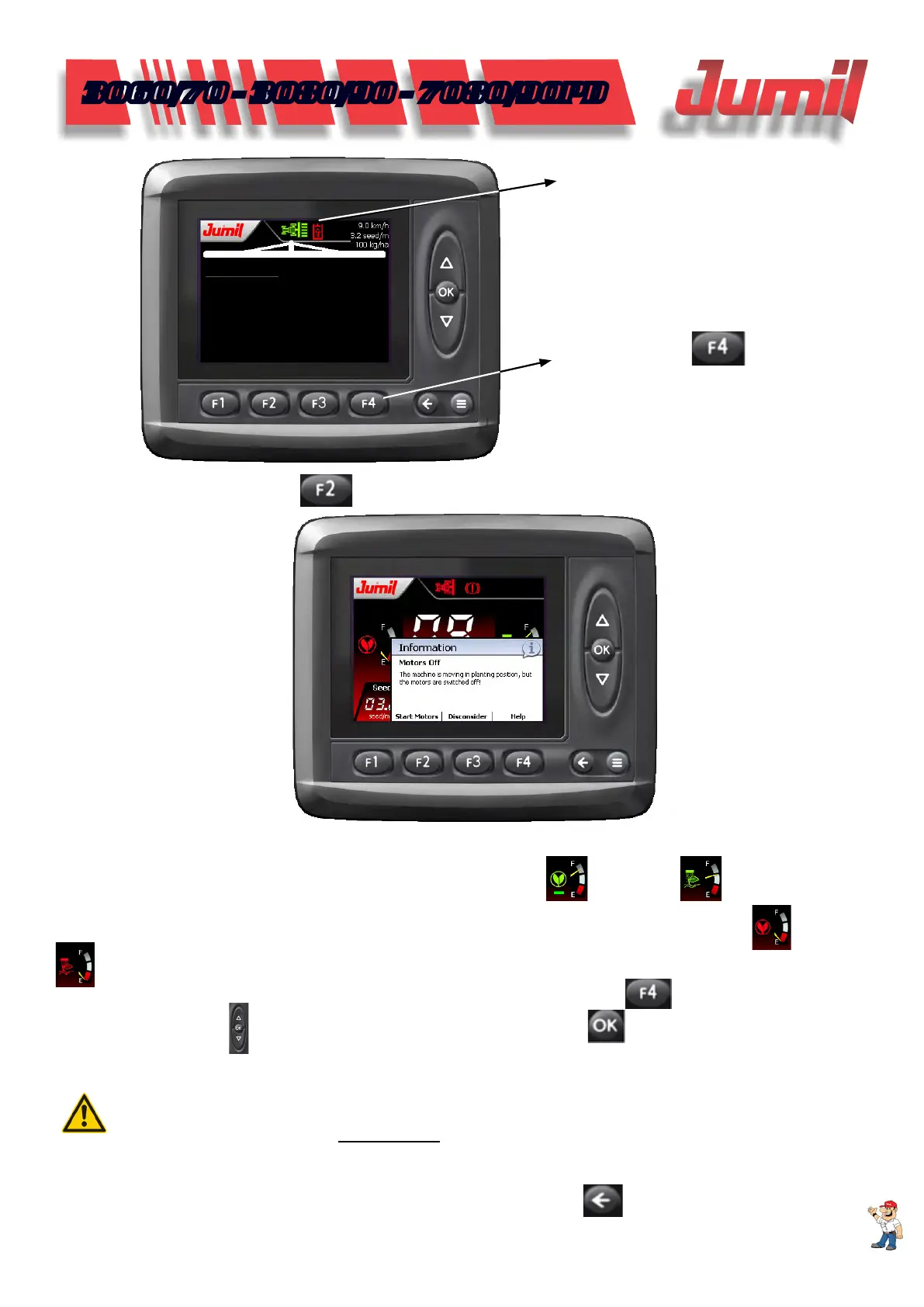
In the main screen, press to power on the motors.
3.7 - Deposits Volumetric Reference
The Easytech system has two volumetric indicators for seed
and manure deposits available to
the operator.
These indicators show the moment in which the operator should pay attention to the seed
or manure
relling.
To inform how much material is in the deposits, click in the work screen in
to select the desired deposit
and use the side cursors
to change the markers level. To conrm, click on .
For further information, read the item 3.2 - Seed Conguration.
SYMBOL FOR STOP
MOTOR
STOP MOTOR ACTUATION
BUTTON
ATTENTION:
For the perfect operation of these references, it is extremely important that both the manure calibration
procedure and the lling in of the eld Seed in 50 ml (practical counting of the quantity of seeds that a recipient
of 50 ml can hold), are made correctly.
3.8 - Seeds Monitoring
To enter in the seed monitoring function, click in the work screen in
.
During the work, if there are any irregularities in the planting lines, a sound warning will be issued highlighting
in red which line has a problem.
SYSTEM OPERATION


 To Next Page