16
Easytech - planting
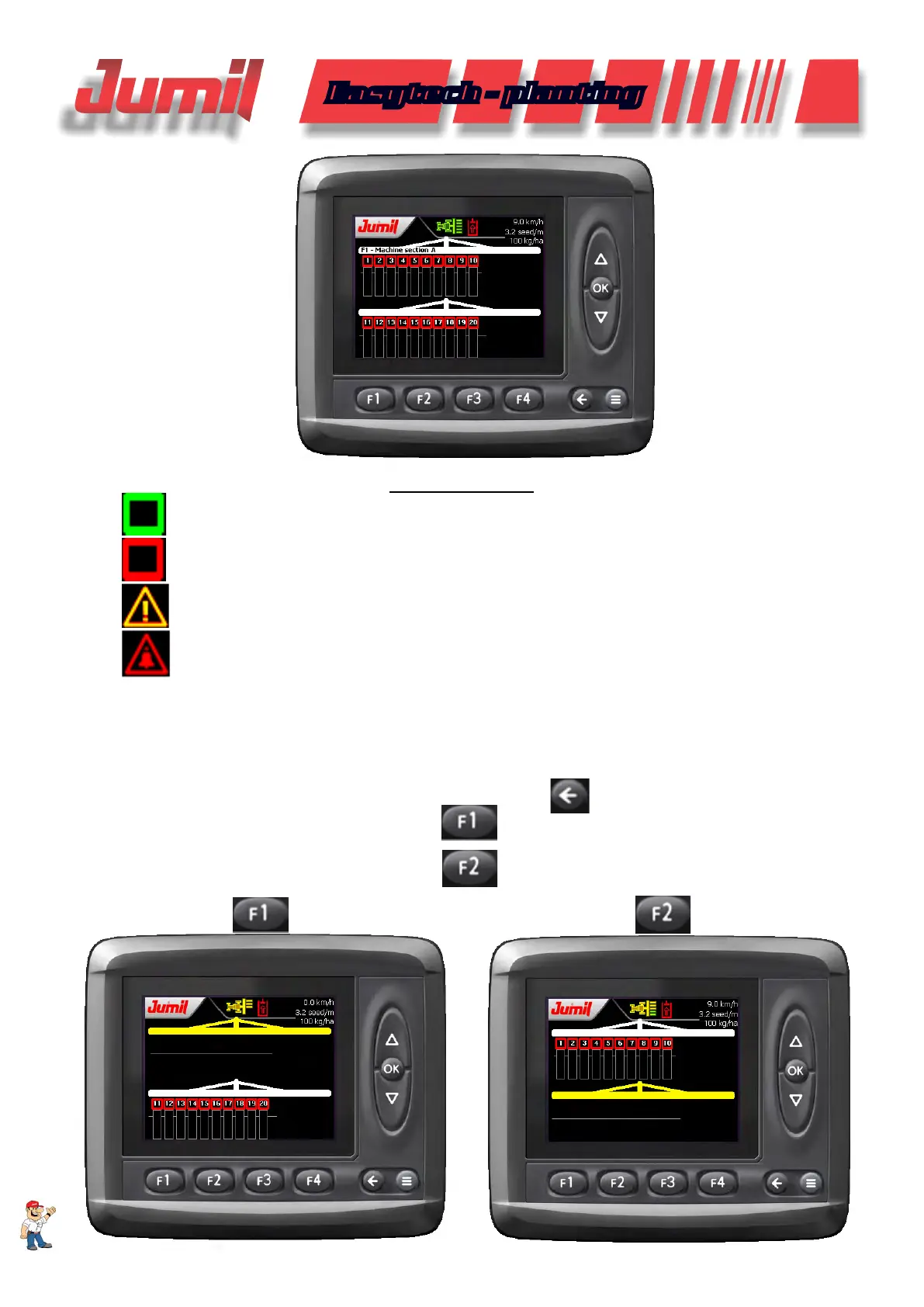
Function indicators
(green color) - Rows OK.
(red color) - Rows with problem.
(yellow color) - Attention: Temporary failure in a row.
(red color) - One or more rows with problem.
3.9 - Machine A or B Section Manual Power Off
This function is available only for the combined machines conguration, where, without leaving the tractor, the
operator can power off the machine A or the machine B manually in the display to perform the nishing in the area to
prevent undesired overlapping, etc.
To access this function, enter in the seed monitoring screen in
;
To power off the machine A, click and hold the
button;
To power off the machine B, click and hold the
button.
SYSTEM OPERATION


 To Next Page