13
3060/70 - 3080/90 - 7080/90PD
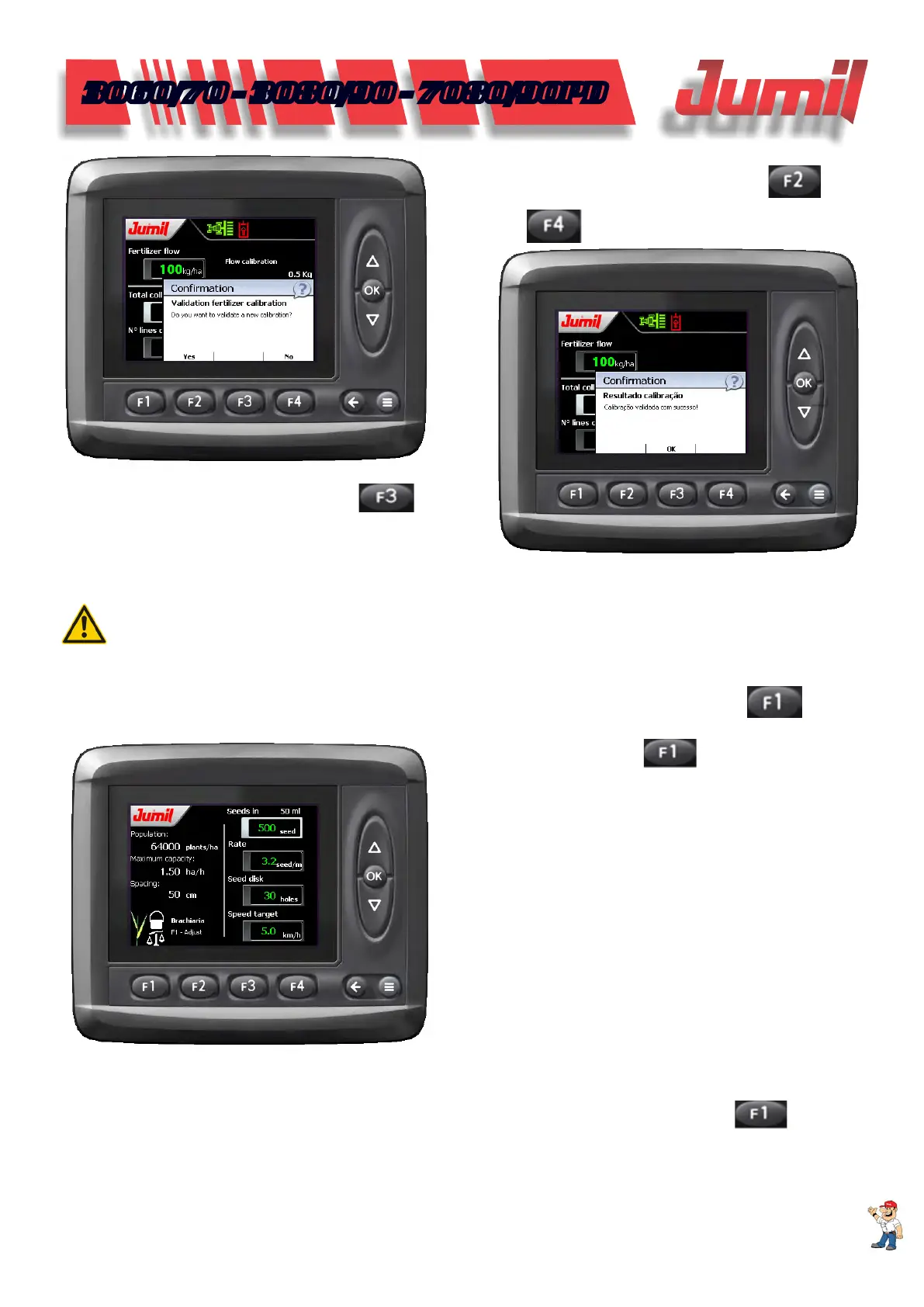
Make sure that the procedure was correct and vali-
date the result clicking on (Yes) in the function
again.
If you are not sure of the procedure performed, click on (No) in
the function
.
3.4 - Brachiaria Gauging
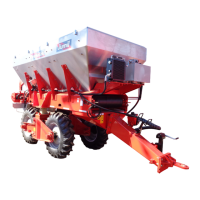
To conrm the calibration, click on .
NOTE:
This function will be enabled only in machines that have brachiaria deposit.
This procedure serves only for reference purposes to know if the brachiaria dosers opening are adjusted cor-
rectly according to the desired rate and congured in the display.
To start the checking procedures for the rate applied to each brachiaria, click on the function
(“adjust”)
that is inside the similar conguration function.
When you click on a new procedure is dis-
played.
In this stage, place the collectors (plastic bags or buckets) at the brachiaria dosers exit, making sure that the
hydraulic command is actuated and that the tractor is in working rotation.
After placing the collectors, enter the brachiaria rate that you intend to apply. Clique on
to start the
gauging procedure.
SYSTEM OPERATION


 To Next Page