12
Easytech - planting
If anything wrong occurs, immediately press
to cancel the procedure and the transmission stops spinning.
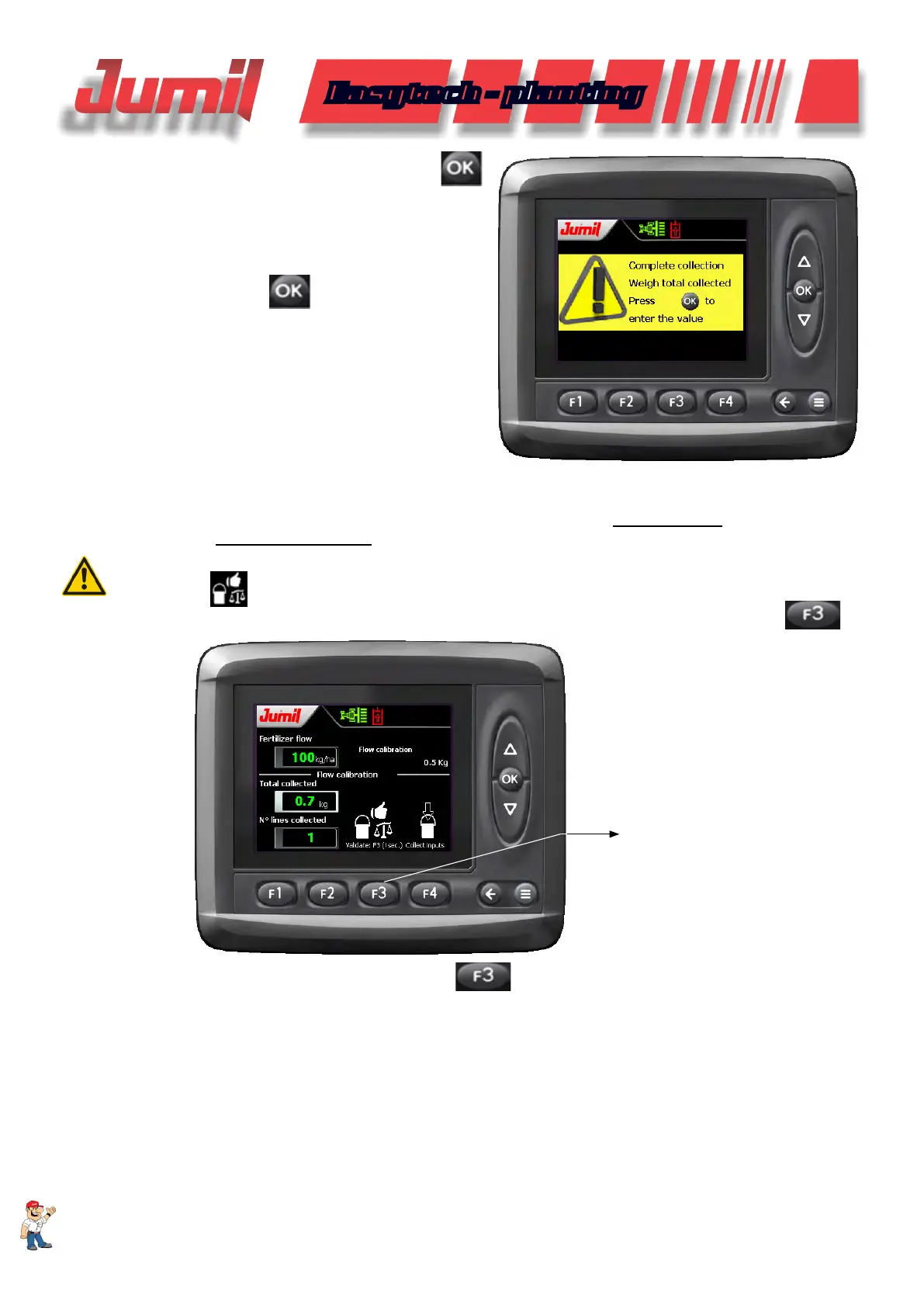
As soon as the procedure is concluded, a new war-
ning will be displayed informing that the collection was conclu-
ded and that all the collected material should be weighted and
inserted in the next screen.
To conclude, click on
.
After concluding the calibration process, collect all the material and weight it with the assistance of a precision
scale.
Enter the value of the sum generated of all the collected lines in the eld Total Collected and inform the quan-
tity of lines collected in No. of rows collected.
NOTE:
The function
(validate result) will be displayed only after the end of the calibration procedure
and the checking of the values entered compatible with the reality that should have been collected
.
VALIDATE RESULT
AFTER CALIBRATION
(hold for 1 second)
To validate the result, click and hold the function for 1 second, then a warning will be displayed.
SYSTEM OPERATION


 To Next Page