19
3060/70 - 3080/90 - 7080/90PD
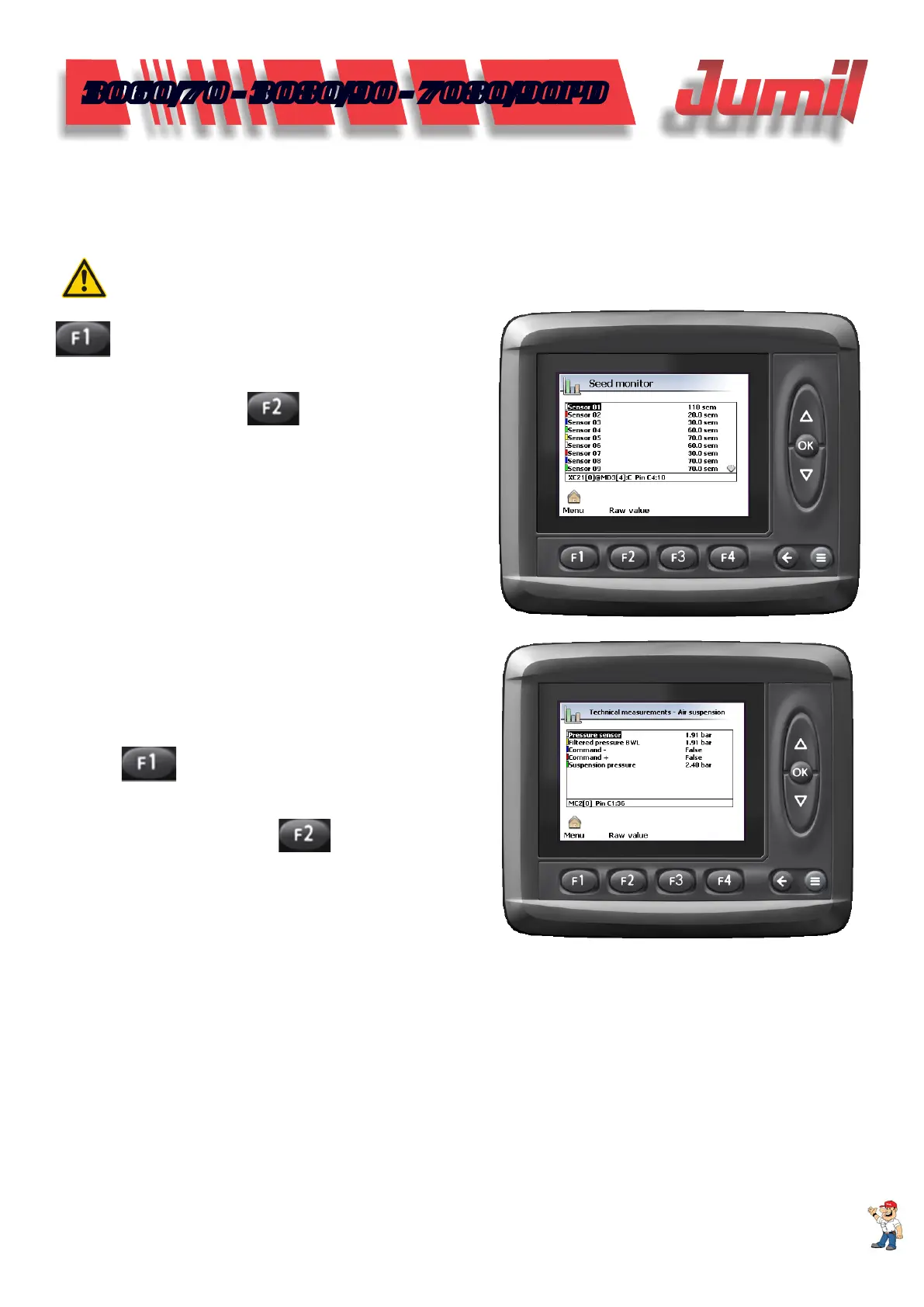
4.1.1 - Test mode - Seeds Monitor
After selecting the test mode option and the seeds monitor measurement, pass the cleaning brush inside the
seeds conductor, as soon as the equipment issues a sound signal and indicates a quantity of seeds in the display.
If it occurs, the sensor is operating correctly.
ATTENTION:
If the panel does not perform the measurement, check the seeds sensor connector or change it.
Seeds Monitor Test Mode: press the icon: MENU –
ADJUSTMENT - TEST MODE - SEEDS MONITOR
TEST MODE - SELECT TEST MODE
Test Mode Gauging: return to the work screen and
select the button: MENU –
MEASUREMENTS – SE-
EDS MONITOR
When the checking is concluded, return to the menu,
test mode, seeds monitor and selection the option working
mode.
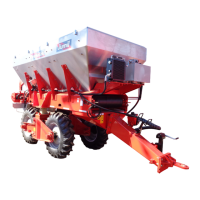
4.1.2 - Test Mode - Pneumatic Suspension
Checking the pneumatic system, observe if the value
of the pressure sensor icon is equal to the suspension pressu-
re icon.
Pneumatic Suspension Test Mode: press the icon:
MENU –
ADJUSTMENT - TEST MODE - PNEUMA-
TIC SUSPENSION TEST MODE - SELECT TEST MODE
Test Mode Gauging: return to the work screen
and select the button: MENU –
MEASUREMENTS –
PNEUMATIC SUSP TECHNICAL MEASUREMENTS
When the checking is concluded, return to the
menu, test mode, pneumatic suspension and select the option
working mode.
SYSTEM CONFIGURATION


 To Next Page