17
3060/70 - 3080/90 - 7080/90PD
NOTE:
To activate the section again, click on
for the machine A and for the machine B.
When deactivating any section, the symbol
will be displayed permanently on the work screen indication
that any of the sections is deactivated.
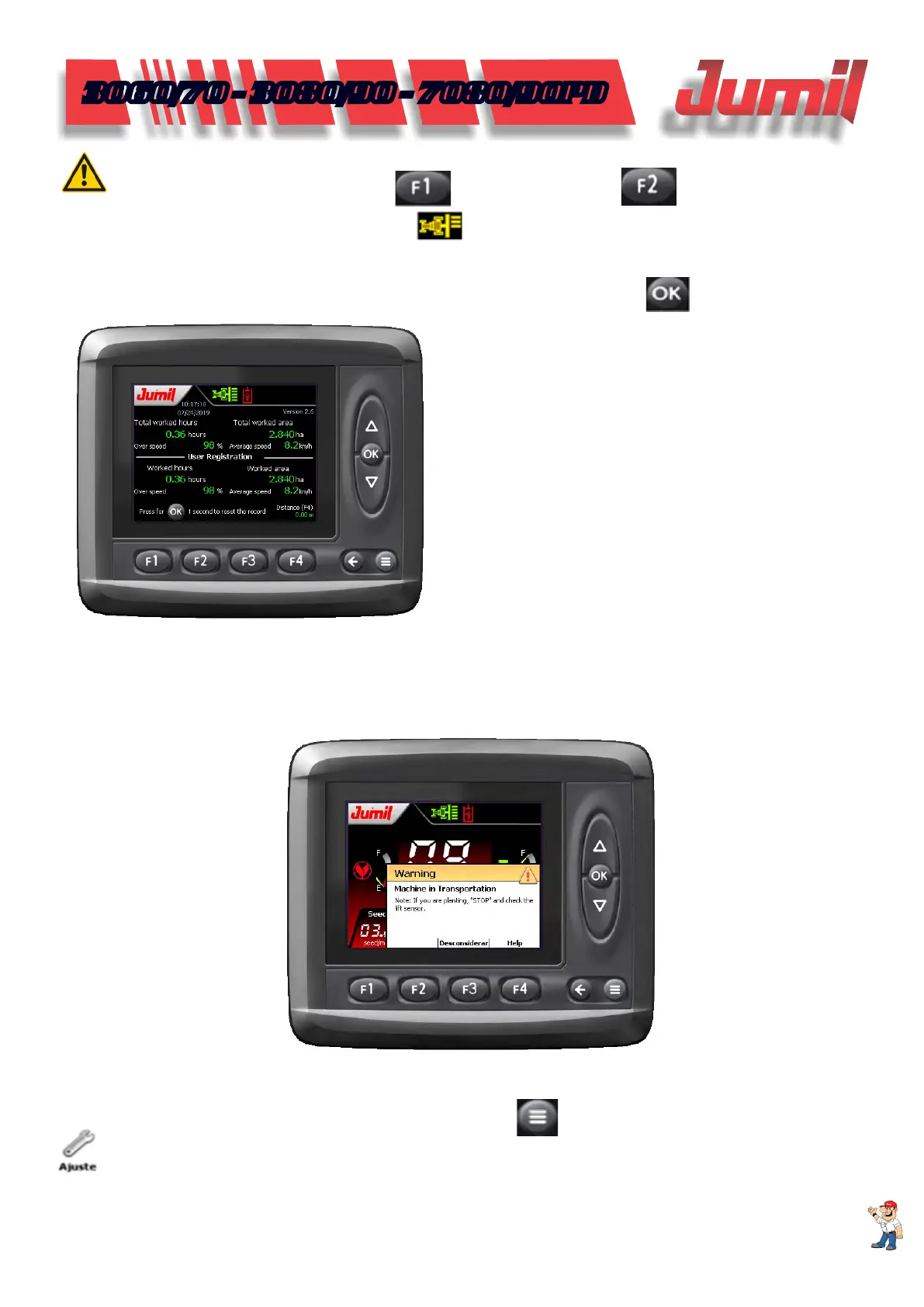
3.10 - Operational Clock
To view the Easytech system operational report, click on the work screen in
.
In this screen, the following information is available
to the operator:
- All of worked area;
- Worked hours;
- Excess of speed in relation to the established for
the planting.
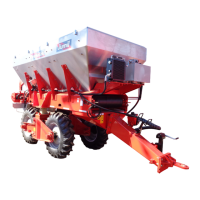
3.11 - Machine Under Transportation Warning
The warning serves to inform that the machine is in the transportation mode; however, the motors are powered
off, if you are planting and this warning is displayed, stop the planting and check the lifting sensor.
4 - SYSTEM CONFIGURATION
To start the Easytech system conguration, click on Menu
in the home screen and then clique on Adjust
.
SYSTEM CONFIGURATION


 To Next Page