•
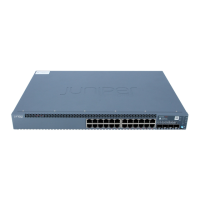
The QFX5120-32C switch offers 2 SFP+ ports that operate at 10-Gbps speed, and 32 ports that operate at 40-Gbps
(with QSFP+ transceivers) and 100-Gbps speeds (with QSFP28 transceivers).
NOTE: The QFX5120-32C switch does not support 1-Gigabit Ethernet connections.
•
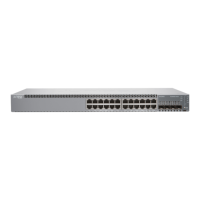
The QFX5120-48Y switch offers 48 small-form factor pluggable (SFP+) ports that operate at 1-Gbps, 10-Gbps, and
25-Gbps speeds along with 8 quad small form-factor pluggable (QSFP28) ports that operate at 40-Gbps (with QSFP+
transceivers) and 100-Gbps speeds (with QSFP28 transceivers).
NOTE: By default, the QFX5120-48Y switch offers 10-Gbps speed. You need to configure to set 1-Gbps and
25-Gbps speeds.
You can use breakout cables to channelize each port to increase the number of interfaces.
The QFX5120-48Y switch is available in four models, with AC or DC power supplies and with front-to-back or back-to-front
airflow. The QFX5120-32C switch is available in four models, with AC or DC power supplies, and with front-to-back or
back-to-front airflow.
NOTE: See the complete documentation at https://www.juniper.net/documentation/product/en_US/qfx5120.
Tools and Parts Required for Installation
To mount a QFX5120 switch on a rack, you need:
•
Two front-mounting brackets and twelve screws to secure the brackets to the chassis—provided
•
Two rear-mounting brackets—provided
•
Screws to secure the chassis to the rack—not provided
•
Phillips (+) screwdriver, number 2—not provided
•
Electrostatic discharge (ESD) grounding strap—not provided
2



 To Next Page
 Loading...