EasyManua.ls Logo

JVC AV-48WP30 - Connecting to an External Amplifier; Connecting to the Surround Amplifier

JVC AV-48WP30
68 pages
Print Icon
To Next Page IconTo Next Page
To Previous Page IconTo Previous Page
Loading...
20
Connections
N
P
U
T
3
N
P
U
T
2
INPUT 1
OVER
OVER
R
L
AUDIO VIDEO S-VIDEO
TV R
ea
r P
a
n
el
Left
F
r
o
nt
Sp
eaker
Right
F
r
o
nt
Sp
eaker
Am
p
lifier
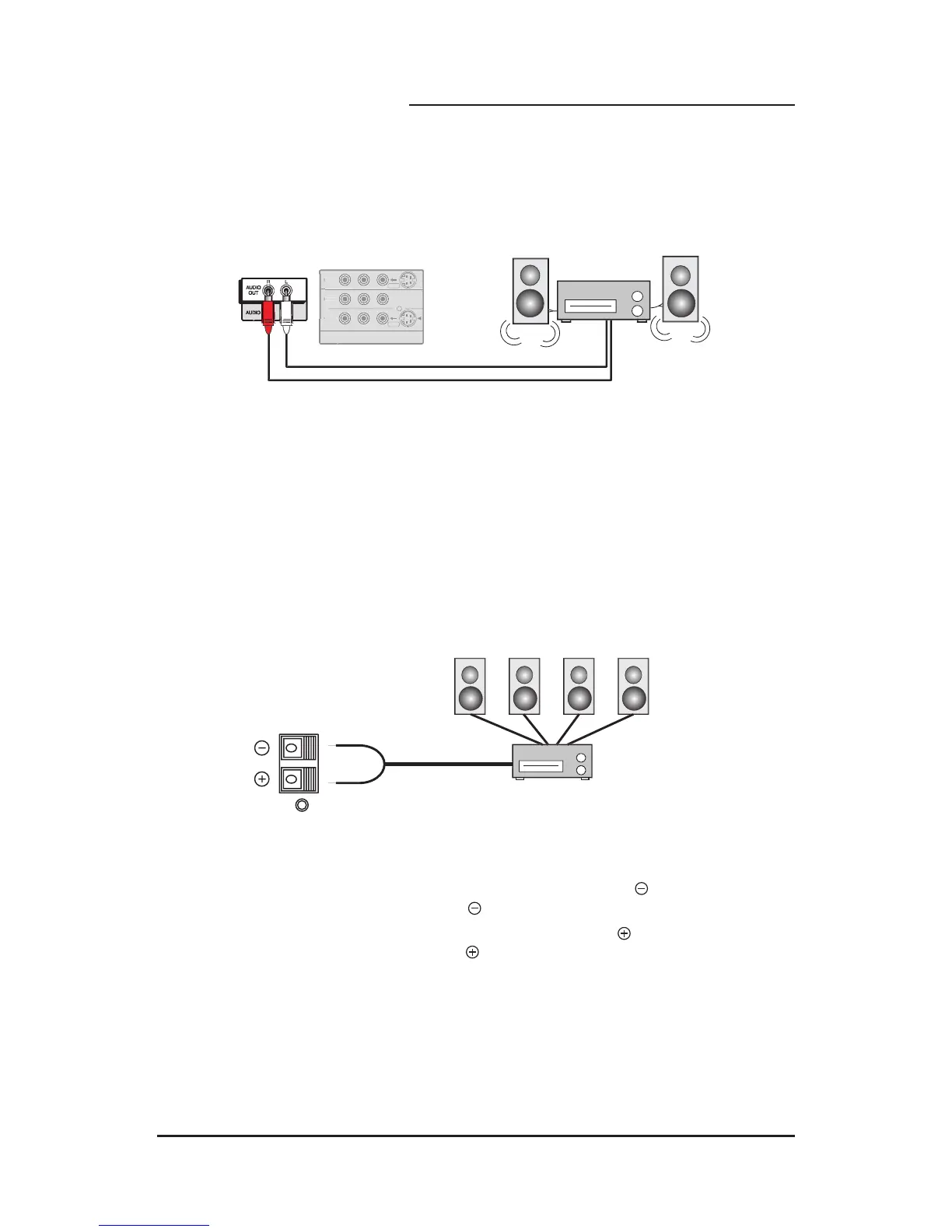
Connecting to an External Amplifier
1) Connect the White Audio Cable from the TV’s Left Audio Output Jack to the Amplifier’s Left
Audio Input Jack.
2) Connect the Red Audio Cable from the TV’s Right Audio Output Jack to the Amplifier’s
Right Audio Input Jack.
BLACK
RED
F
R
O
NT FR
O
NT
SU
RR
OU
ND
Center Speaker Out
SPEAKER INPUT
16 45W MAX
1) Connect the BLACK speaker cable from the TV’s SPEAKER INPUT terminal to the
surround amplifier’s center speaker output terminal.
2) Connect the RED speaker cable from the TV’s SPEAKER INPUT terminal to the
surround amplifier’s center speaker output terminal.
Connecting to the Surround Amplifier

Table of Contents

Related product manuals